Most ecommerce teams still treat a packshot as a single file: product centered, white background, “good enough for the listing.” Then returns spike because buyers never saw the hinge, the texture, or the size relative to a hand. The problem was never the camera. The problem was packshot thinking — treating product photography as one pretty frame instead of a system of angles that answers buyer questions.
AI packshot work in 2026 is not “make the bottle prettier.” It is: from one honest reference, produce enough commercial angles that a stranger on a phone can decide without calling support.
Key Takeaways
- A packshot is a question-answering set, not a hero beauty shot. Front, 45°, detail, scale, and packaging are different jobs.
- Adobe’s 2026 Creators’ Toolkit Report found 57% of creative AI outputs still need moderate or extensive editing before publish — packshot QA fails for the same reason: geometry and label fidelity, not “vibe.”
- Studio days buy control. Packshot thinking buys coverage: enough angles to list, retarget, and reuse without booking another shoot.
- Orauria’s Packshot Studio and Ecommerce solutions are built for this job — reference in, angle family out — inside one creative workspace.
If you have already read AI Ecommerce Design Is Not AI Image, this post is the product-layer version of that idea. Ecommerce design is the system. Packshot thinking is how the SKU itself survives marketplace scrutiny.
What Is Packshot Thinking?
Packshot thinking means you plan product images the way a merchandiser plans a shelf talker: every frame must close a doubt.
| Angle | Buyer question it answers | Fail mode if missing |
|---|---|---|
| Front hero | What is this product? | Listing looks empty or “stock” |
| 45° / 3/4 | What is the form in space? | Flat, toy-like, hard to trust |
| Detail / macro | What is the material / print / finish? | “Looks cheap online” returns |
| Scale | How big is it? | Size shock after delivery |
| Packaging / in-box | What arrives? | Unboxing disappointment |
| Lifestyle bridge (optional) | Where does it live? | Cold catalog, weak ads |
White-background front shots are not “dead” — they are incomplete. Visual Commerce 2026 argued that white-only feeds underperform when every competitor ships context. Packshot thinking agrees — and adds a rule: lifestyle does not replace geometry. You still need the honest product block.
A studio day gives you control. Packshot thinking gives you coverage. Coverage is what marketplaces and media buyers actually buy.
Why Do Teams Still Book Studio Days for Simple SKUs?
Three reasons — all rational, all incomplete.
1. Fear of label drift. AI that “improves” a bottle often invents typography. Media buyers then reject the export because the listing hero and the ad disagree. The fix is not “never use AI.” The fix is reference-first packshots with a QA checklist that scores geometry before beauty.
2. Habit of one hero. Designers deliver one approved beauty shot. Marketing asks for six crops Friday afternoon. Nobody owned the angle family. From Phone Photo to Campaign names this as a workflow failure, not a photography failure.
3. Confusion between packshot and campaign. Campaign images sell aspiration. Packshots sell truth. Mixing the briefs produces images that are neither listable nor scroll-stopping.
Adobe’s 2025–2026 creator surveys show most teams already juggle more than one creative AI tool in a quarter. That sprawl is exactly what packshot thinking tries to prevent: one reference, one brand kit, one angle plan — then generate.
How Many Angles Are “Enough”?
Enough is not a fixed number. Enough is coverage of buyer doubt for that category.
| Category | Minimum useful set | Notes |
|---|---|---|
| Supplements / beauty bottles | Front + 45° + label detail + scale | Label fidelity is the QA bottleneck |
| Electronics / gadgets | Front + ports/detail + in-hand scale + packaging | Ports and buttons must stay readable |
| Apparel accessories | Front + texture + on-model or flat scale | Texture sells more than logo |
| Home / hard goods | Front + 45° + material detail + room bridge | Staging is secondary to form |
If you only ship one angle, you are optimizing for the photographer’s portfolio — not the PDP.
How to Build a Packshot Angle Family with AI
This is a thinking workflow, not a button tour. Use any capable image model inside Orauria Studio; the discipline matters more than the model name.
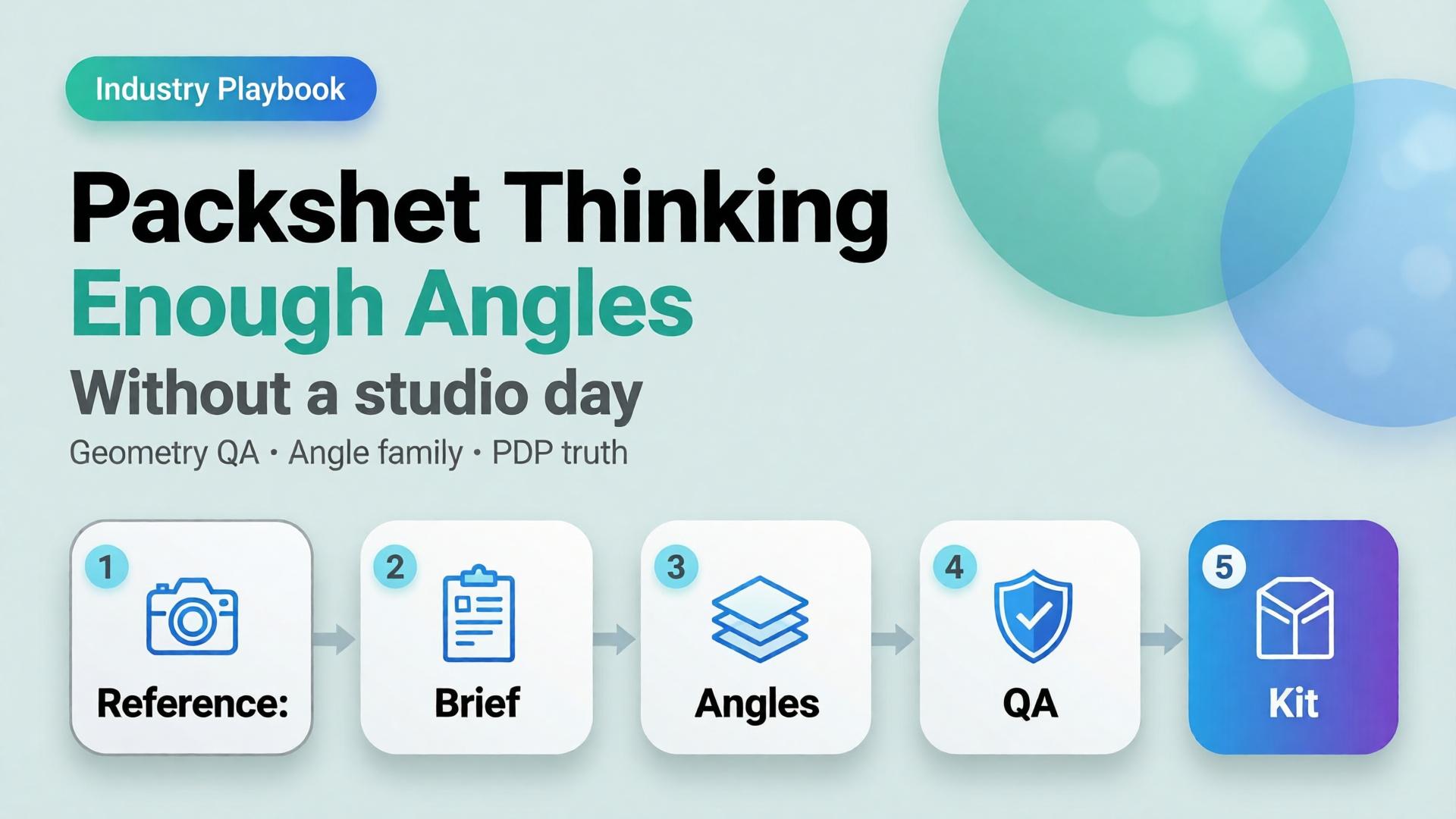
Step 1 — Lock the reference, not the vibe
Upload a clean product photo: label facing camera, product centered, minimum ~1000×1000 px if you can. Phone photos work as references if focus holds on the label — see the phone-to-campaign mindset post.
Write what must not change: bottle height, cap color, logo placement, material finish. That list is your Brand Style guardrail, not a moodboard.
Step 2 — Write the angle brief before prompts
Borrow the SCENE method only for lifestyle bridges. For pure packshots, write a shorter table:
- Angle name
- Buyer question
- Background rule (white / soft gray / none)
- Crop rule (full product vs detail)
Do not invent scene poetry until the front and 45° pass QA.
Step 3 — Generate the geometry set first
Produce front and 45° before lifestyle. Score each export on:
- Does the SKU still read as the SKU?
- Is type on the label still legible at phone width?
- Do proportions match the reference (no “stretched bottle”)?
If an export fails geometry, regenerate. Do not “fix in Photoshop for an hour” and pretend the system worked.
Step 4 — Add detail, scale, then optional lifestyle
Detail and scale close returns. Lifestyle bridges feed ads and social. Keep them in that order so campaign beauty never overwrites listing truth.
Step 5 — Publish the family into a reusable kit
Store approved angles with the SKU ID. When batch thinking across 100 SKUs starts, you reuse the angle plan — not reinvent prompts per product.
For the productized path — shot planner plus studio generation — see Orauria’s AI Packshot landing and the broader ecommerce hub.
Packshot QA Checklist (Traffic-Ready)
Use this before anything leaves the folder:
- [ ] Front hero matches listing color and silhouette
- [ ] 45° does not invent new branding
- [ ] Detail crop shows real texture / print / seam
- [ ] Scale cue is honest (hand, coin, known object — or stated dimensions in copy)
- [ ] No burned-in promo text unless the ad brief requires it
- [ ] Background removal / cutout edges are clean for marketplace upload (background removal workflows)
- [ ] All angles feel like one SKU, not three product lines
Adobe’s finding that 57% of AI creative still needs editing before publish is not a reason to avoid AI. It is a reason to budget QA as part of packshot thinking.
How Does Packshot Thinking Connect to Ads and Marketplaces?
Packshots feed three surfaces:
- Marketplace PDPs — geometry and trust
- Prospecting statics — same product block, new scenes and ratios
- Workflow reuse — nodes that cut, upscale, and re-crop without re-shooting
The next post in this cluster — One Product → Feed, Story, Cover — covers ratio families for Meta, TikTok, and marketplace banners. Packshot thinking is the source of truth. Banner thinking is the channel adaptation.
Inside Orauria, that handoff lives in one workspace: Packshot for angles, Banner Ads / marketplace tools for sizes, Workflow for cleanup — instead of exporting to three vendors and losing brand coherence.
Frequently Asked Questions
Is an AI packshot good enough for Amazon or Shopee listings?
It can be — if geometry and label fidelity pass human QA. Marketplaces punish misleading imagery. Treat AI as a production system for angles, not a license to invent product features.
Should lifestyle images replace white-background packshots?
No. Lifestyle answers context; packshots answer form. Strong catalogs use both. See Visual Commerce 2026.
What if I only have a messy phone photo?
Start with phone-to-campaign workflow mindset. Clean the reference enough that the label is readable, then build the angle family. Do not expect a blurry label to become sharp legal type.
Which AI image model is best for packshots?
The model that holds product geometry under your QA checklist. Choose the model after the angle brief — not before. That decision framework is covered in Choose the Image Model After Creative Direction.
How is this different from a full studio day?
A studio day maximizes control for hero campaigns. Packshot thinking maximizes coverage and reuse for catalogs and weekly ads. Many teams need both — just not for every SKU every week.
Soft next step
If your bottleneck is “we never have enough angles,” open Orauria Packshot and plan the angle family before you chase another model trend. For the full ecommerce loop — listing through social reuse — start at solutions/ecommerce.