
OrauriaImage to Prompt
Right-click any image → reconstruct an editable AI prompt. Install Image to Prompt, paste your Orauria API key, then reverse any product or ad image into a prompt you can remix.
- Right-click any product or ad image on the web
- Reconstruct it into an editable AI prompt
- Credits billed to your Orauria wallet
Open the Chrome Web Store via the button above, then click Add to Chrome. Edge can install from the same listing.
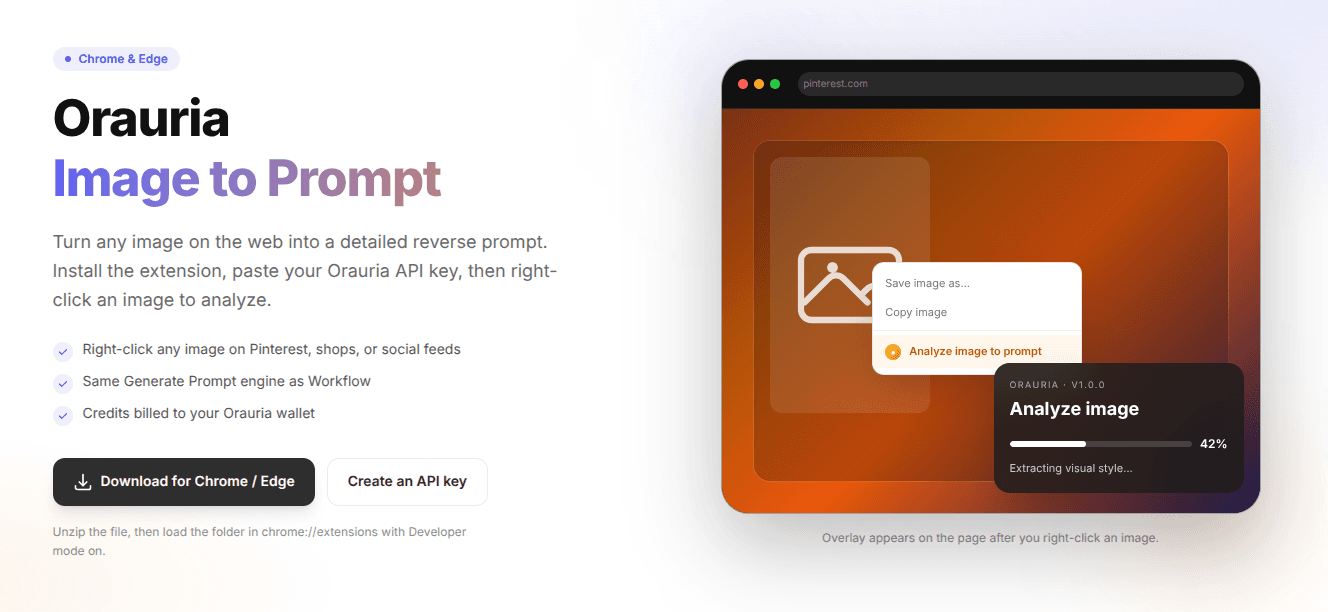
Save image as…
Copy image
●Analyze image to prompt
ORAURIA · IMAGE TO PROMPT
Image to Prompt
Extracting visual style…
Overlay appears on the page after you right-click an image.
Chrome & Edge · Image to Prompt
How it works
Four steps from install to a copy-ready prompt.
01
Install Image to Prompt
Click Download for Chrome / Edge to open the Orauria Image to Prompt listing, then Add to Chrome.

02
Confirm install
Allow Image to Prompt when the browser asks. Edge uses the same Chrome Web Store link.
03
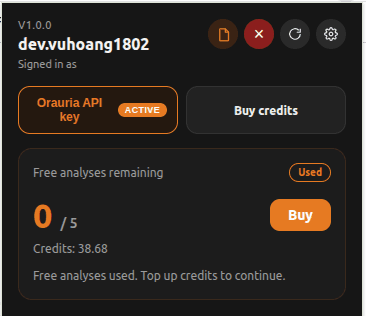
Connect your API key
Create an ora_live_… key on Profile, paste it in the popup, Connect, and check free analyses / credits.
04
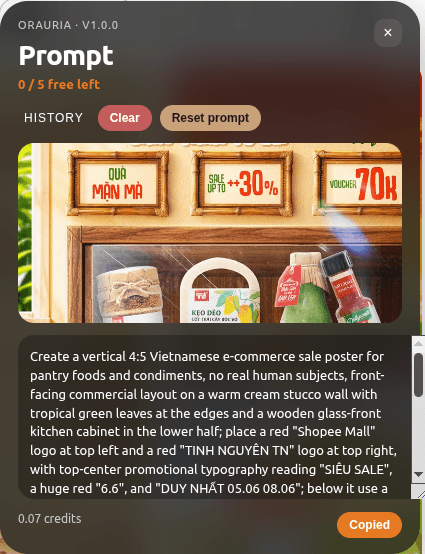
Right-click → get prompt
Choose Analyze image to prompt on any image. Copy the reconstructed prompt when it is ready.
What you get
Built for people who collect references and rebuild them in Studio.
Works on any website
Pinterest, shops, social feeds — right-click an image wherever you browse.
Same engine as Workflow
Uses the Generate Prompt node on Orauria, billed to your account.
Copy-ready prompt
Get a reconstruction prompt you can paste into Studio or any image model.
Install in 4 steps
Install Image to Prompt once from the Chrome Web Store — works on Chrome and Edge.
- 1
Open the Chrome Web Store
Use the Download for Chrome / Edge button above to open the official Image to Prompt listing.
- 2
Add to Chrome
Click Add to Chrome / Get, then confirm. Edge installs from the same listing.
- 3
Open the Image to Prompt popup
Pin the Orauria icon on the toolbar, then open the popup to configure.
- 4
Paste your API key
Keep API base as your Orauria site, paste ora_live_… and Connect.
FAQ
Why 404 when connecting?+
The API is not on that host yet. Point API base at the site where you created the key (localhost while developing).
Chrome Web Store?+
Yes. Install Image to Prompt directly from the Chrome Web Store via the button on this page. Edge can use the same listing.
Start reconstructing prompts from any image
Install Image to Prompt from the Chrome Web Store, create an API key, and right-click your first reference.