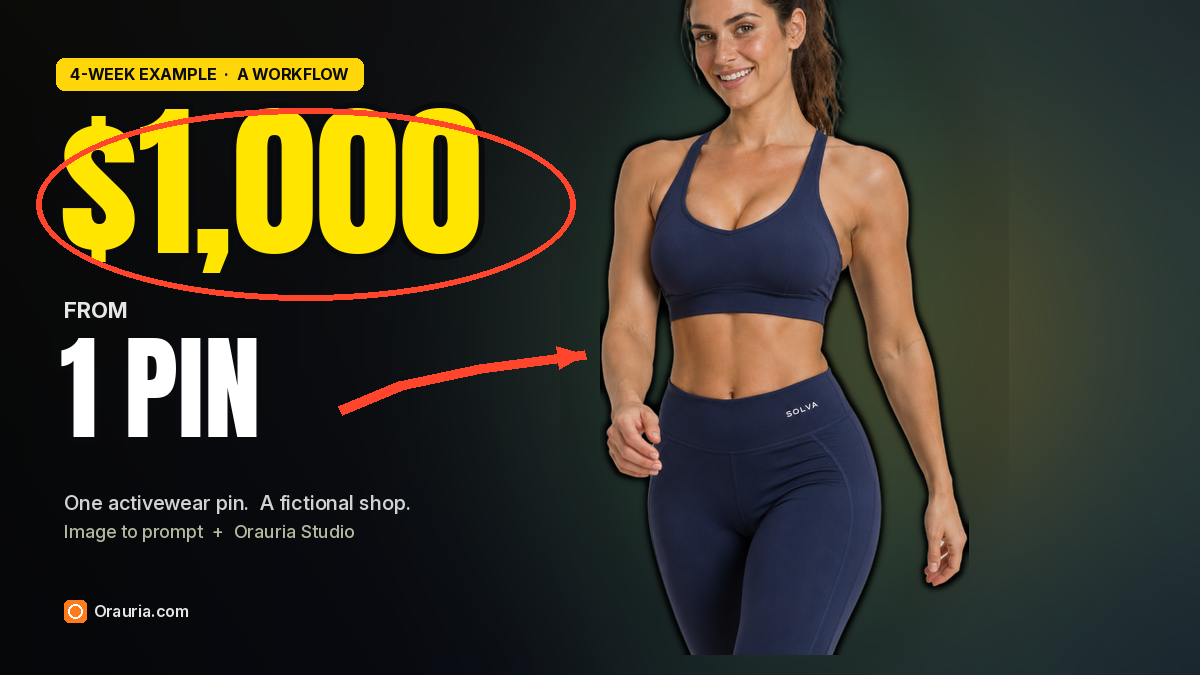
A small activewear shop does not start with a warehouse. It starts with pictures a stranger can believe: a consistent model, a short color story, and clothes you can actually read on a phone. This playbook uses one studio pin — and the related sports pins beside it — to build a first collection for a fictional shop we named SOLVA. It is a four-week example of how that catalog could be listed, posted, and sold up to a first $1,000.
It is not a revenue report. The Image to prompt steps and the Studio stills are real; we ran them, and the task numbers are below. The Instagram likes and the $1,012 checkout window are an illustration of a plausible first month for a very small shop — about 28 orders at an average of $36 — not figures from a store we operate, and not a promise that the same numbers will show up in yours.
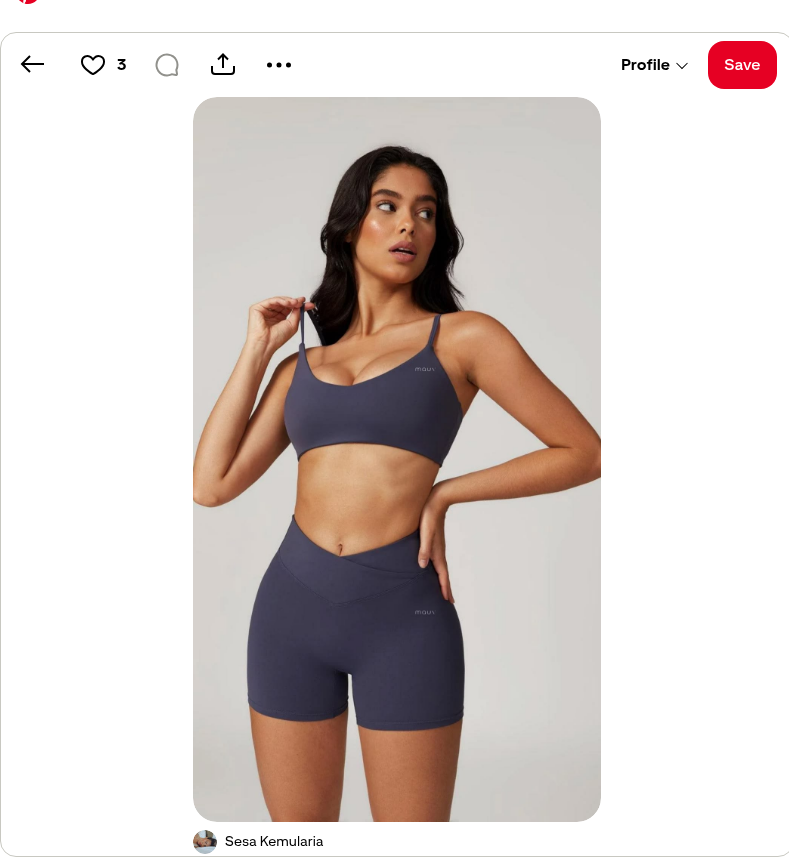
The reference is this pin by Sesa Kemularia: a vertical studio shot of a woman in a dark slate-purple sports bra and matching biker shorts, against a seamless warm gray backdrop, with small lowercase “mauv” logos on the bra and shorts. It is a clean e-commerce frame. It is also someone else’s face and someone else’s mark. The woman in the SOLVA catalog is a different, fictional model, on purpose, in a different color story, under a brand we invented.
The playbook at a glance
- Install the Chrome extension.
- Find a strong activewear pin that teaches light, crop, and fabric — not a face or a logo to clone.
- Run Image to prompt, then repeat it on related sports pins to collect a color and pose story.
- Rewrite the character. Replace the source brand — here, the “mauv” logos — with your own fictional mark.
- Generate the first look in Studio, attach it as a reference, and build the rest of a short catalog.
- List the pieces, post them, and treat the first month as a small, measurable shop — not a guaranteed income.
First, install the extension
Image to prompt only works after you install the Chrome extension AI Assistant Copilot – Orauria. Get it from the Chrome Web Store before you go looking for a reference. Once it is on, you can right-click a pin and pull a prompt from it.
Week 1: Find the pin and extract the prompt
A first activewear drop rewards clothes you can read: a clear three-quarter or mid-thigh crop, a seamless studio, fabric that looks like fabric, and a model who can come back in more than one color. This pin already thinks that way. Soft broad frontal light, a confident three-quarter pose, one hand at the strap and the other at the hip, and enough negative space that the frame would still hold on a product page. Those are the useful parts.
The original face should not travel into the shop, and neither should the logo. Treat the pin as a lighting and composition teacher. Credit the person who posted it — here, Sesa Kemularia — and then write a different character in a brand that is yours.
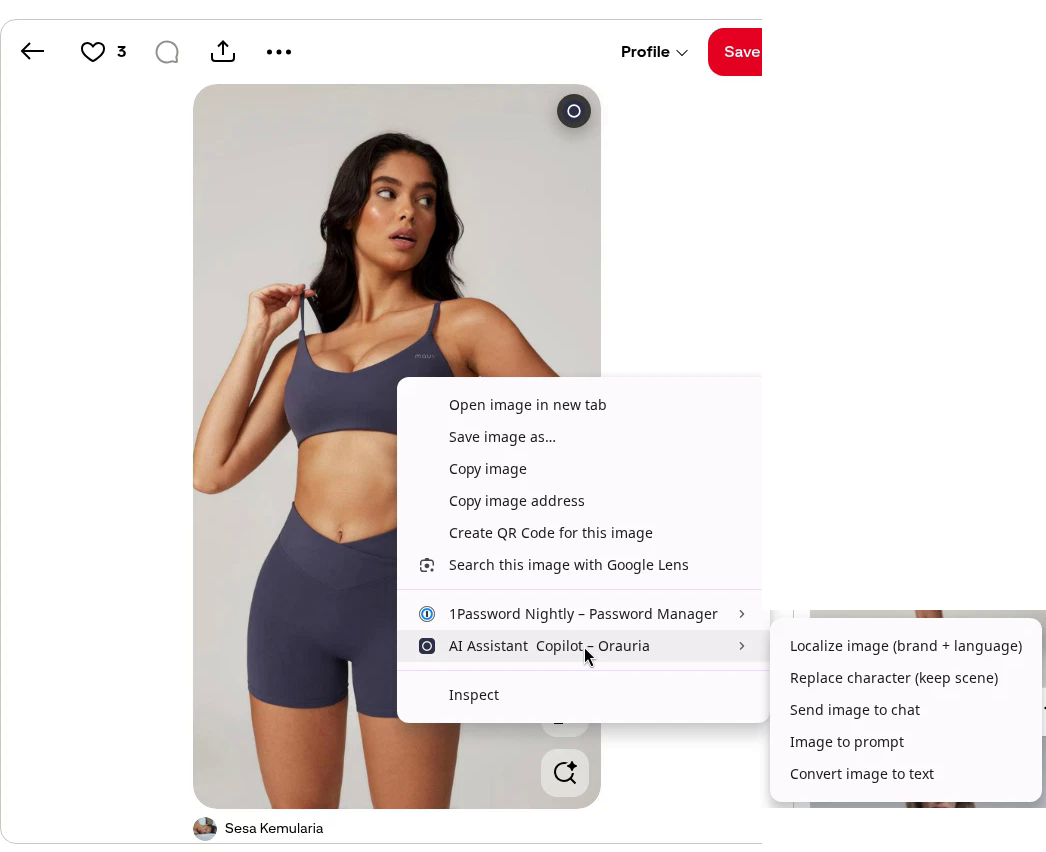
Right-click the image, open AI Assistant Copilot – Orauria, and choose Image to prompt.
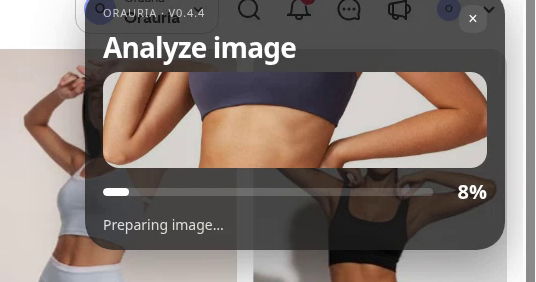
The panel analyzes the picture, then returns a prompt you can copy. Generation takes a few seconds; the result appears in the same panel.
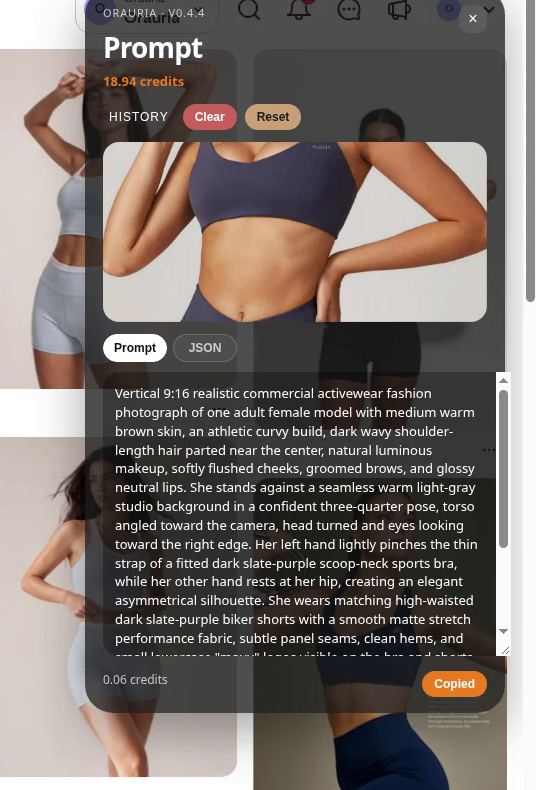
Scroll to the end of the brief. That is where the source brand is named, and it is the part that is easiest to miss if you only copy the first lines.
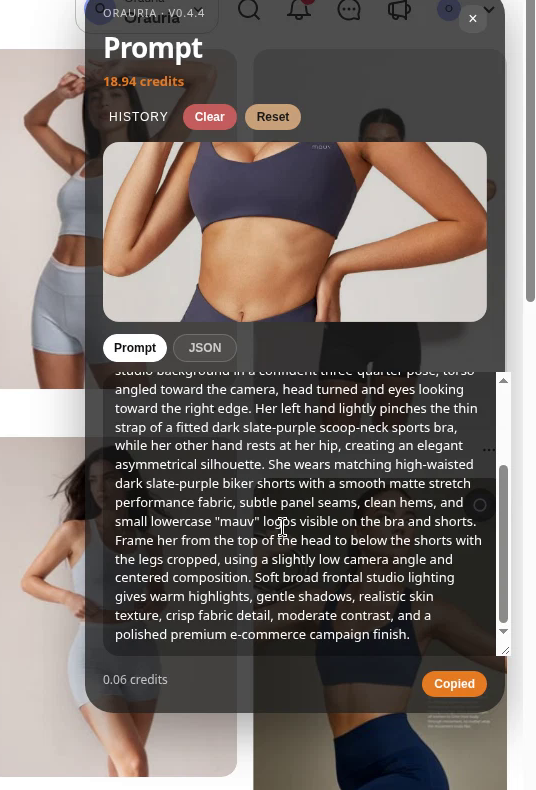
This is the brief the extension wrote from the pin, quoted in full:
Vertical 9:16 realistic commercial activewear fashion photograph of one adult female model with medium warm brown skin, an athletic curvy build, dark wavy shoulder-length hair parted near the center, natural luminous makeup, softly flushed cheeks, groomed brows, and glossy neutral lips. She stands against a seamless warm light-gray studio background in a confident three-quarter pose, torso angled toward the camera, head turned and eyes looking toward the right edge. Her left hand lightly pinches the thin strap of a fitted dark slate-purple scoop-neck sports bra, while her other hand rests at her hip, creating an elegant asymmetrical silhouette. She wears matching high-waisted dark slate-purple biker shorts with a smooth matte stretch performance fabric, subtle panel seams, clean hems, and small lowercase “mauv” logos visible on the bra and shorts. Frame her from the top of the head to below the shorts with the legs cropped, using a slightly low camera angle and centered composition. Soft broad frontal studio lighting gives warm highlights, gentle shadows, realistic skin texture, crisp fabric detail, moderate contrast, and a polished premium e-commerce campaign finish.
The useful part is the craft: a vertical commercial crop, a seamless warm gray studio, soft broad frontal light, a readable view of a matching set, crisp fabric detail. The part you owe the rewrite is the person — the medium warm brown skin, the dark wavy shoulder-length hair, the glance off to the right — and the brand. The “mauv” logos are in the brief because they are in the picture. They are not a logo you get to keep.
A first collection is easier if you do not stop at one frame. On the same Pinterest page, the related sports pins already suggest a short color story: a black ribbed set, a pale sage set, a navy set, a darker black look. We ran Image to prompt on four of them, in the same way, and kept the briefs as a palette — not as faces to reprint.
- A black ribbed set by Kailainny
- A pale sage set with both arms raised by Aurely
- A navy bra and leggings by linda
- A black set with a high ponytail by Crazy Kushal, already labelled AI modified on the pin itself
That last label is worth taking seriously. A pin is not automatically a photograph, and it is not automatically yours. Credit the people who posted these frames, steal the homework on light and color, and leave their faces — and anyone else’s mark — where you found them.
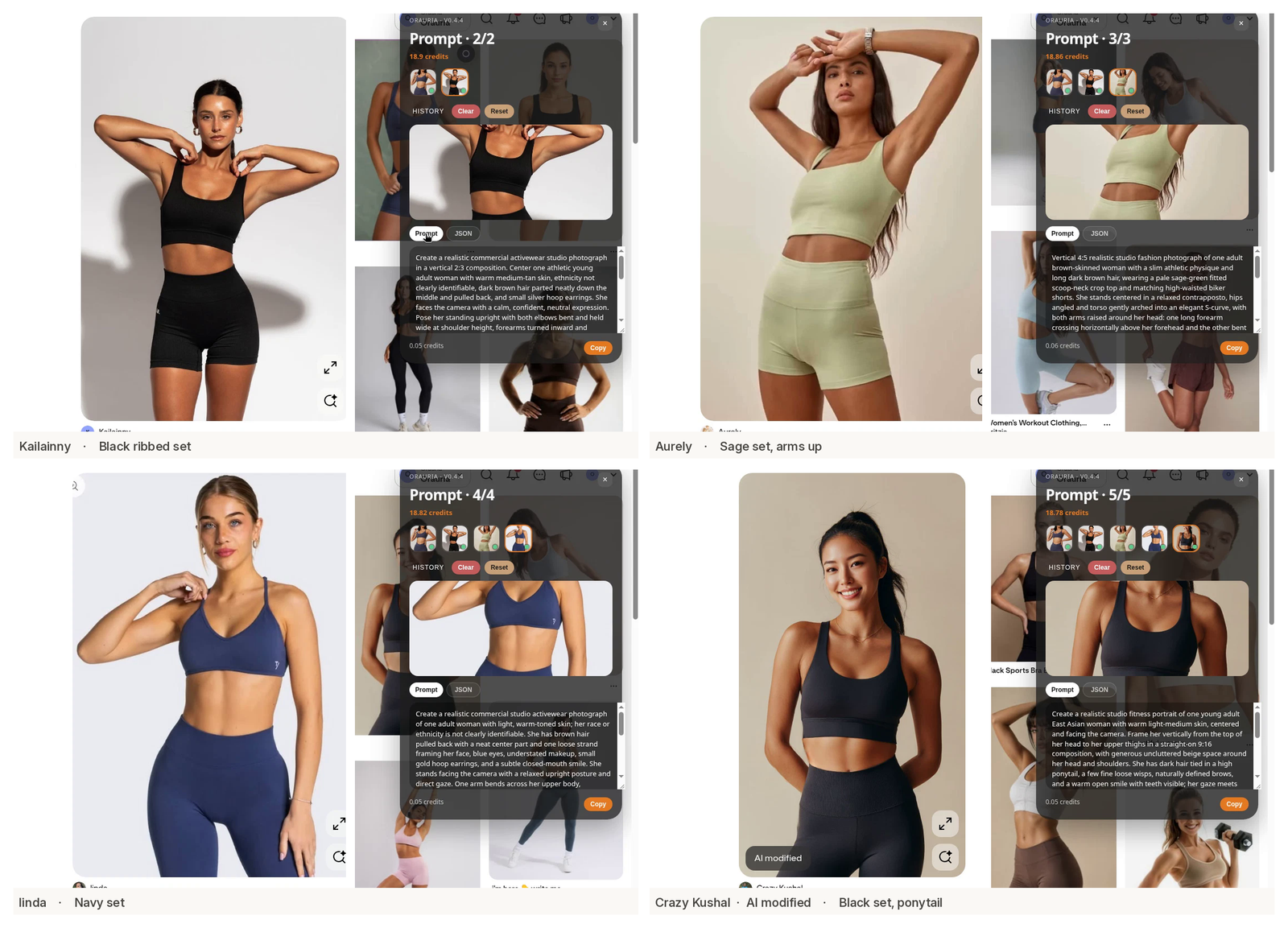
By the end of the week you should have a copied brief, a short list of colors and poses, and a clear decision about what will change: the model, the logo, and, in this example, the slate-purple of the original set.
Week 2: Build a consistent model and a first catalog
A catalog is easy to get wrong in both directions. If you keep the pin’s face, or the “mauv” wordmark, you do not have a shop; you have a reprint. If you only change the outfit and hope the model “gets” a new person from a paragraph, the face will drift from look to look, and a shopper will not believe it is the same collection.
So we changed the person and the brand, then locked both.
The new character is a fictional woman in her late twenties with light olive skin, a defined athletic build, and a sleek high dark-brown ponytail. She is not the woman in the Kemularia pin. The wavy shoulder-length hair, the medium warm brown skin, and the original features stay with the pin. The shop is SOLVA, a name we invented; a small white wordmark sits on the waistband where the source brief had called for “mauv.”
Open Orauria Studio:
- Image, then Single
- Aspect ratio, Resolution, and Quality: Adaptive
- Model: TT Image 2.5
- Generate with the send button, or Ctrl+Enter
Each of the stills below cost about 0.02 credits on that setting.
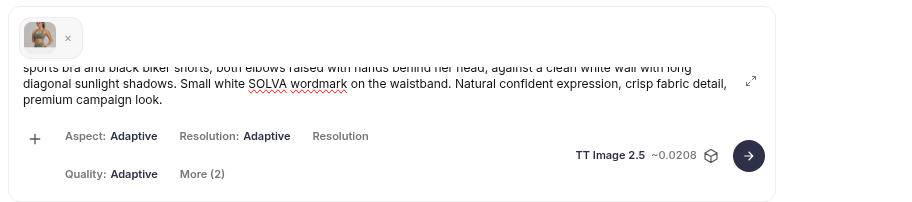
This is the rewritten brief we used for the first look, a dusty sage set in the same kind of studio. The opening matches the prompt visible in Studio; the close matches the composer. The middle follows the original pin’s pose and lighting, with the new face and the new mark written in:
Vertical 4:5 realistic commercial activewear photograph of one adult female model in her late twenties with light olive skin, a sleek high dark-brown ponytail, a defined athletic build, and a calm closed-mouth smile as she looks into the camera. She is a fictional character, not the woman from any reference pin; do not copy another model’s face, hair, or body. She stands against a seamless warm light-gray studio background in a confident three-quarter pose, torso angled toward the camera. Her left hand lightly pinches the strap of a fitted dusty sage scoop-neck sports bra, while her other hand rests at her hip. She wears matching high-waisted dusty sage biker shorts in smooth matte stretch fabric, with subtle panel seams and a small white “SOLVA” wordmark on the waistband. Framed from head to mid-thigh, slightly low camera angle, soft broad frontal studio lighting, realistic skin texture, crisp fabric detail, polished premium e-commerce finish.
That is Studio task #225195243.
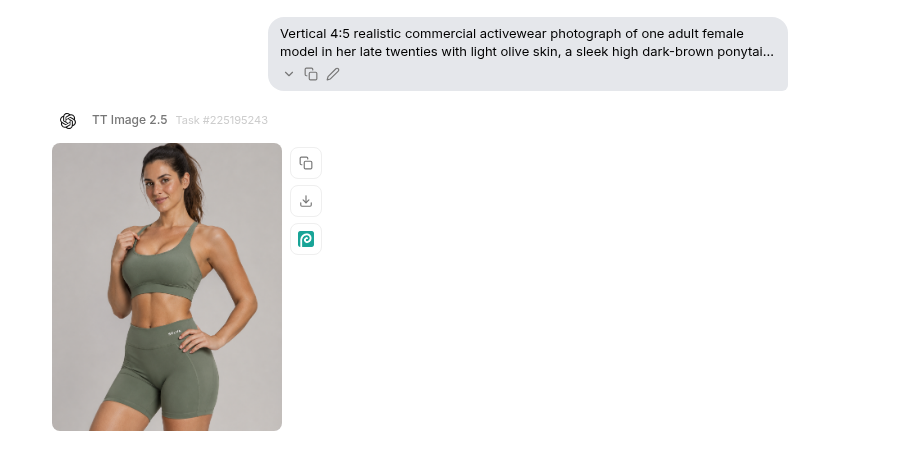
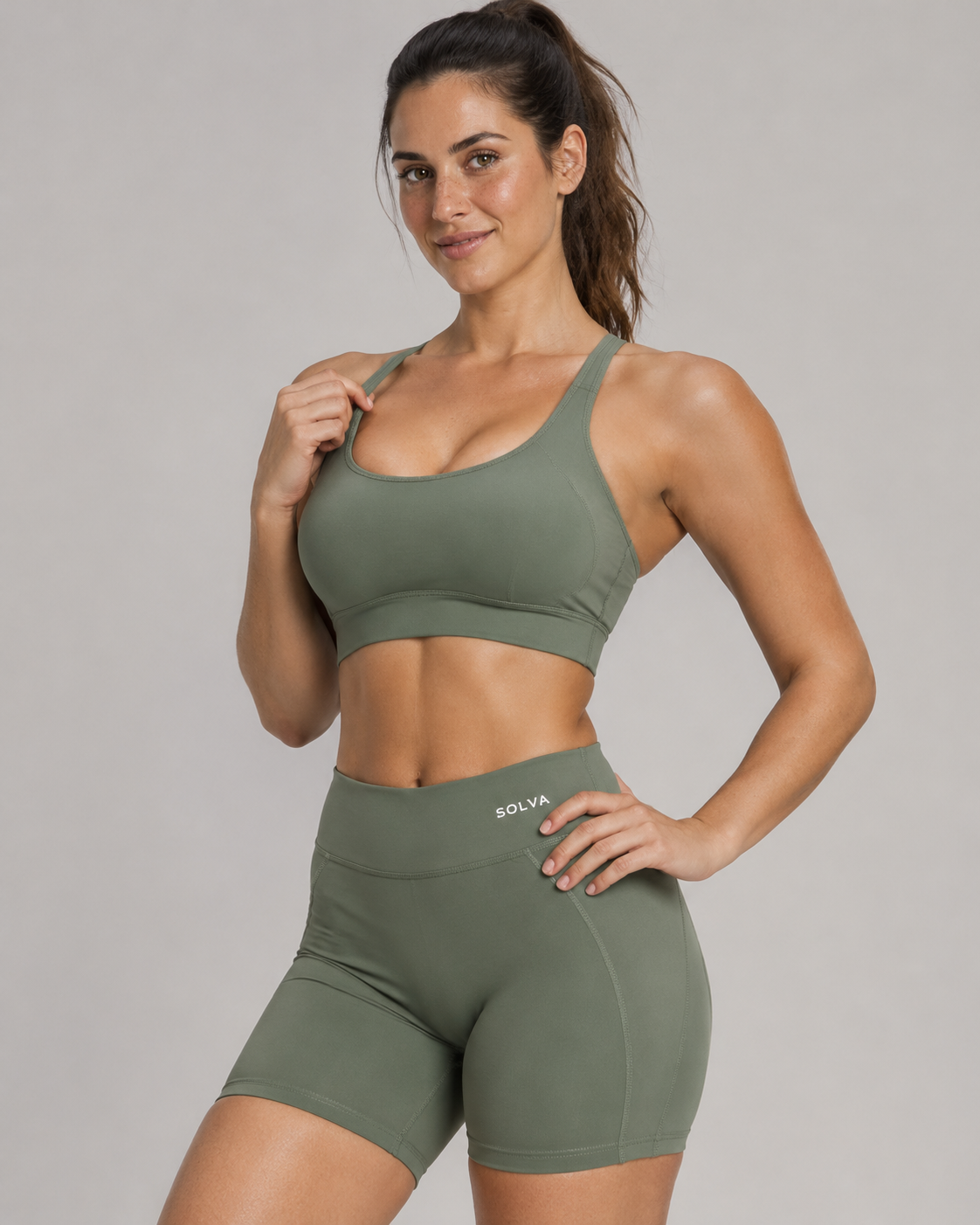
Keep that still. In the composer, attach it with the plus control beside the prompt so the next jobs are not guessing at a face from text alone. Leave the thumbnail there, change only the outfit and the setting, and say, plainly, that you want the same model as the reference.
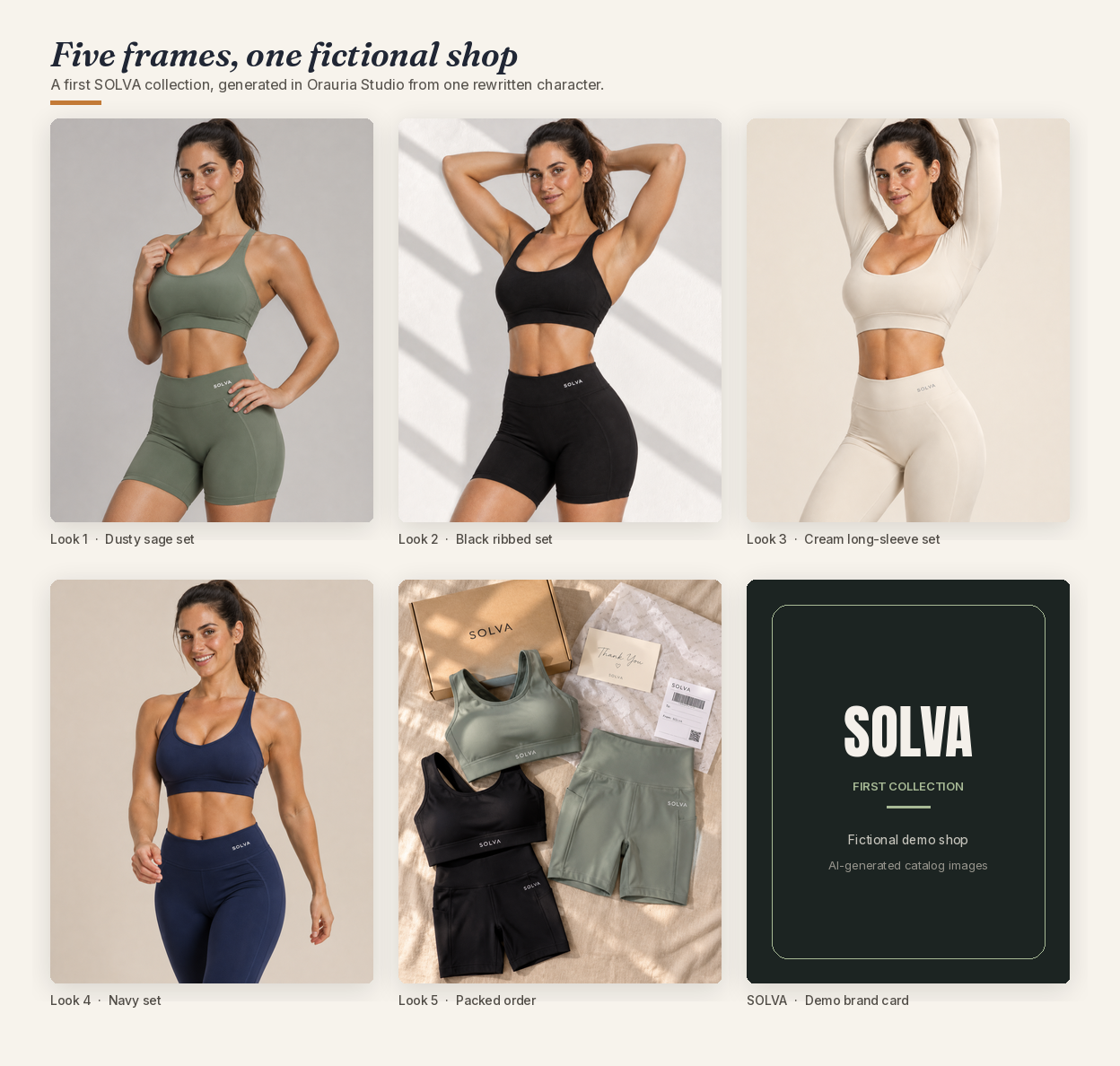
From there, the rest of the week is a short, repeatable loop. Same model, same wordmark, new clothes:
- A black ribbed set, both arms raised against a white wall with long diagonal sunlight — task #225200376, the pose the Kailainny pin had taught
- A cream long-sleeve crop and matching leggings — task #225204552
- A navy sports bra and navy leggings, this time with an open smile — task #225207213, the color the linda pin had suggested
- A packed-order flat lay on warm linen: the sage set, the black set, a kraft SOLVA box, a thank-you card, and a shipping label — task #225210039
You do not need a dozen looks for a first drop. Five frames are enough to prove the person comes back, the mark holds, and an order can be photographed as well as a model can.
Week 3: List the products and post
The catalog gets you the pictures. It does not get you the business. A real shop still has to do the unglamorous work: actual garments, sizes, a way to take payment, a way to ship, and a line that tells a shopper the images are AI-generated. None of that is optional because the stills came out well.
In this example, the first drop is four sets and the packed-order photograph that can sit on a shipping or “in the box” page. We priced the short sets at $38 and the long-sleeve or legging sets at $42 — ordinary mid-range activewear numbers, not a fantasy margin, and not a price we charged anyone. Then we treated Instagram and TikTok as the shop window, with the same model in every frame so the account looks like one collection rather than a moodboard.
The post below is an illustration of how that window could look for a demo account, solva.active.demo, using the black ribbed set. The likes, the comments, and the “18.7K others” are fictional. The caption on the post, and the small Illustration label under it, say so.
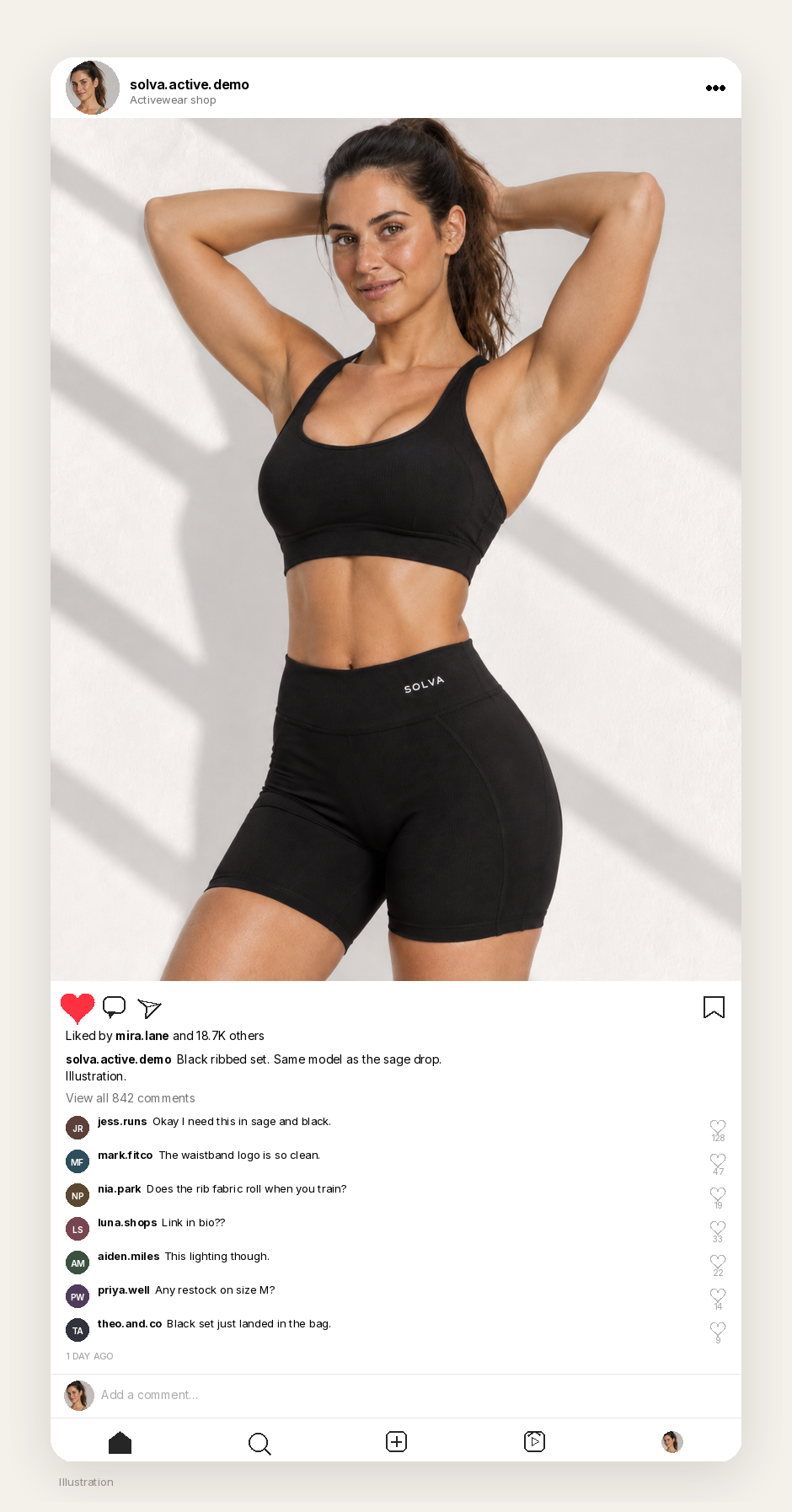
If you use these images to sell, say that they are AI-generated, in the caption, on the product page, or both. “AI-generated catalog images of a fictional model” is clearer than a mood that implies a sitting you did not have. Some platforms and advertising rules expect that disclosure; even when they are quiet, the customer deserves it.
Week 4: Orders, up to a first $1,000
This is the part that is easiest to overclaim, so here is the honest version.
If the clothes exist, the listings are live, and people start to buy, a very small first month can be counted in ordinary units: a few dozen orders, a mid-thirties average ticket, a total that crosses $1,000 without anyone becoming a phenomenon. In this example we mapped that as 28 orders, an average of $36.14, and $1,012.00 in total sales over 30 days. The short sets at $38 and the long sets at $42 get you close to that average on their own; a couple of single-piece or discounted tickets would explain the rest. It is arithmetic, not a forecast.
The dashboard below is an illustration of that window for the same fictional shop. Weeks 1 and 2 are catalog work, so the chart stays at zero until the listings go up. The first orders arrive on day 16. The table shows eight of the 28. The small Illustration label sits under the frame on purpose.
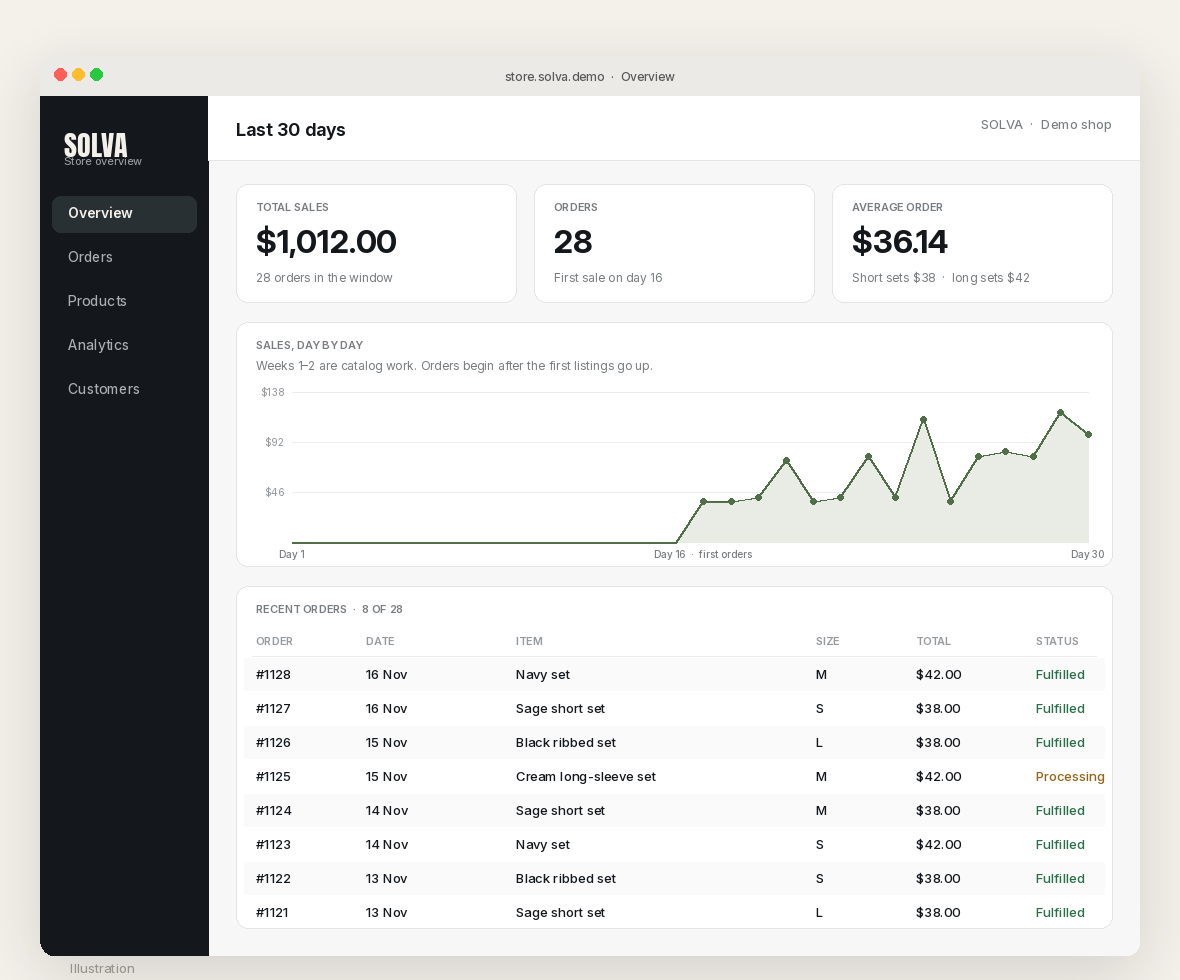
Pictures do not ship products. The extension and Studio can get you a catalog in a week. They cannot invent inventory, a return policy, or a customer who actually receives a parcel. If you do not have the clothes, you do not have $1,000. You have a lookbook.
A responsible note, before you publish or sell
Two rewrites are the point of this workflow, and both have to happen before the first listing.
First, change the face. A trending pin of a model is not a model release. It is not permission to reprint that likeness on a product page, in a paid ad, or on a shop grid, even if you change the shorts. The SOLVA model is a generated character, not the woman in the Kemularia pin, and not the women in the related frames.
Second, change the mark. The extracted brief named “mauv” because the logos were in the photograph. That is useful information. It is not a license. We replaced it with a fictional wordmark, SOLVA, and we would do the same with any other brand that happened to be readable in a pin.
If you sell, disclose that the catalog images are AI-generated. Keep the styling adult and commercial, as these briefs already ask. And if a pin is already labelled AI modified, as Crazy Kushal’s was, believe the label. You are looking at a picture of a picture, not a sitting you can claim.
What this playbook is not
It is not a sales report, and it is not an income guarantee. We are not going to borrow the pin’s like count, or pretend that $1,012 landed in a checkout we run. The mockups’ engagement and the dashboard totals are illustrations, labeled as such. It is not a shortcut around the face rewrite or the logo rewrite. If the woman in the sage set is still the woman from the pin, or if the waistband still says “mauv,” you do not have a shop yet. You have a reprint with a new backdrop. And it is not a substitute for making, sizing, and shipping a real garment. The catalog is the start of the month. It is not the month.
Start here
Install AI Assistant Copilot – Orauria from the Chrome Web Store, find an activewear pin that is really a clothing picture, and write a fictional model and a mark you actually own. Generate the first look in Orauria Studio. Attach that still as a reference. Then build a short catalog from that same face, not from the original portrait, and only count a dollar when a real order can ship.
Start here: orauria.com, and the Chrome Web Store listing for AI Assistant Copilot – Orauria.