A kidswear catalog has a quiet problem that a grown-up fashion carousel does not. The clothes have to look like a set, and the child in them has to look like the same child, from the first pinafore to the last winter coat. If the face drifts, the lookbook falls apart. If you copy a face from a trending pin, you have a different problem entirely.
This playbook uses one kids-fashion pin as a starting point, then builds a six-look catalog — and, if you want one, a kids’ fashion channel — around a single fictional character. The useful difference from earlier posts in this series is not a cleverer rewrite. It is a separate reference image, generated first, then attached in Orauria Studio so the same child comes back in every look. It is a workflow for selling children’s clothes and for growing a “for your little one” channel. It is not a sales report. We are not going to invent a unit we sold or a follower count we do not have.
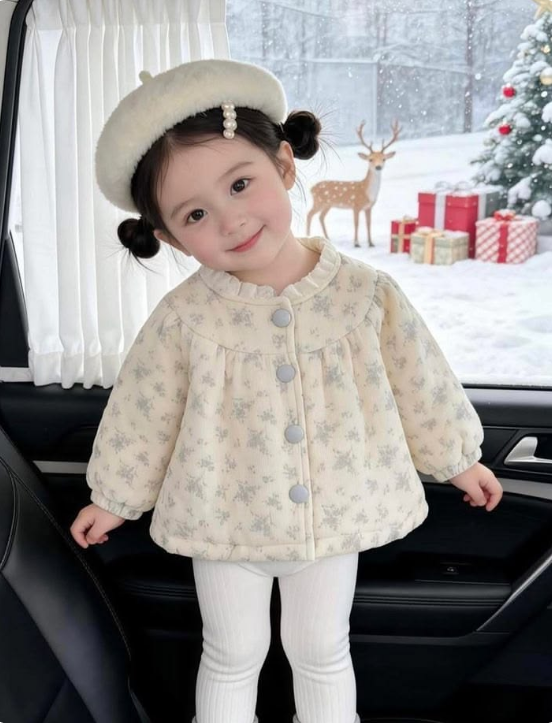
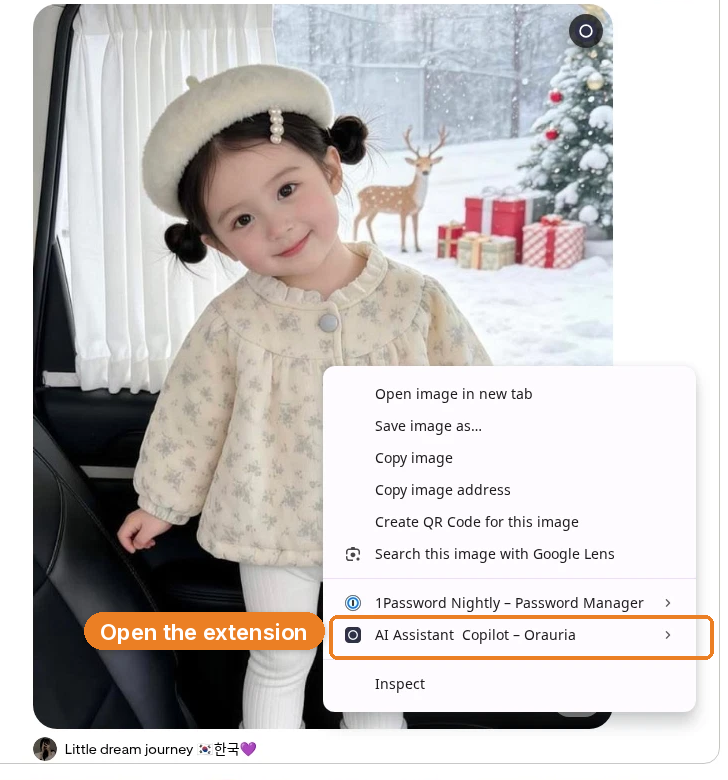
The reference is this pin by Little dream journey: a vertical 4:5 portrait of a young East Asian girl in a plush cream beret, two small side buns, a strand of pale pearls, and an ivory quilted jacket with a gray floral print, standing inside a black car, with a snowy yard, a Christmas tree, presents, and a small deer through the window. It is a tender, finished kids-fashion picture. It is also someone else’s child. The girl in the catalog we generated is a different, fictional 8-year-old, on purpose, in different clothes, in different settings. She is an AI character, not the child in the pin.
The playbook at a glance
- Install the Chrome extension.
- Find a kids-fashion pin that teaches styling, light, or a seasonal mood — not a face to clone.
- Run Image to prompt and copy the brief.
- Do not use the pin’s child. Invent a fictional character and generate a clean reference portrait of her.
- Attach that reference image in Studio, then rewrite the brief as a catalog shot of the same girl.
- Generate the first look. Keep the reference attached, change only the outfit and setting, and build the rest of a six-look series.
- Assemble a catalog spread. If you are growing a channel, put the same character on a shop grid. If you are selling, disclose that the images are AI-generated.
First, install the extension
Image to prompt only works after you install the Chrome extension AI Assistant Copilot – Orauria. Get it from the Chrome Web Store before you go looking for a reference. Once it is on, you can right-click a pin and pull a prompt from it.
Find a kids-fashion pin, not a face to copy
A catalog rewards clothes you can read: fabric, cut, color, a full-length or a clear three-quarter, and a child who can wear more than one look. A single festive portrait can still be a good teacher. This pin already knows how to hold a child’s outfit in frame, how to keep the styling modest and practical, and how to give the clothes a finished seasonal atmosphere. Those are the useful parts.
The original child should not travel into the catalog. Treat the pin as a starting brief, not as a model booking. Credit the person who posted it — here, Little dream journey — and then write a different character.
Right-click the image, open AI Assistant Copilot – Orauria, and then choose Image to prompt. In the frame below, the Copilot row is the one that is open; Image to prompt is the next click, in the extension’s submenu.
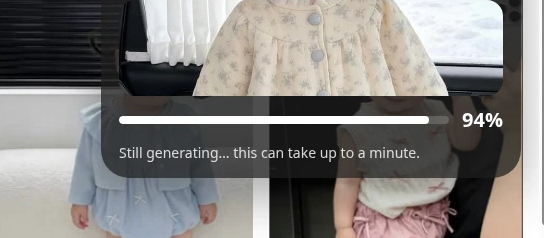
The panel analyzes the picture, then returns a prompt you can copy. Generation takes a few seconds; the result then appears in the same panel.
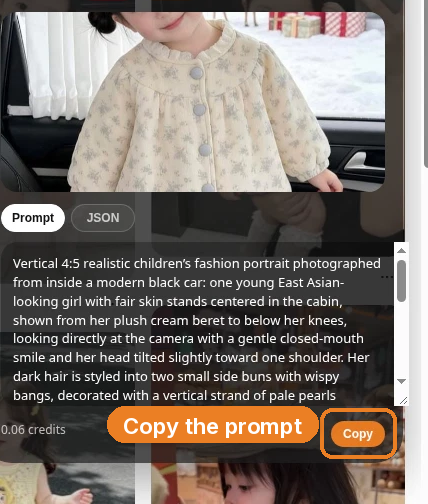
This is the brief the extension wrote from the pin, quoted in full:
Vertical 4:5 realistic children’s fashion portrait photographed from inside a modern black car: one young East Asian-looking girl with fair skin stands centered in the cabin, shown from her plush cream beret to below her knees, looking directly at the camera with a gentle closed-mouth smile and her head tilted slightly toward one shoulder. Her dark hair is styled into two small side buns with wispy bangs, decorated with a vertical strand of pale pearls beneath the beret. She wears an ivory quilted jacket covered in a subtle gray floral print, a rounded Peter Pan collar, pale gray round buttons down the front, gathered puff sleeves, and white ribbed leggings. Black leather upholstery, the left seat, dark door panel, silver handle, and window frame create a strong foreground border. Through the side window, show a bright snowy yard with a softly blurred snow-covered Christmas tree decorated with red and white ornaments, red and cream wrapped presents, and a small spotted deer. Use soft cool winter daylight, gentle facial shadows, natural rosy cheeks, moderate portrait-lens compression, selective background focus, crisp clothing texture, tender festive atmosphere, and polished but believable photographic realism.
The useful part is the craft: a vertical 4:5 kids-fashion portrait, a clear view of the outfit, soft daylight, crisp clothing texture, a polished but believable photograph. The part you owe the rewrite is the person — the East Asian girl, the cream beret, the pearl strand, the two side buns, the ivory quilted jacket, the car interior, and the Christmas yard. None of that should be reprinted as a catalog of “your” clothes.
Invent a fictional child, then make a reference of her
A kidswear catalog is easy to get wrong in both directions. If you keep the pin’s child, you do not have a lookbook; you have a reprint, and you have used a likeness that is not yours. If you only change the outfit and hope the model “gets” a new girl from a paragraph, the face will drift from look to look, and a shopper will not believe it is the same collection.
So we did the extra step first. Before any catalog clothing was written, we generated a simple studio reference of a fictional 8-year-old Black girl: a round childlike face, warm medium-brown skin, dark brown eyes, short tight natural dark curls, and a small teal hair clip. She wears a coral tee, a denim skirt, and white sneakers against a plain gray studio — everyday clothes, not a look from the pin. She is not the girl in the beret. The fair skin, the side buns, the pearls, and the original features stay with the pin.
This is Studio task #222186938, and it is the still we attached to every later job.
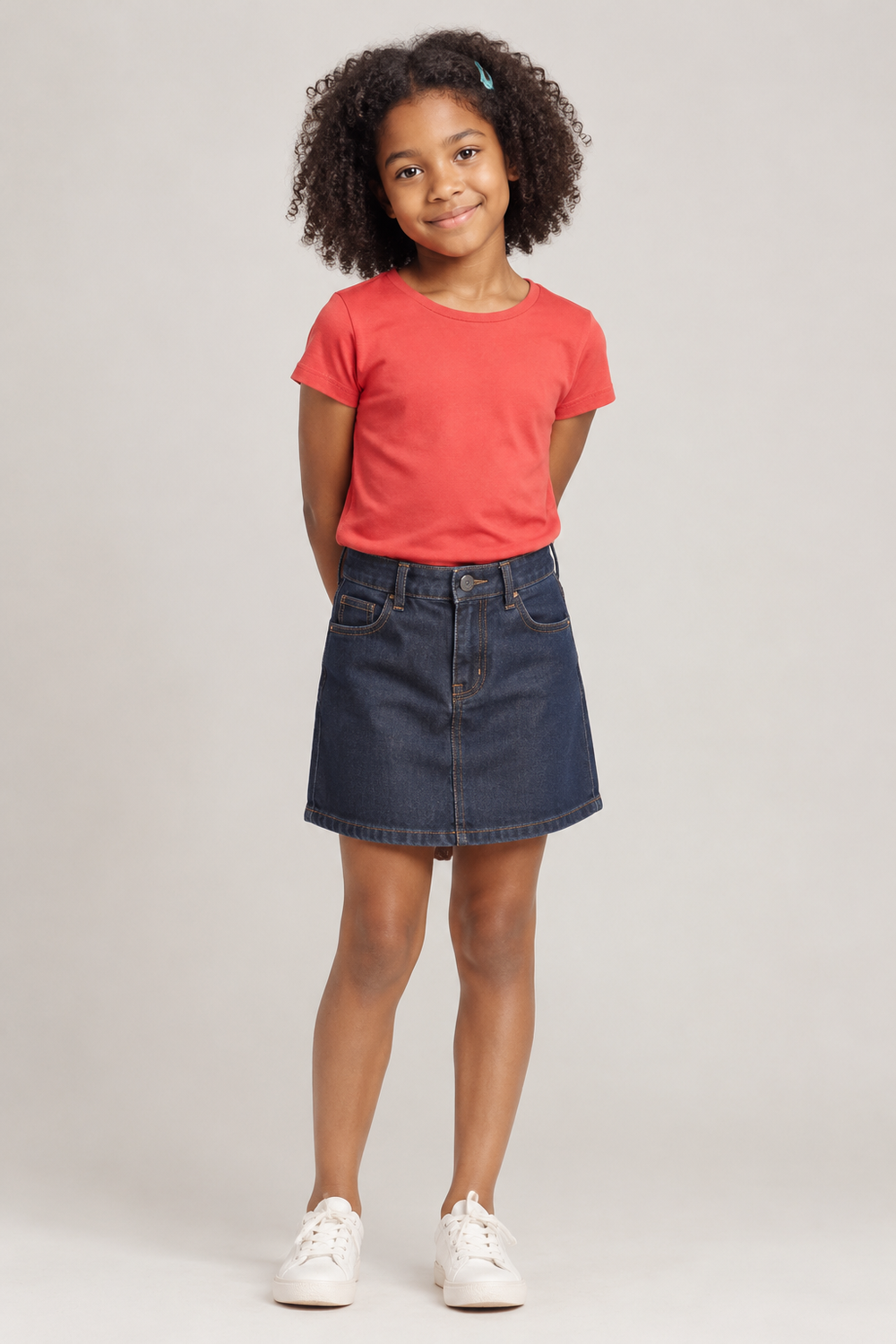
Write that character once, in enough detail that you would recognize her in a different outfit. Then keep the still. The prompt is no longer the only thing holding the series together. The picture is.
Attach the reference, then rewrite the brief as a catalog shot
Open Orauria Studio:
- Image, then Single
- Aspect ratio, Resolution, and Quality: Adaptive
- Model: TT Image 2.5
- Generate with the send button, or Ctrl+Enter
This is the step that earlier posts in the series did not lean on. In the composer, attach the reference still of your fictional child — the plus control beside the prompt, with the thumbnail of her coral tee sitting on the brief — so the model is not guessing at a face from text alone. Leave that thumbnail there for every look in the series.
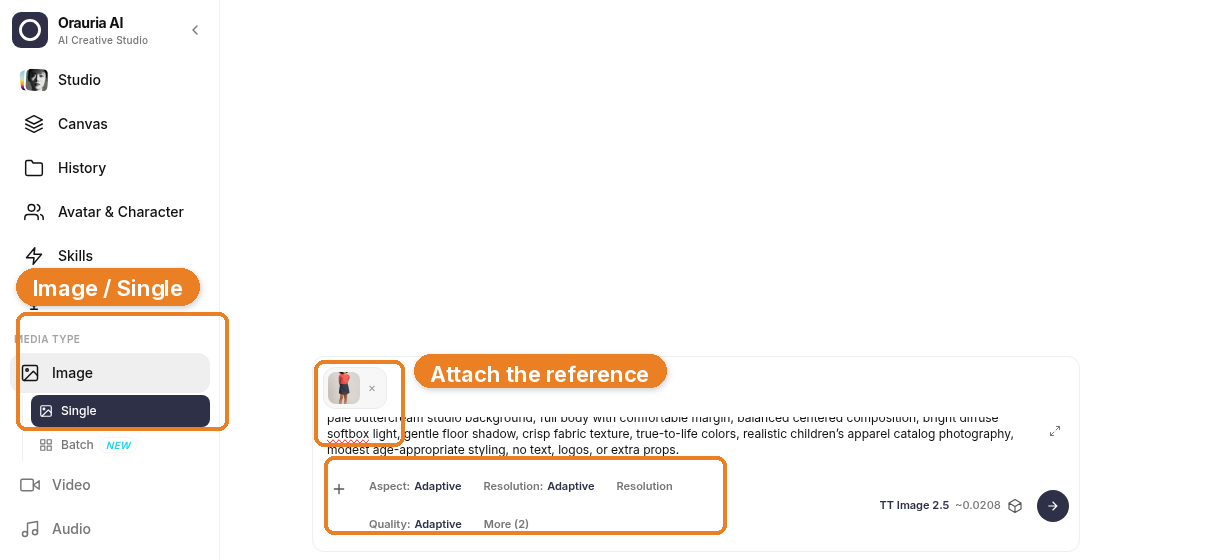
Then rewrite the brief as a clothing catalog photograph of the same girl. Name her as the child in the attached reference. Say, plainly, that she must not copy any other girl’s face, hairstyle, outfit, or pose. Change the clothes, the crop, and the setting into something you would actually sell or post: a clean studio, true-to-life color, modest age-appropriate styling, no extra props trying to redo the Christmas car.
This is the catalog prompt we used for the first look, quoted in full:
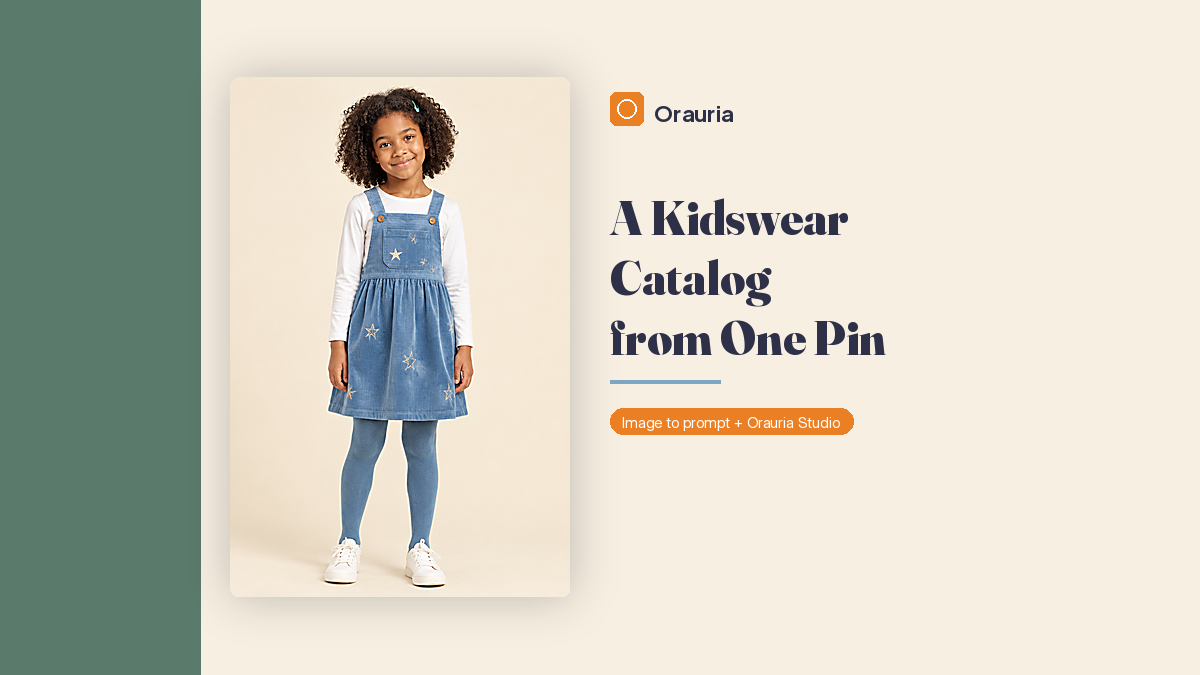
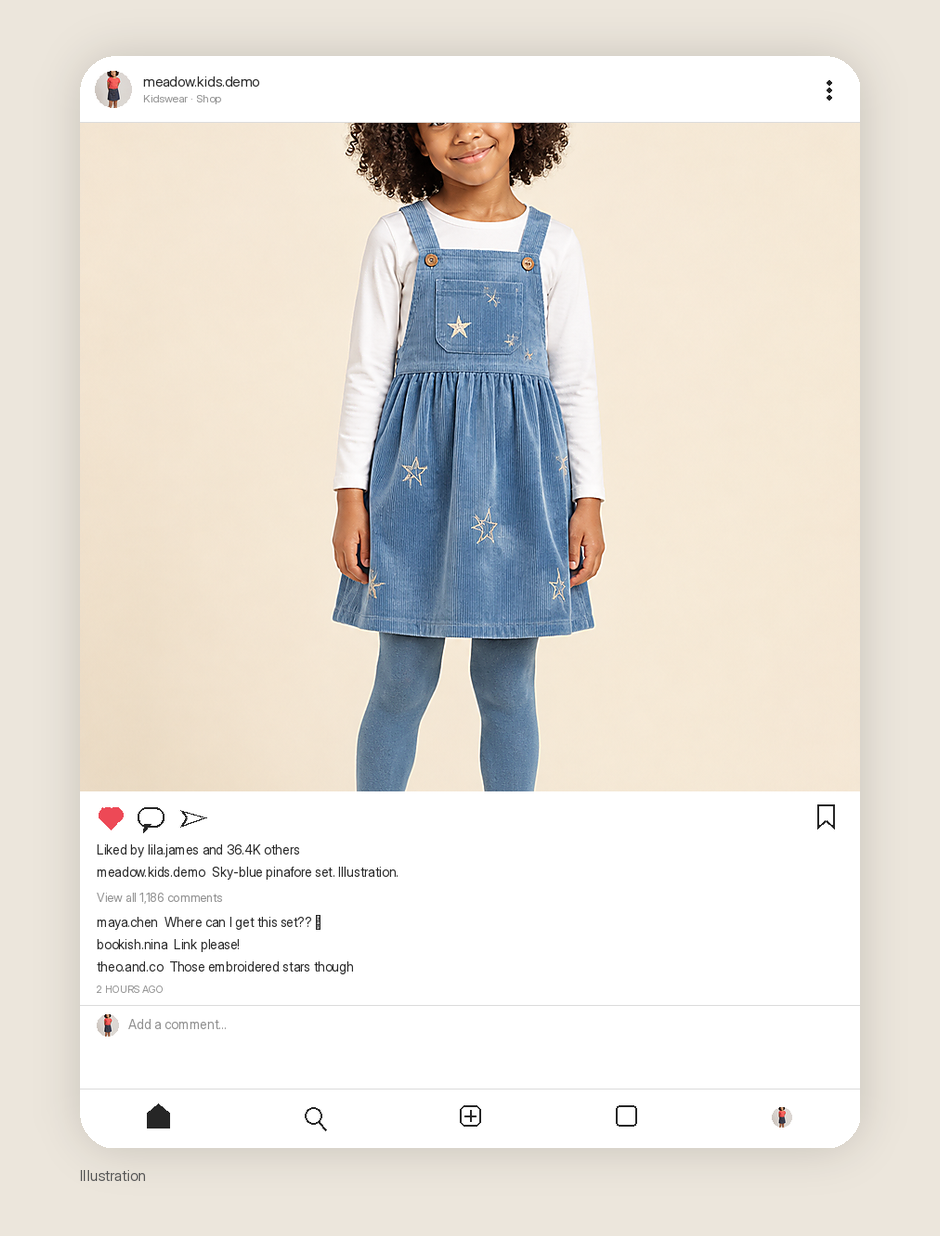
Vertical 4:5 full-length children’s clothing e-commerce catalog photograph of the SAME fictional 8-year-old Black girl shown in the attached reference image, preserving her recognizable round childlike face, warm medium-brown skin, dark brown eyes, and short tight natural dark curls with the small teal hair clip. Keep this clearly different fictional child: do not copy any other girl’s face, hairstyle, outfit, or pose. She stands relaxed facing the camera with a cheerful natural smile, arms easy at her sides and feet comfortably apart. Outfit: a soft sky-blue corduroy pinafore dress over a white long-sleeved cotton tee, matching blue tights, and clean white sneakers; subtle embroidered star accents, tasteful practical kidswear. Seamless clean pale buttercream studio background, full body with comfortable margin, balanced centered composition, bright diffuse softbox light, gentle floor shadow, crisp fabric texture, true-to-life colors, realistic children’s apparel catalog photography, modest age-appropriate styling, no text, logos, or extra props.
The sky-blue corduroy pinafore, the white tee, the matching tights, the white sneakers, and the pale buttercream studio are the first outfit. The face, the hair, the teal clip, and the instruction to stay with the attached reference are the lock. Keep both.
Paste the rewritten prompt. Keep the reference attached. Generate. Generation takes a few seconds; the result then appears in the chat. Stay on TT Image 2.5 and let it finish.
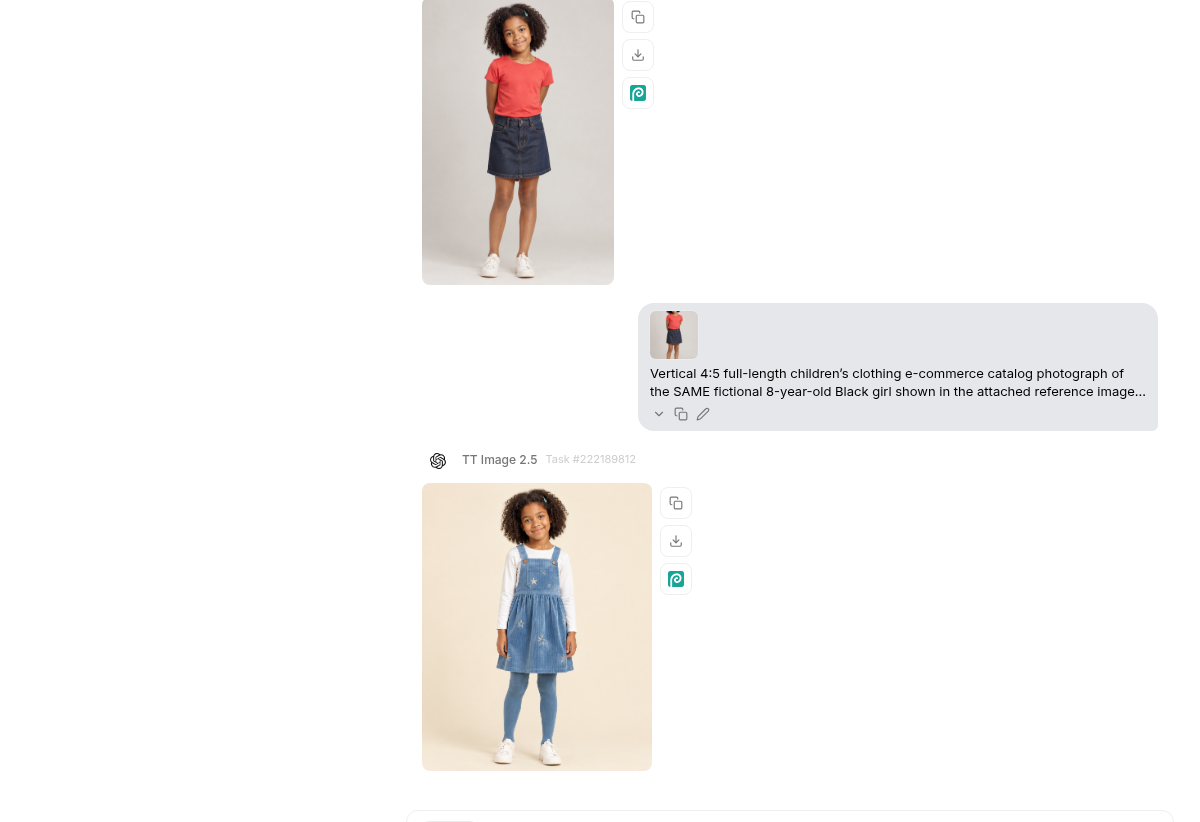
What you want to see is not a reprint of the pin. You want a recognizable match to the reference: the same round face, the same warm medium-brown skin, the same short tight curls and teal clip, now standing in a sky-blue corduroy pinafore with subtle embroidered stars. If the girl in the pinafore does not look like the girl in the coral tee, do not build a five-look series on top of it. Fix the lock first.
Build the rest of the catalog with the reference still attached
A one-look catalog is a product shot. A six-look catalog is a collection. The second job is not a new character. It is a new outfit, and maybe a new setting, for the child you already have.
Keep the reference image attached. Keep the sentence that she is the same fictional 8-year-old in that still. Then change only what should change: the clothes, sometimes the place, never the person. One look, one job. A studio pinafore, a winter puffer, and a garden jacket are three briefs, not one prompt with a wardrobe list.
We kept that lock and generated five more looks of the same girl:
- Look 2, task #222191048 — a mustard floral sweater, a forest-green pleated corduroy skirt, navy tights, and brown boots, still in the studio
- Look 3, task #222192627 — a lilac hooded jacket, a white tee, mint leggings, and white sneakers, waving on a garden path
- Look 4, task #222194617 — a red puffer over a cream cable knit, cream mittens, charcoal leggings, and tan winter boots on a snowy path
- Look 5, task #222196889 — denim overalls, a yellow long sleeve, teal sneakers, and white socks, seated on a white bench against a mint wall
- Look 6, task #222198653 — a yellow gingham pinafore over a white tee, white socks, and tan sandals, standing at the doors of a greenhouse
The outdoor looks are still catalog photographs of clothes, not a new child on a holiday card. The snow in look 4 is a setting for a winter coat, not a recreation of the pin’s Christmas yard, deer, and cream beret. The face should survive the jump from buttercream paper to a garden path and back.
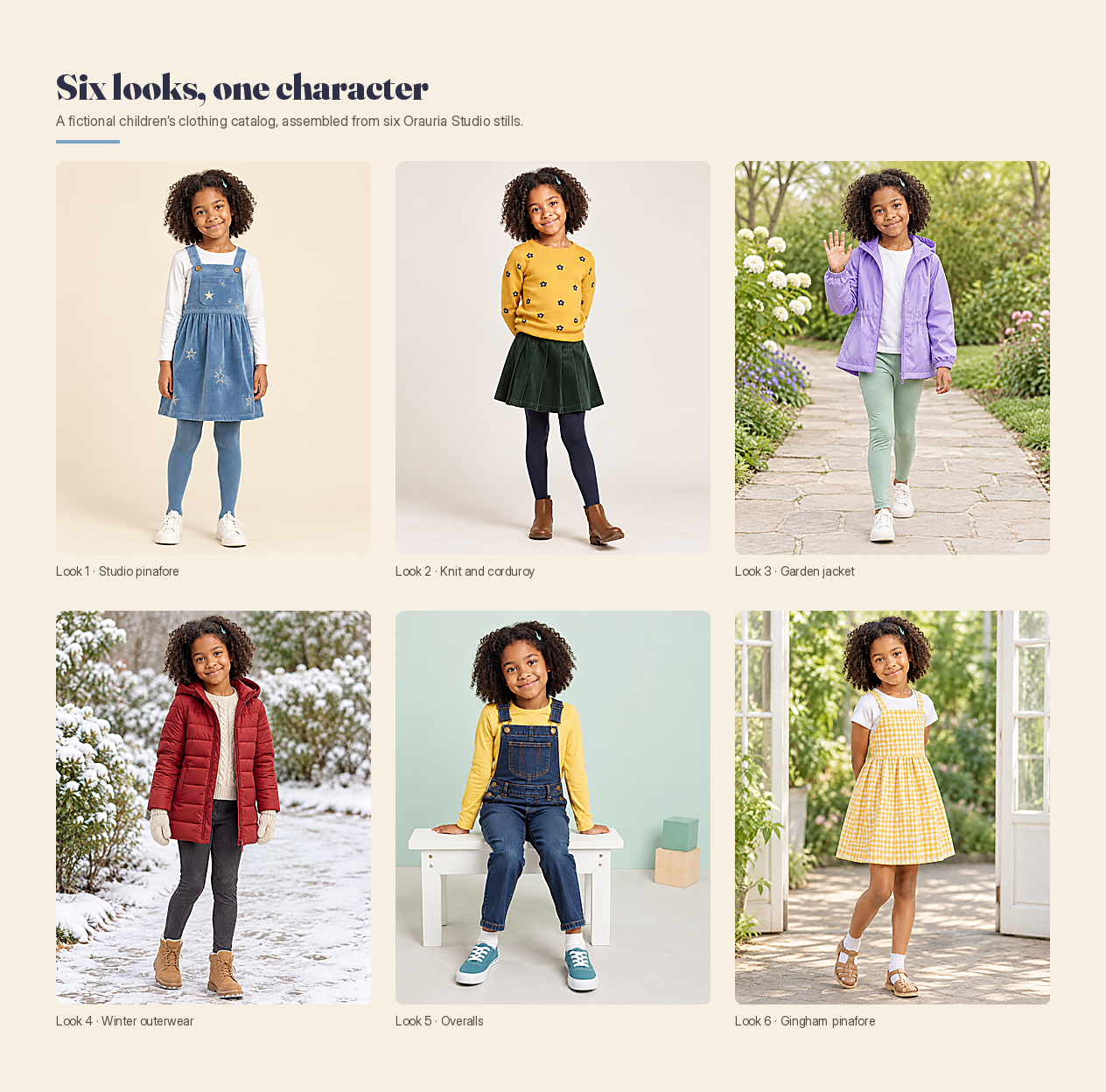
If a later look drifts — a different haircut, a different age, a face that only vaguely resembles the reference — stop and tighten the brief, or generate that look again with the reference still attached. A collection that cannot hold a face cannot hold a customer either.
Use the same catalog to sell clothes, or to grow a kids-fashion channel
The six stills can do two jobs, and they do not have to pick only one.
If you are selling children’s clothes, treat the set like a lookbook you would send a factory or put on a product page: consistent lighting where you can, true color, a full view of the garment, a child who is clearly the same child in look 1 and look 6. A studio drop and an outdoor drop can live in the same catalog if the character holds. Write the product information in your own shop copy, not as text baked into the picture. And say, where a shopper will see it, that the images are AI-generated illustrations of a fictional child, not photographs of a real girl wearing the sample.
If you are growing a kids-fashion channel, the same set becomes a grid. A shop bio, a small run of seasonal looks, and a caption that can point to a product are enough of a start. The discipline is the same as the catalog: one character, modest styling, clothes a parent can actually imagine putting on a child, not a new face every time the algorithm wants a hook.
The two screens below are illustrations of how that grid and a single post might look, built from the stills we actually generated of this character. The handle meadow.kids.demo, the follower counts, the “Liked by lila.james and 36.4K others,” and the comments — “Where can I get this set?? 😍”, “Link please!”, “Those embroidered stars though” — are fictional. They are not a shop we run, not a campaign we ran, and not a result this workflow produced. The small Illustration label, and the caption on the post itself, are there for the same reason.
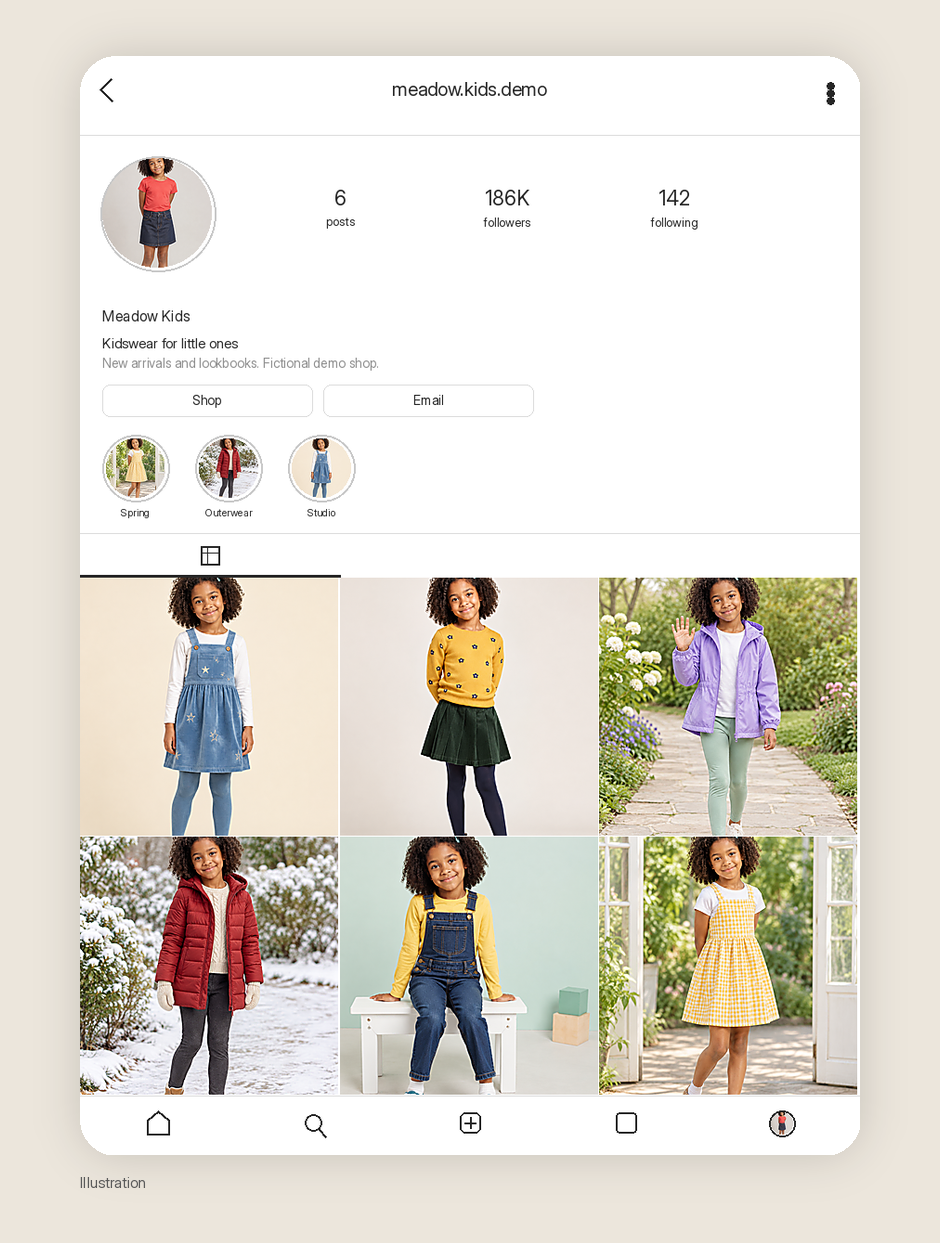
A real shop would still have to do the unglamorous work: sizes, fabric, shipping, a product a person can actually buy. The catalog gets you the pictures. It does not get you the business.
A responsible note, before you publish or sell
Two rules are worth stating plainly, because this is children’s clothing, not another adult street-style carousel.
First, use a fictional AI character rather than a real child’s face. A trending pin of a child is not a model release. It is not permission to reprint that likeness in a catalog, a paid ad, or a shop grid, even if you change the jacket. Generating your own character — and attaching a reference so you do not have to go looking for a real child to photograph — is the point of this workflow. If you do have a real child model, that is a different job, with parents, a release, and a photographer. Do not mix the two, and do not present a generated girl as a photograph of a particular real child.
Second, if you use these images to sell, disclose that they are AI-generated. A shopper should not have to guess whether a real child wore the sample. A short line on the product page, in the caption, or beside the lookbook — “AI-generated catalog images of a fictional character” — is clearer than a mood that implies a sitting you did not have. Some platforms and advertising rules expect that disclosure; even when they are quiet, the customer deserves it.
Keep the styling modest and age-appropriate, as the brief already asks. A kidswear catalog should look like clothes for a child, not like a smaller version of an adult campaign.
What this playbook is not
It is not a sales report. We are not going to borrow the pin’s like count, or invent a unit sold, a revenue figure, or a follower number for a shop we have not opened. The mockups’ engagement is an illustration, labeled as one. It is not a shortcut around the face rewrite. If the girl in the pinafore is still the girl from the car, you do not have a catalog yet. You have a reprint with better lighting. And it is not a license to skip disclosure, or to use a real child’s likeness because the clothes came out well.
Start here
Install AI Assistant Copilot – Orauria from the Chrome Web Store, find a kids-fashion pin that is really a clothing picture, and write a fictional child who can come back in six looks. Generate a reference of her first. Attach that still in Studio. Then build the catalog from that same face, not from the original portrait.
Start here: orauria.com, and the Chrome Web Store listing for AI Assistant Copilot – Orauria.