
You do not need a production codebase to get a useful agent. You need one recurring task, a clear definition of done, and a short loop you can run by hand before you ever automate the last mile. This guide is for that first loop. It uses tools that already exist in the Orauria workspace: the AI Assistant Copilot – Orauria Chrome extension, Orauria Studio, Orauria Office for turning a brief into an editable document or deck, and — when you are ready — the Orauria MCP server so an agent host can call the same models.
The example is fictional and small: a freelance producer named Lina who spends part of every morning turning a client’s reference pictures into a one-page creative brief and a first still. There are no revenue claims here, and no promised hours saved. The point is a path you can finish.
A chatbot answers when you type. An agent, in the sense this guide uses the word, notices a piece of work, decides what to do with it, uses a tool, and leaves you something to approve. Memory, planning, and tool use are useful ideas, but you do not need all of them on day one. You need a trigger, a decision, an action, and a human checkpoint.
What you need
| Item | Where it comes from | Notes |
|---|---|---|
| One recurring task | Your actual week | Frequent, annoying, and patterned — not your hardest judgment call |
| An Orauria account with credits | Your wallet | Check get_wallet or the Studio composer before you batch jobs |
| Chrome extension | AI Assistant Copilot – Orauria | Image to prompt is about 0.06 credits per run |
| Orauria Studio | orauria.com/studio | Image mode, Single, TT Image 2.5, about 0.02 credits per still |
| Orauria Office | Your Orauria workspace | Use it to turn a written brief into an editable page or deck; confirm the current tools in your account |
| An agent host, optional | Grok Bot or a local MCP client | Official MCP works with clients listed on orauria.com/mcp. Confirm any Grok Bot connection in your own workspace |
| A review habit | You | Nothing goes to a client until you have looked at it |
Step 1. Pick a problem small enough to finish

Choose a task that already happens often, follows a shape you can describe, and does not require a legal or medical decision. Good first targets: turning reference images into a written brief, drafting a product still from a known style, or assembling a one-page outline from notes you already have.
Skip, for now, anything that sends money, changes a live catalog, or replies to customers without you. Those can come later, with approval still in the loop.
Write the task in one paragraph: what arrives, what “done” looks like, and what you will check before it leaves your desk. Lina’s paragraph is: “When a client drops three reference pictures in a shared folder, I extract a style brief, rewrite it around their product, generate one still in Studio, and paste the brief into an Office page for the kickoff deck. I do not send the deck until I have compared the still to the product photo.”
Step 2. Choose tools you can see, not a platform you have to imagine
You already have a stack if you have Orauria:
- Image to prompt, in the extension, turns a picture into a written brief you can edit.
- Studio turns that brief into a still, with a reference image attached when identity matters.
- Office is the place to drop the same brief into an editable document or deck so other people can comment. If a specific Office template is not in your account, paste the brief into a blank page rather than inventing a feature.
- MCP, later, lets a coding agent or Grok Bot call
chat,generate_image,generate_video,list_models,get_wallet, andget_taskathttp://orauria.com/api/mcpwithprocess.env.ORAURIA_TOKEN.
You do not have to start with MCP. Hand-running the first ten jobs teaches you the prompt, the failure cases, and the review checklist. Automate only the parts that have become boring.
Step 3. Draw the loop on paper
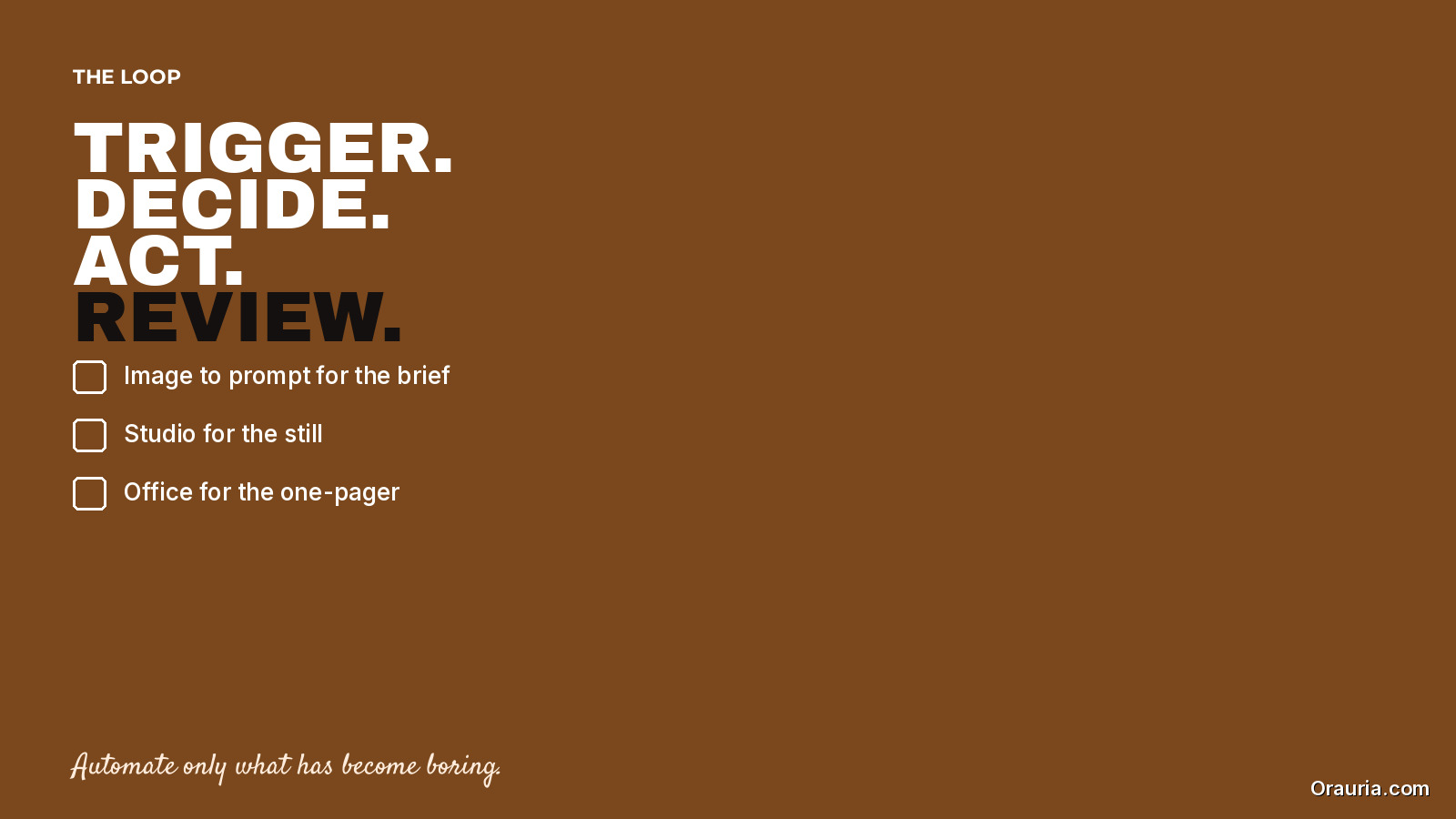
Four boxes are enough:
- Trigger. A new folder, a form submission, a message you star.
- Decision. Is this a style-only job, a product-identity job, or something that should wait for you?
- Actions. Run Image to prompt, rewrite, generate in Studio, place the brief in Office.
- Success. You would send this to a client. If not, rewrite and try once more — a TT Image 2.5 still is about 0.02 credits, so review before you click again.
Write what “wrong” looks like too: the still lost the product’s shape, the brief still names someone else’s brand, or the Office page is too vague to use. Those become your checks, not metrics invented for a case study.
Step 4. Build the first version by hand
Install the extension, sign in, and run Image to prompt on one reference you are allowed to use as a style teacher — not as a file to reprint. Rewrite the brief around your subject, as in Image to Prompt in 5 Minutes. In Studio, set Image, Single, and TT Image 2.5, attach your own product or character as a reference, and generate once. Compare the result to that reference, not only to the mood of the pin; keep product identity stable if the object has to survive a new scene.
Paste the brief into Orauria Office and shape it into the one-pager you would actually hand a client. That is the whole v1. No webhook, no queue, no unattended send.
If a step fails, write down why. Most first-agent problems are a vague prompt, a missing reference, or a missing review — not a missing platform feature.
Step 5. Repeat on a short leash, then decide what to automate

Run the same loop on the next few real jobs. Keep the human checkpoint. When the rewrite has settled, you can move the generate step into a small app or an agent host that calls generate_image and polls get_task, as in How to Call the Orauria MCP from a Shopify App. Store the key as process.env.ORAURIA_TOKEN and use YOUR_ORAURIA_TOKEN in anything public.
Do not automate the send. Automate the waiting and the filing. Watch the first week of assisted jobs the way you would watch a new contractor: read the drafts, reject the ones that drifted, and tighten the brief.
Practical notes
- One task is enough. A “do everything” agent is how first projects stall.
- Image to prompt is about 0.06 credits; a TT Image 2.5 still is about 0.02 credits. Other models have their own prices — read the composer or
get_wallet. - Credit the source of a style reference, and ship a new picture, not a reprint.
- Keep secrets out of chats you do not control.
- If you later add mail or chat sending, require approval. This guide does not claim an unattended outbound setup was tested end to end.
- Disclose AI-generated stills when a client will see them.
FAQ
Is an agent just a chatbot with a longer prompt?
No. A chatbot replies in the same window. The loop in this guide starts from a piece of work, uses a tool, and produces an artifact you review.
Do I need to code?
Not for v1. You need the extension, Studio, and a place to put the brief. Code becomes useful when you want the generate step to run from a queue.
What should I not automate first?
Anything that spends money, changes production data, or messages a customer without you.
Can I switch models later?
Yes. list_models shows the chat, image, and video models available to your key. Get a prompt you trust on one model before you shop around.
How will I know it is working?
You will have a short stack of reviewed briefs and stills you were willing to send. That is a better signal than a made-up time-saved number.
Start here
Pick one recurring task and write the one-paragraph job. Install AI Assistant Copilot – Orauria, run Image to prompt on a style reference you can credit, rewrite the brief, and generate one still in Orauria Studio. Drop the brief into Orauria Office, review it, and only then decide what is worth calling through Orauria MCP.
When you are ready to let a host call the models for you, continue with How to Build a Workspace Agent That Drafts, Routes, and Calls Orauria MCP.