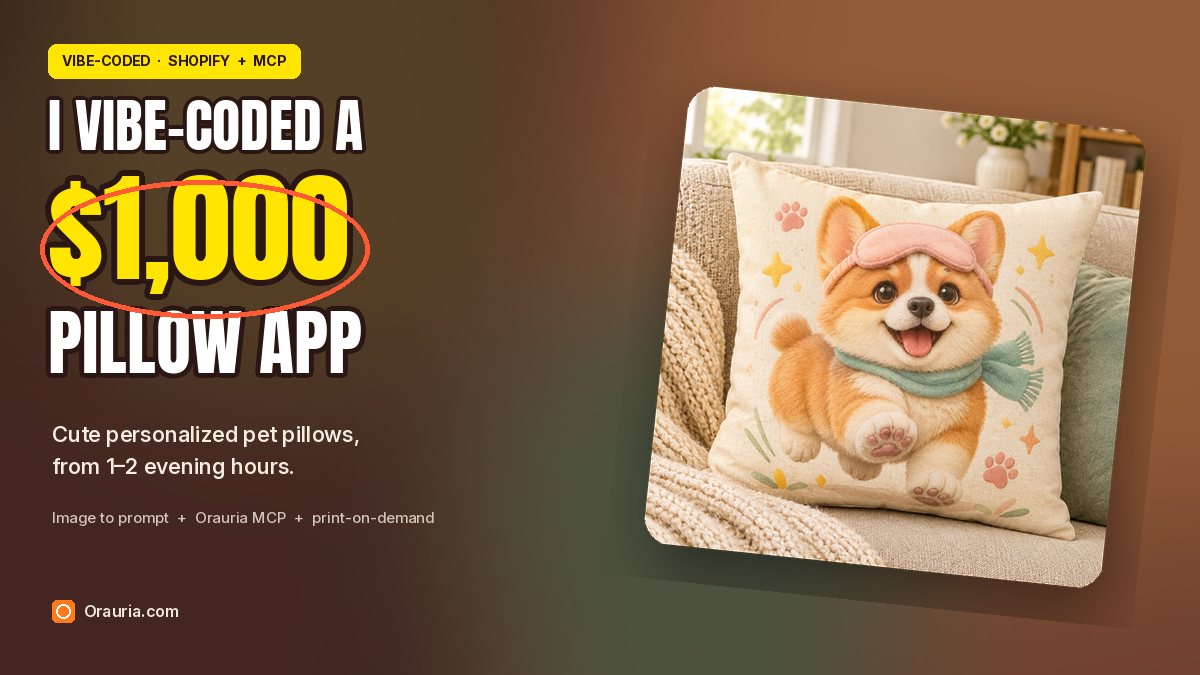
Pet parents do not need another photo print on a cushion. They want a character that still feels like their dog — a chubby corgi in a sleep mask, bounding across a cream 18×18 pillow on the sofa — and they want it in time for housewarmings, birthdays, and the holiday gifting rush. I vibe-coded a small Shopify app for that loop, and I run it in one or two hours in the evening.
A shopper uploads a photo of their own pet, or a rough idea of the mood they want. The app calls Orauria’s Image to prompt API to turn that photo into a detailed brief, rewrites the brief into a new cute pillow-design prompt (a new character and a short story, not a reprint of the upload), then calls the Orauria API or the Orauria MCP server to generate the artwork. The shopper previews the art on a pillow mockup. A print-on-demand partner prints and ships the cushion.
This playbook starts with one Pinterest pin — a tuxedo cat in a pink sleep mask — and follows the real Image to prompt and Orauria Studio steps that produced Biscuit, a golden-and-white corgi pillow, as task #225818220. Then it shows how that same loop lives inside a vibe-coded Shopify app for a fictional cozy shop I named Snuggle Paws Co.
The playbook at a glance
- Install the Chrome extension.
- Find a pin that teaches a style you can own — a character, a palette, a motif — not a file to reprint.
- Run Image to prompt, copy the brief, and credit the person who posted the pin.
- Rewrite the brief into a new pillow-design prompt: a fresh character, a short story, and a 1:1 product shot of an 18×18 cushion.
- Generate the artwork in Orauria Studio (or later, from the app through Orauria MCP).
- Vibe-code a small Shopify app that accepts a pet photo, calls Image to prompt, rewrites the brief, generates the art, and previews it on a pillow mockup.
- When the shopper approves, send the print file to a print-on-demand partner.
First, install the extension
Image to prompt only works after you install the Chrome extension AI Assistant Copilot – Orauria. Get it from the Chrome Web Store before you go looking for a reference. Once it is on, you can right-click a pin and pull a prompt from it.
Find the pin and extract the prompt
The useful pin for a pillow shop is already thinking like a character designer: a single animal you can recognize at a glance, a costume or motif you can carry into a new story, and a finish that will still read when it is printed on fabric and sat on a sofa. This one does that job. A tuxedo cat fills the frame, a pale pink sleep mask sits on its forehead, and the plush-toy polish is distinctive enough to become a series of home gifts — as long as you write a new character, rather than reprint the poster.
Credit the person who posted it. This pin is by IOIYOX 7, titled “Graphic Design”: pinterest.com/pin/362469470041837578. It is a strong style teacher. It is also someone else’s picture, with large typography that does not belong on a cushion. The pillow in this post is a new 1:1 product file, generated from a rewritten brief. It is not a crop of the pin, and a real shop should not treat the pin image as a product you are allowed to resell.
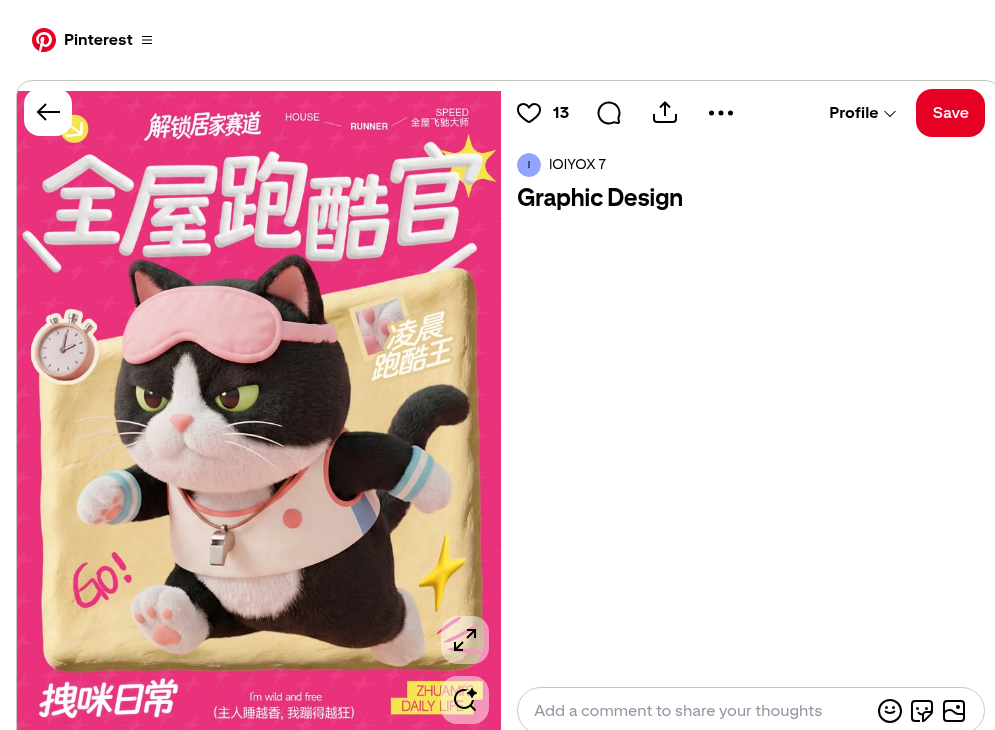
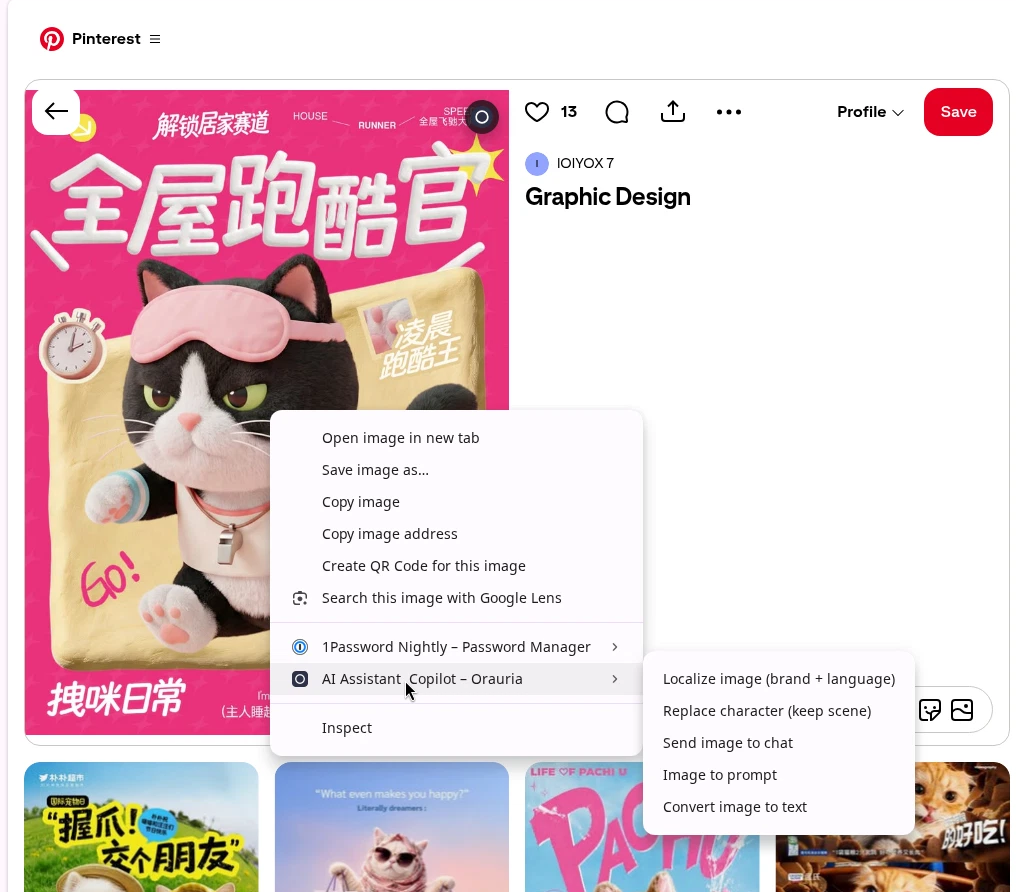
Right-click the image, open AI Assistant Copilot – Orauria, and choose Image to prompt.
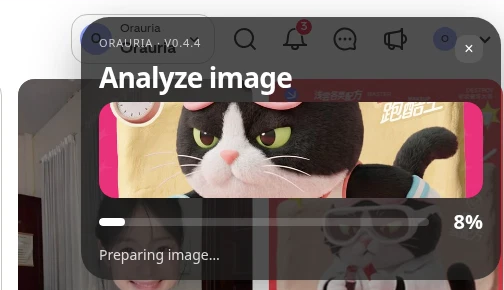
The panel analyzes the picture, then returns a prompt you can copy. Generation takes a few seconds; the result appears in the same panel.
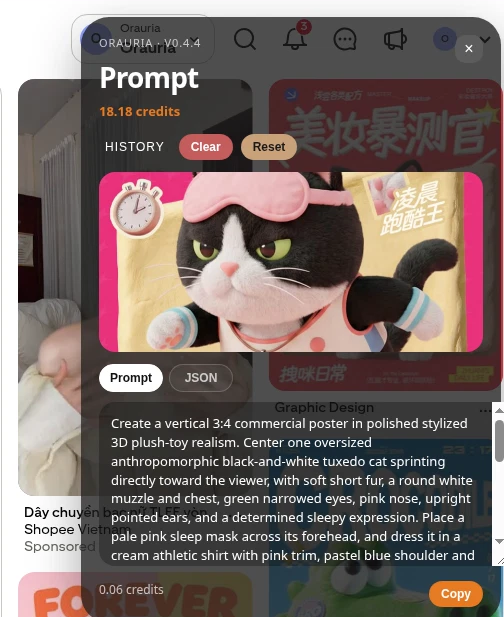
This is the brief the extension wrote from the pin, quoted in full:
Create a vertical 3:4 commercial poster in polished stylized 3D plush-toy realism. Center one oversized anthropomorphic black-and-white tuxedo cat sprinting directly toward the viewer, with soft short fur, a round white muzzle and chest, green narrowed eyes, pink nose, upright pointed ears, and a determined sleepy expression. Place a pale pink sleep mask across its forehead, and dress it in a cream athletic shirt with pink trim, pastel blue shoulder and sleeve details, blue-striped cuffs, pink paw pads, and a small metallic whistle pendant. Show both front paws thrust forward with strong foreshortening, hind legs trailing behind, and a curled tail in the background. Set the cat over a tilted rounded rectangle of wrinkled golden fabric, surrounded by stopwatch, yellow starbursts, pink motion lines, and a small inset label. Use a vivid hot-pink repeating patterned background and large dimensional white Chinese typography: “解锁居家赛道” at top and “全屋跑酷官” across the upper center. Include “HOUSE”, “RUNNER”, “SPEED”, “GO!”, “拽咪日常”, “I’m wild and free”, “(主人睡越香,我蹦得越狂)”, and “ZHUAMI’S DAILY LIFE”. Use soft frontal studio light, gentle shadows, warm highlights, crisp readable layout, and cheerful energetic advertising polish.
The useful part is the style: stylized 3D plush-toy realism, a determined sleepy expression, a pale pink sleep mask, yellow starbursts, and a forward leap. The part you should not ship is the pin itself — the typography, the poster layout, and someone else’s cat. A pillow shop needs a new character and a square product photograph, not a download of a vertical ad.
Rewrite the brief for a pillow, then generate it in Studio
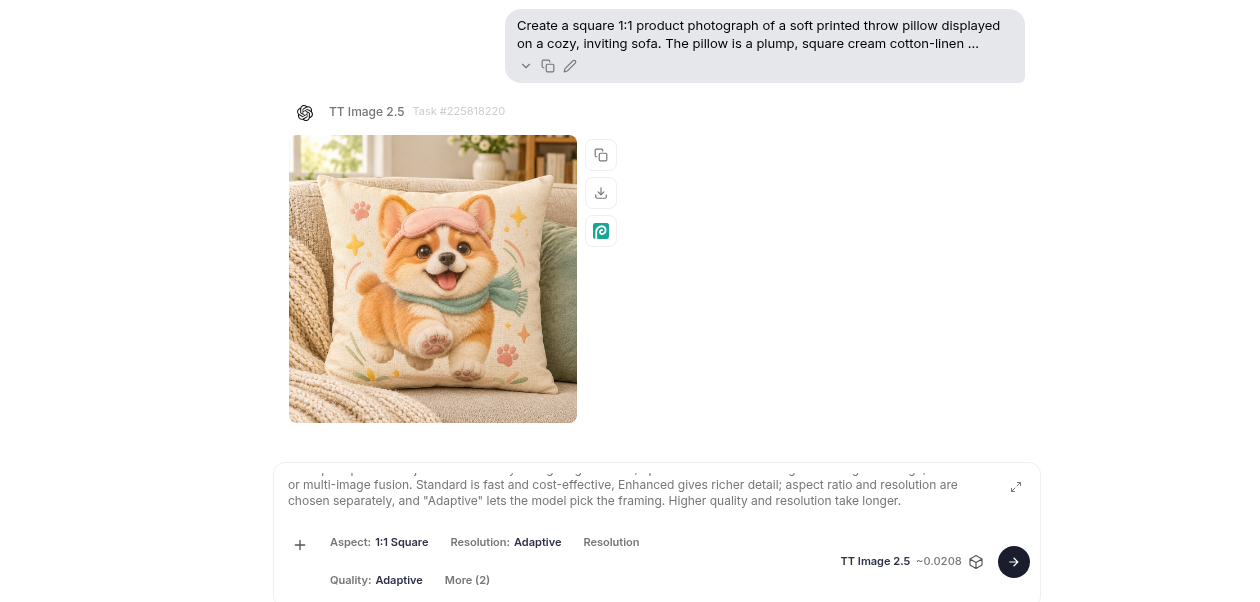
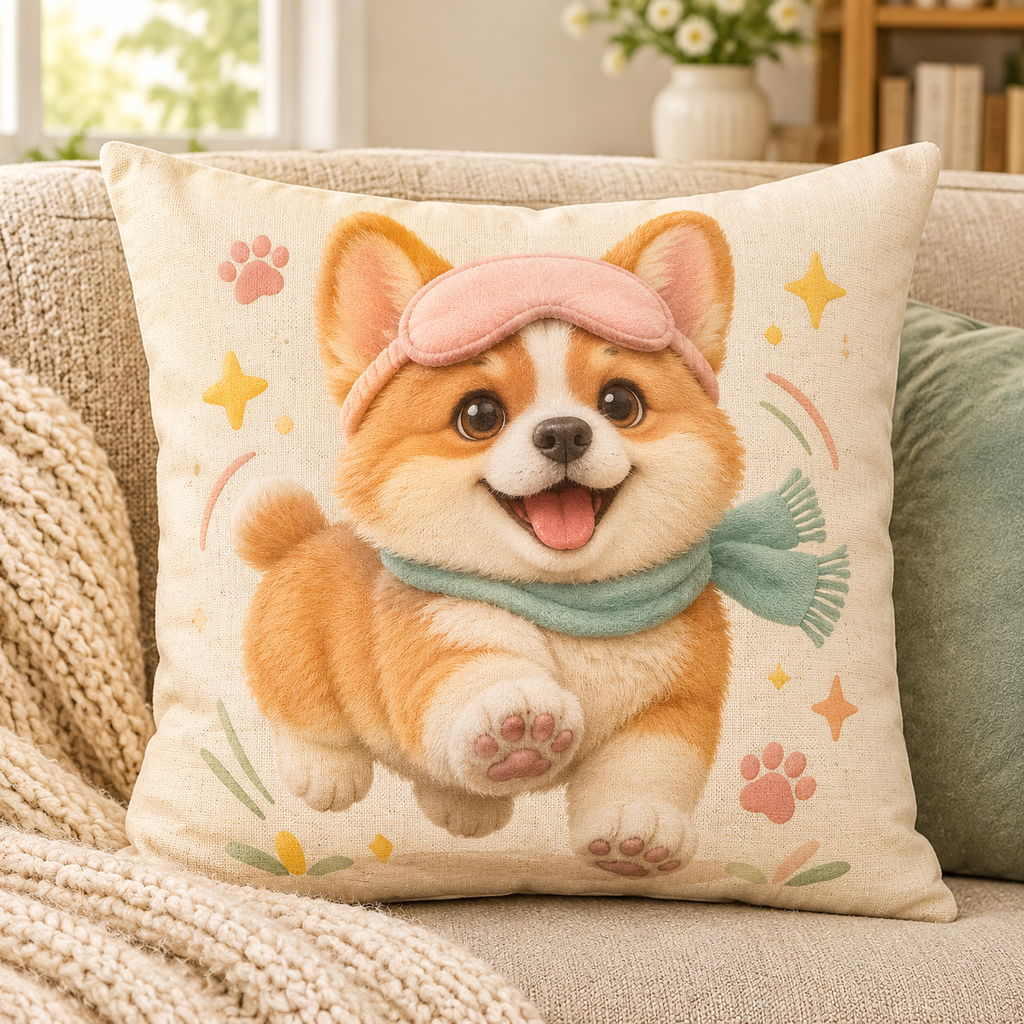
This is where the app’s “secret sauce” lives, and you can practice it by hand in Orauria Studio before you write any code. Keep the plush finish and the sleep-mask motif. Change the species, the story, and the format. I rewrote the brief around Biscuit: a chubby golden-and-white corgi puppy, joyfully bounding forward, printed on a cream 18×18 cotton-linen pillow and photographed on a cozy sofa. No words on the fabric.
The Studio settings were 1:1 Square, TT Image 2.5, Adaptive quality, about 0.0208 credit per image.
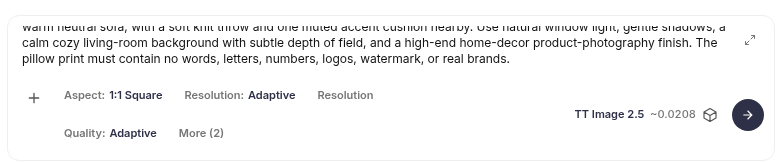
This is the rewritten brief, quoted in full:
Create a square 1:1 product photograph of a soft printed throw pillow displayed on a cozy, inviting sofa. The pillow is a plump, square cream cotton-linen cushion with clearly visible woven fabric and a beautifully printed original cute character design: Biscuit, a chubby golden-and-white corgi puppy with a round cream muzzle, soft plush fur, big warm brown eyes, short legs, oversized paws, and perky ears, joyfully bounding forward with a pale blush-pink sleep mask pushed up on the forehead and a tiny teal scarf. Make the artwork feel cheerful and polished, with Biscuit as the clear center; add small pink paw prints, sunny yellow starbursts, soft peach and sage accents, and delicate curved motion lines around the puppy. Keep the illustration charming and tactile, like premium stylized 3D plush-toy art printed cleanly on the pillow fabric, with crisp edges and rich but gentle color. Show the entire pillow front-facing and in focus, resting against textured oatmeal upholstery on a warm neutral sofa, with a soft knit throw and one muted accent cushion nearby. Use natural window light, gentle shadows, a calm cozy living-room background with subtle depth of field, and a high-end home-decor product-photography finish. The pillow print must contain no words, letters, numbers, logos, watermark, or real brands.
Studio returned this still as task #225818220.
A custom 18×18 pillow is a physical gift, so the art is only half of the product. You still need a fulfillment partner, a shipping window you can actually keep (in this shop, about five to eight business days), and a human check that the character looks like the shopper’s pet before you send it to print.
What one image costs
In this run, Studio showed TT Image 2.5 at about 0.0208 credit per image, with Adaptive quality and a 1:1 square frame. That is cheap enough to iterate in an evening: generate a preview, reject a pose that feels off, and try again before the shopper ever sees it. When the same call later moves into the Shopify app, the MCP get_task result reports that same cost on the finished task.
Wire the loop into a vibe-coded Shopify app
Once the rewrite works in Studio, the app is a short pipeline, not a mysterious platform. A shopper uploads a pet photo in the storefront. The Shopify app sends that photo to Orauria’s Image to prompt API, rewrites the returned brief into a new pillow prompt, and calls the Orauria MCP server at http://orauria.com/api/mcp with a Bearer token. The tools you need are generate_image, get_task, list_models, and get_wallet. When get_task reports that the task is final, the app shows the artwork on a pillow mockup. After the shopper approves, a print-on-demand partner fulfills the order.
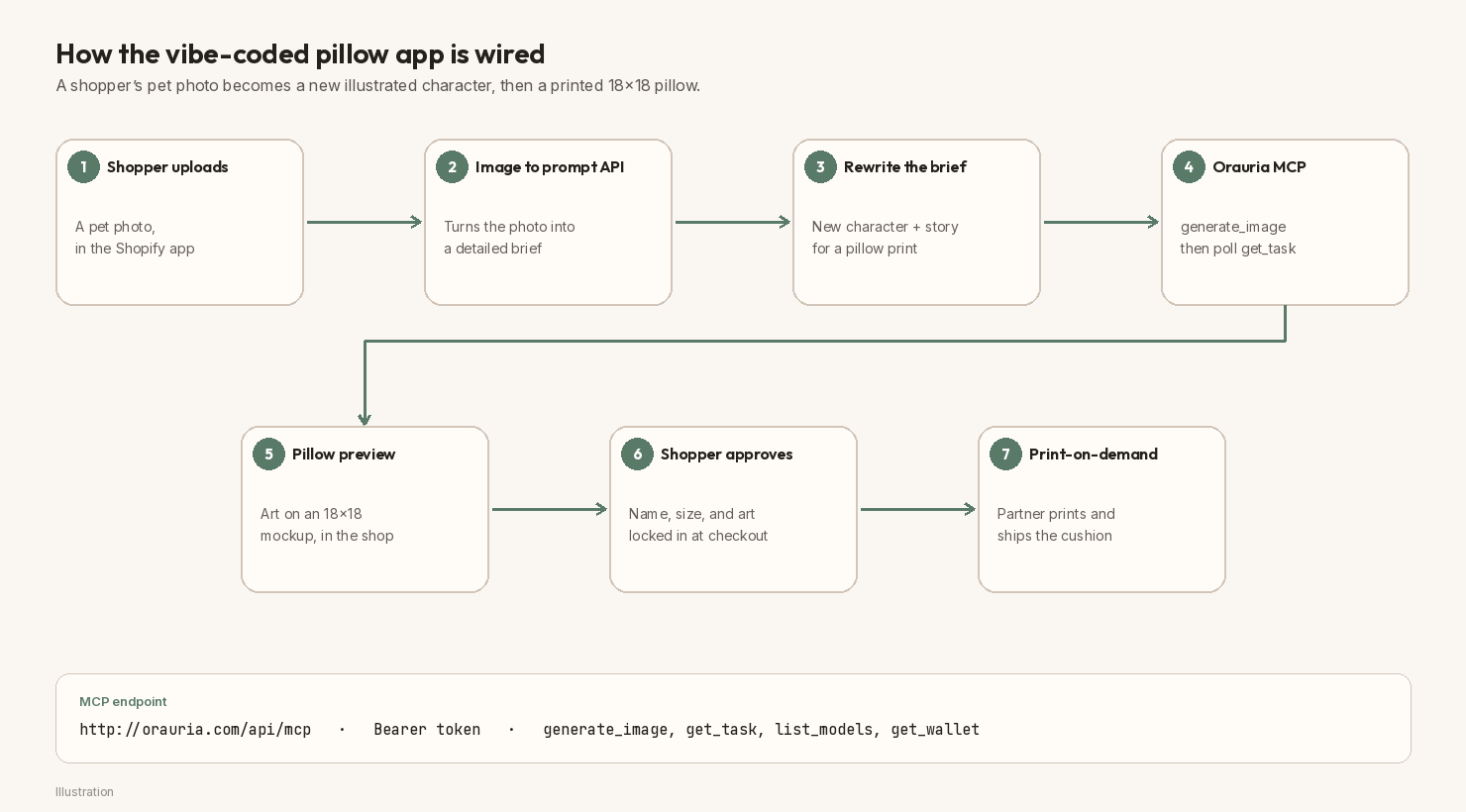
Do not invent an exact Image to prompt endpoint and treat it as a public fact. Store it as ORAURIA_IMAGE_TO_PROMPT_URL (or process.env.ORAURIA_IMAGE_TO_PROMPT_URL) and look up the current path in Orauria’s documentation when you build.
A vibe-coding prompt you can paste
If you want an AI coding tool to scaffold the app with you, paste a brief like this and work from a development store, not a live checkout:
Build a small Shopify app called “Pillow Studio” for a cozy home-gift shop named Snuggle Paws Co. Shoppers upload a photo of their own pet and type a character name. The app should: (1) send the photo to Orauria’s Image to prompt API using
process.env.ORAURIA_IMAGE_TO_PROMPT_URLandprocess.env.ORAURIA_TOKEN— look up the current path in Orauria’s docs, do not invent one; (2) rewrite the returned brief into a new cute illustrated pillow-design prompt (a new character and a short story, not a photo print of the upload, and no typography on the fabric); (3) call the Orauria MCP server athttp://orauria.com/api/mcpwith a Bearer token to rungenerate_image(modeltt-image-2.5, aspect1:1), then pollget_taskuntilis_final; (4) preview the artwork on an 18×18 throw-pillow mockup in the shop; (5) when the shopper approves, create the Shopify order and send the print file to a print-on-demand partner. Also supportlist_modelsandget_wallet. Keep secrets in environment variables, never in the theme. Add an admin generation-jobs table so I can review previews in 1–2 evening hours.
Keep the key in process.env.ORAURIA_TOKEN or a secret store. In public examples, use the placeholder YOUR_ORAURIA_TOKEN. Never paste a real token into a blog post, a theme file, or a chat log you do not control.
The Shopify route and the MCP call
The route is short on purpose. One action handles the upload, the Image to prompt call, the rewrite, and the generate_image request. A second step polls get_task and then renders the pillow preview.
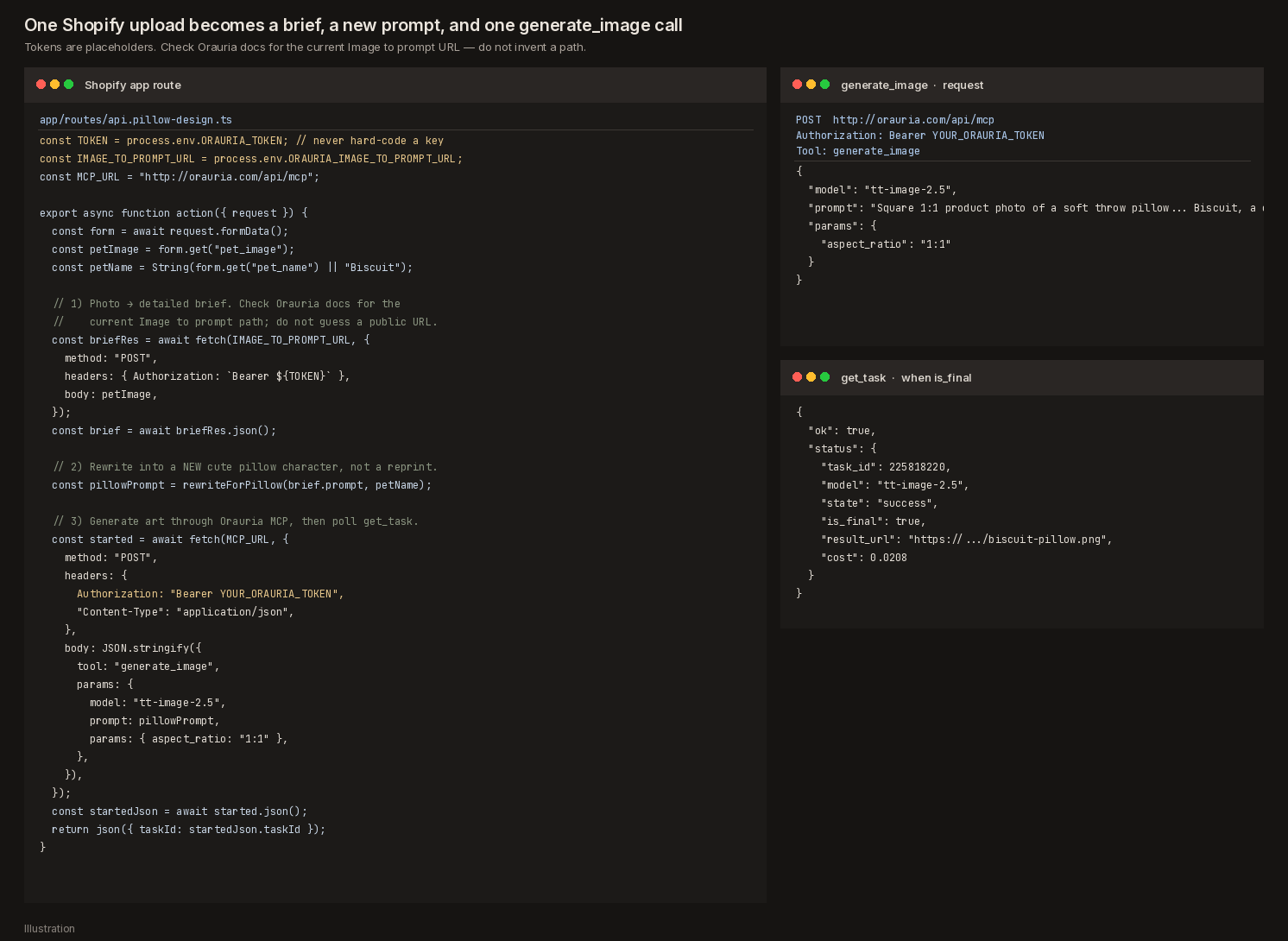
A compact version of that route looks like this:
// app/routes/api.pillow-design.ts
const TOKEN = process.env.ORAURIA_TOKEN; // never hard-code a key
const IMAGE_TO_PROMPT_URL = process.env.ORAURIA_IMAGE_TO_PROMPT_URL;
const MCP_URL = "http://orauria.com/api/mcp";

export async function action({ request }) {
  const form = await request.formData();
  const petImage = form.get("pet_image");
  const petName = String(form.get("pet_name") || "Biscuit");

  // 1) Photo → detailed brief. Check Orauria docs for the current path.
  const briefRes = await fetch(IMAGE_TO_PROMPT_URL, {
    method: "POST",
    headers: { Authorization: `Bearer ${TOKEN}` },
    body: petImage,
  });
  const brief = await briefRes.json();

  // 2) Rewrite into a NEW cute pillow character, not a reprint.
  const pillowPrompt = rewriteForPillow(brief.prompt, petName);

  // 3) Generate art through Orauria MCP, then poll get_task.
  const started = await fetch(MCP_URL, {
    method: "POST",
    headers: {
      Authorization: "Bearer YOUR_ORAURIA_TOKEN",
      "Content-Type": "application/json",
    },
    body: JSON.stringify({
      tool: "generate_image",
      params: {
        model: "tt-image-2.5",
        prompt: pillowPrompt,
        params: { aspect_ratio: "1:1" },
      },
    }),
  });
  const startedJson = await started.json();
  return json({ taskId: startedJson.taskId });
}
When get_task returns is_final: true, download result_url, composite the art onto your 18×18 pillow mockup, and show that preview to the shopper. If the character comes back looking generic, or nothing like the uploaded pet, do not send it to print — rewrite the brief and generate again.
Put a “Turn your pet into a pillow” page on the shop
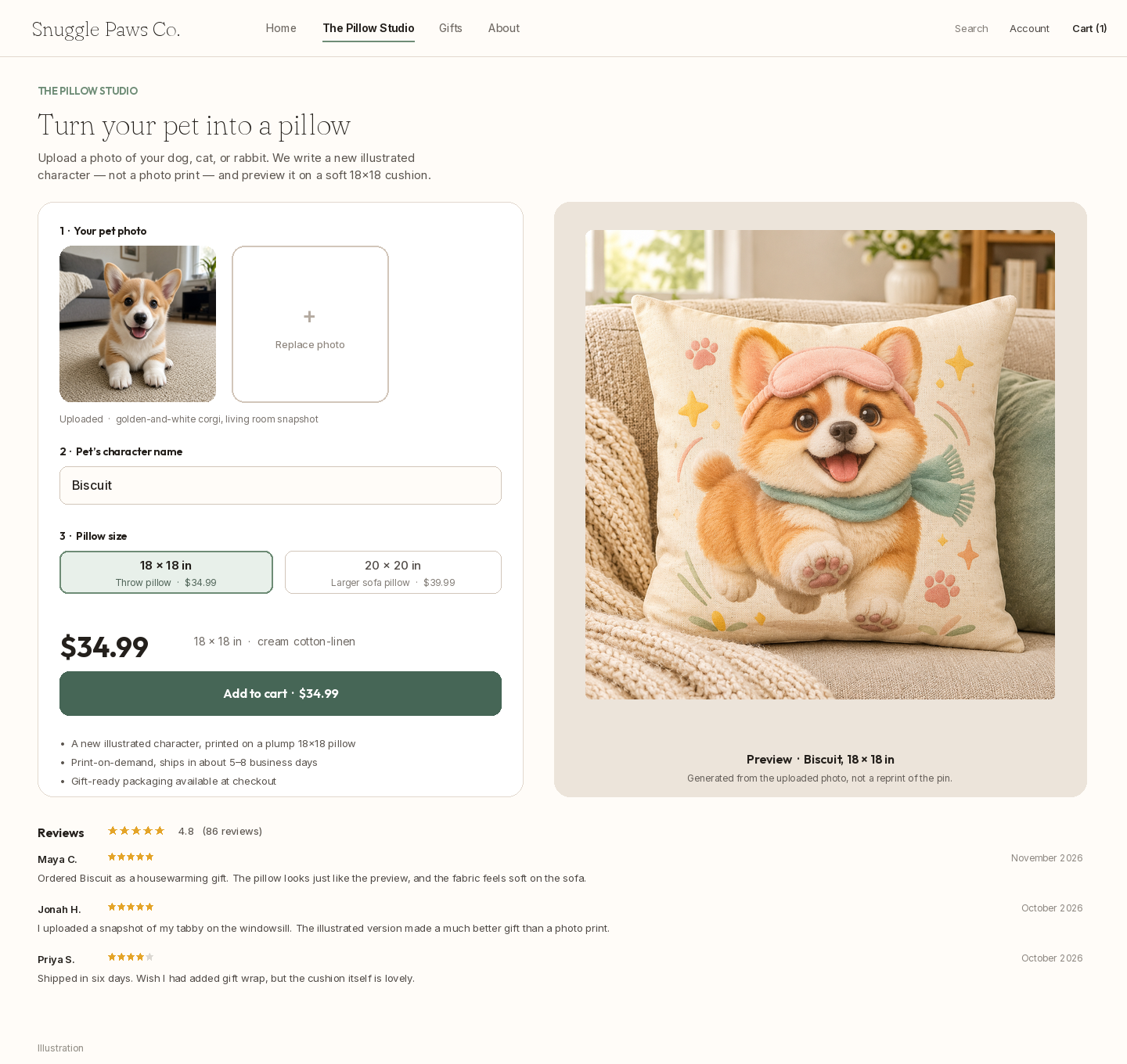
The storefront should feel like a small studio, not a generic catalog tile. The shopper uploads a photo, types a character name, picks an 18×18 throw pillow at $34.99, and sees the generated preview before they add it to the cart. Gift-ready packaging and a five-to-eight-day shipping window belong on that page, because this is a present for a sofa, not a digital download.
The product page below is a Shopify-style illustration for the fictional Snuggle Paws Co. shop. It is not a live checkout.
Review the evening’s jobs in Shopify admin
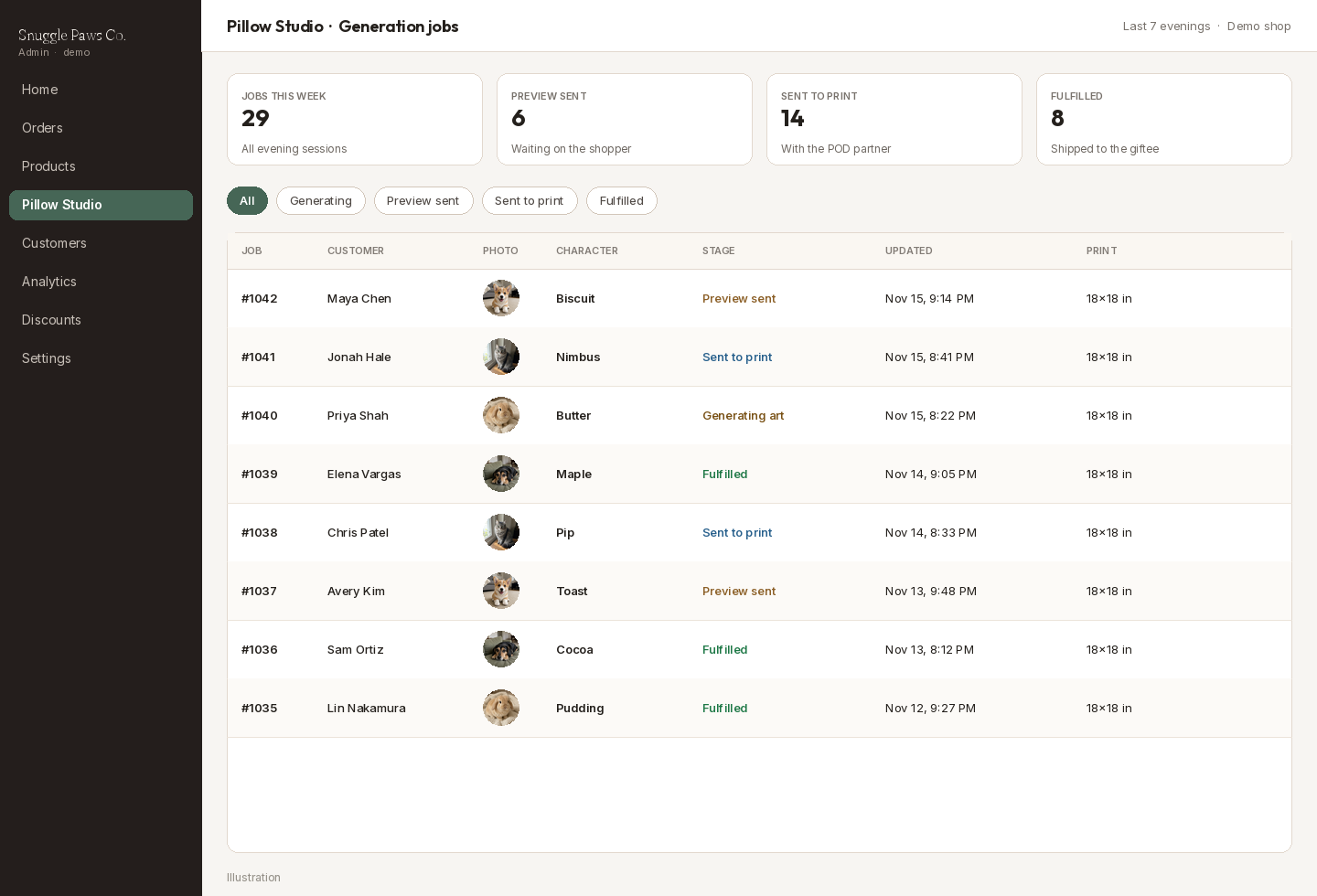
The reason this fits into 1–2 hours a night is that you are not drawing each pillow by hand. You are reviewing a jobs table: photo received, prompt ready, art generating, preview sent, sent to print, fulfilled. In an evening session you approve the previews that look like the shopper’s pet, reject the ones that drifted, and let the print partner take the rest.
Post the pillow where gift-shoppers already look
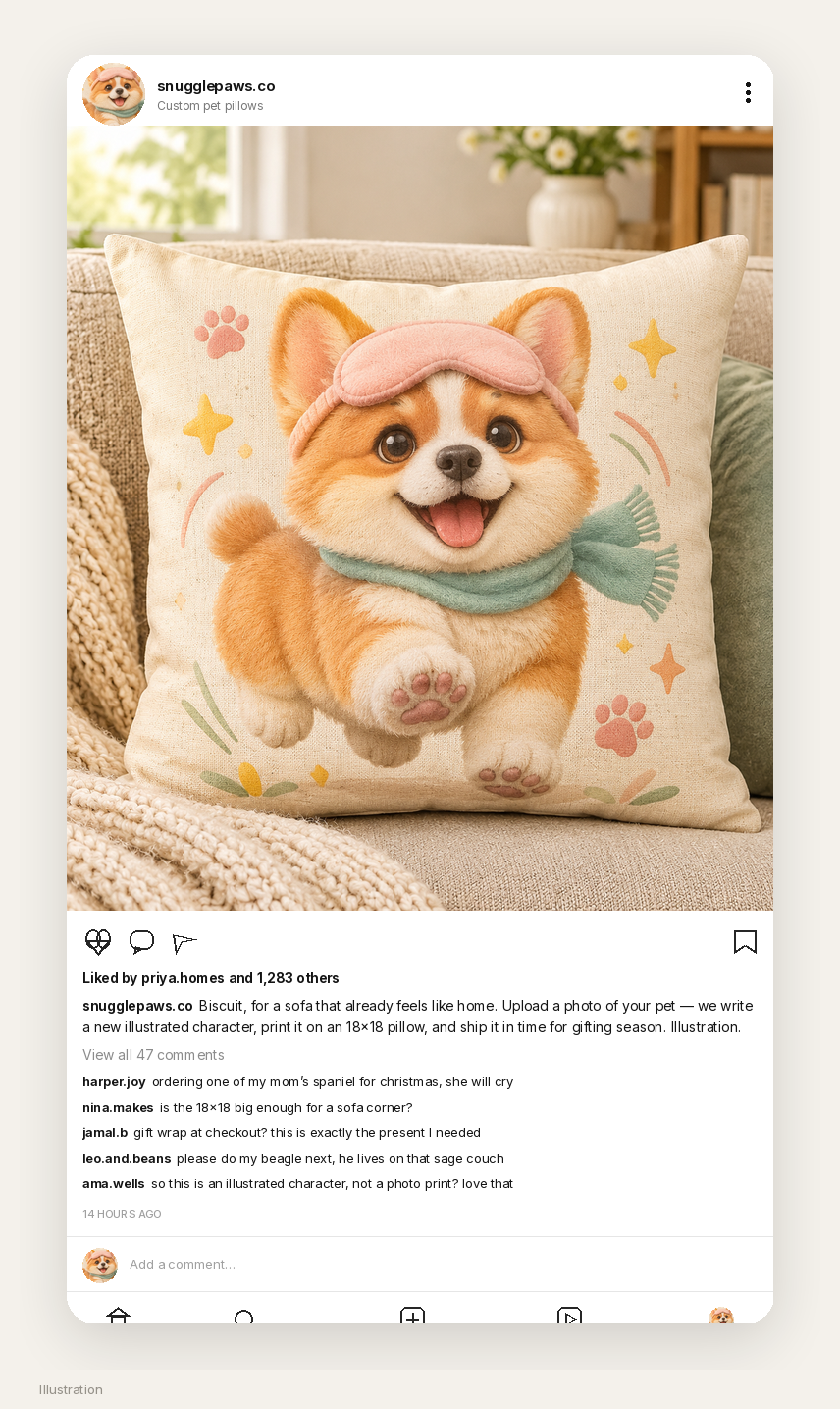
A first audience for a personalized pet-pillow shop is people who are already shopping for a housewarming, a parent, or a December gift. The Instagram post below is an illustration for a demo account, snugglepaws.co: Biscuit on the sofa, a caption about uploading a pet photo, and comments that sound like questions a real gift shop would get.
A week of evenings on the dashboard
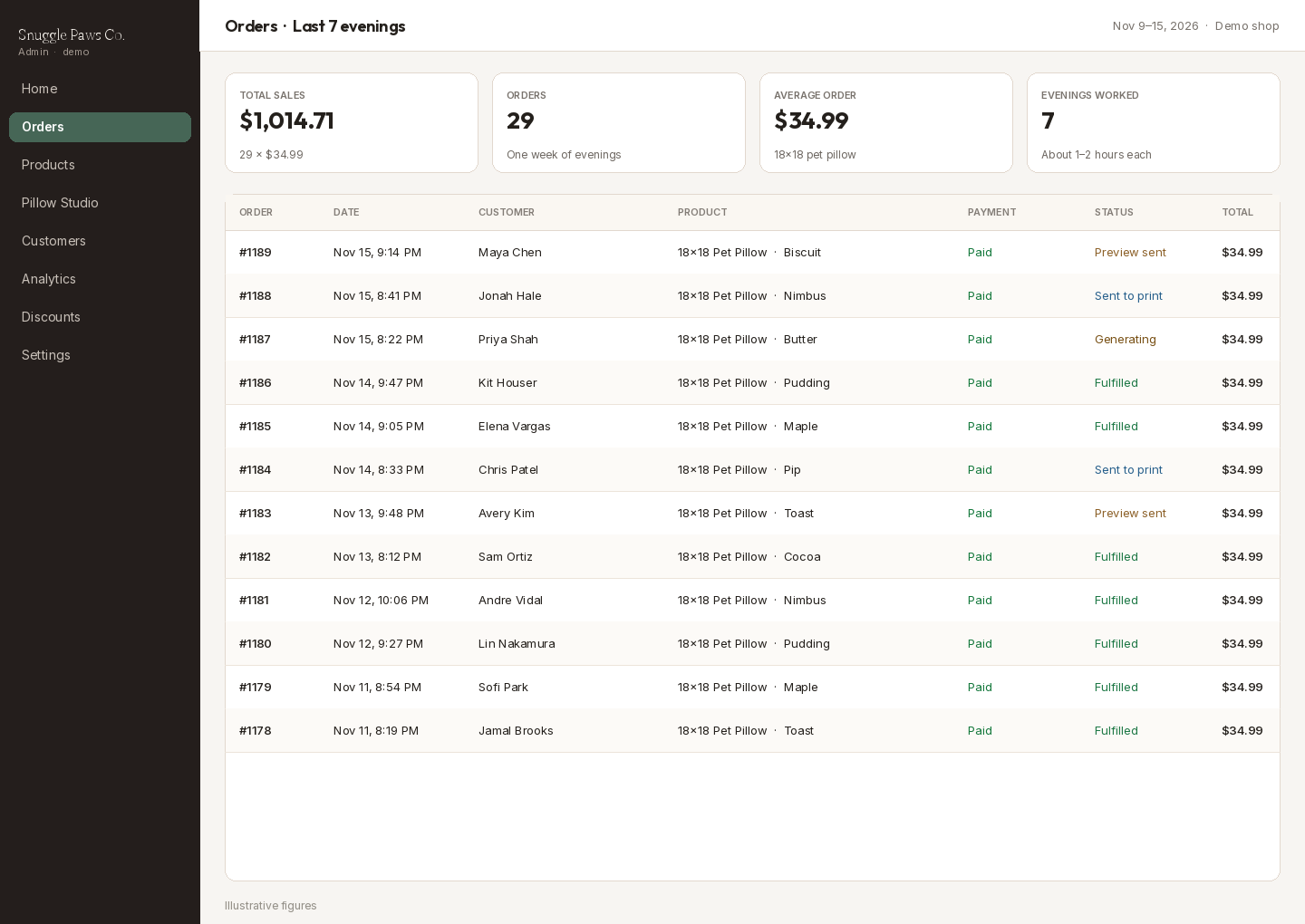
If you want a picture of what a week of 1–2 evening hours can look like at $34.99 an 18×18 pillow, the arithmetic is simple: 29 orders come to $1,014.71. The admin screen below uses that mix. Print-and-ship costs still come out of the sales total, and the first evenings are often spent getting the rewrite, the mockup, and the fulfillment handoff right.
A short note on licensing
Use your own art, or art you generated for the shop, as the product. The pin was a style reference in this demo. It was not copied onto a listing, and it should not be. Credit the creator — IOIYOX 7 — when you show the source, then ship a new character on a new pillow. Disclose that the artwork is AI-generated. Keep a human in the loop for the first orders, even if the webhook and the MCP call are automatic. And do not put a real Orauria token, a real Shopify secret, or a customer’s pet photo into a public post or a theme file.
Start here
Install AI Assistant Copilot – Orauria from the Chrome Web Store, find a pin that teaches a style rather than a file to copy, and run Image to prompt. Rewrite the brief for a cozy 1:1 pillow — a new character, no typography on the fabric — and generate it in Orauria Studio. Then vibe-code a small Shopify app that sends a shopper’s pet photo through Image to prompt and Orauria MCP, previews the art on an 18×18 mockup, and hands a print file to a fulfillment partner.
Start here: orauria.com, Orauria Studio, and the Chrome Web Store listing for AI Assistant Copilot – Orauria.