
Sale dates move faster than design tickets
By the time banners are approved, the promo window is half gone.
Campaign Banners
When sale windows are short, you need banner sets that stay on message across marketplace covers, site headers, and paid placements.
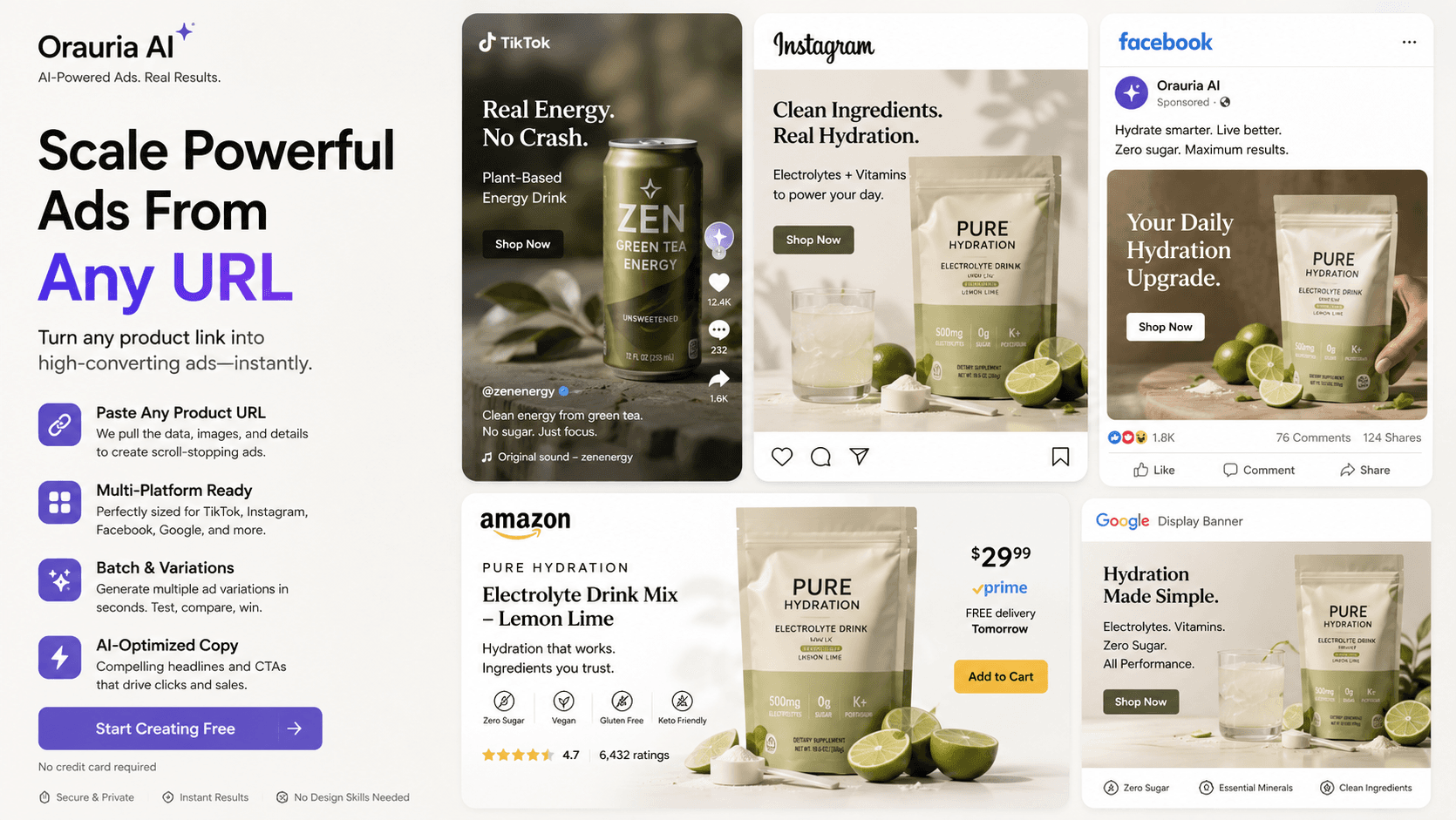
By the time banners are approved, the promo window is half gone.
Cover, header, and story do not share one safe composition.
Rushing new discount text often wrecks hierarchy and brand polish.
WAVE 1
Offer, dates, and legal lines up front.
WAVE 2
Primary composition for the main cover or header.
WAVE 3
Marketplace cover, landing header, paid social.
WAVE 4
Swap offer lines without rebuilding from zero.
Wide promo banners for storefront campaigns.
Above-the-fold banners for sale landing pages.
Feed and story frames for the same offer.
Reusable structures for Tet, 11.11, and flash sales.
A seller locks discount and end date, generates a cover banner, then adapts header and social units so media buying and storefront update together.
Common marketplace cover, landing header, and paid-social ratios — then refine in Studio.
Yes. Keep the frame and swap product, offer, and dates.
It is strongest for sellers and DTC brands, but works for any promo-led launch.
Open Banner Ads in Studio, or browse Gallery for campaign references.