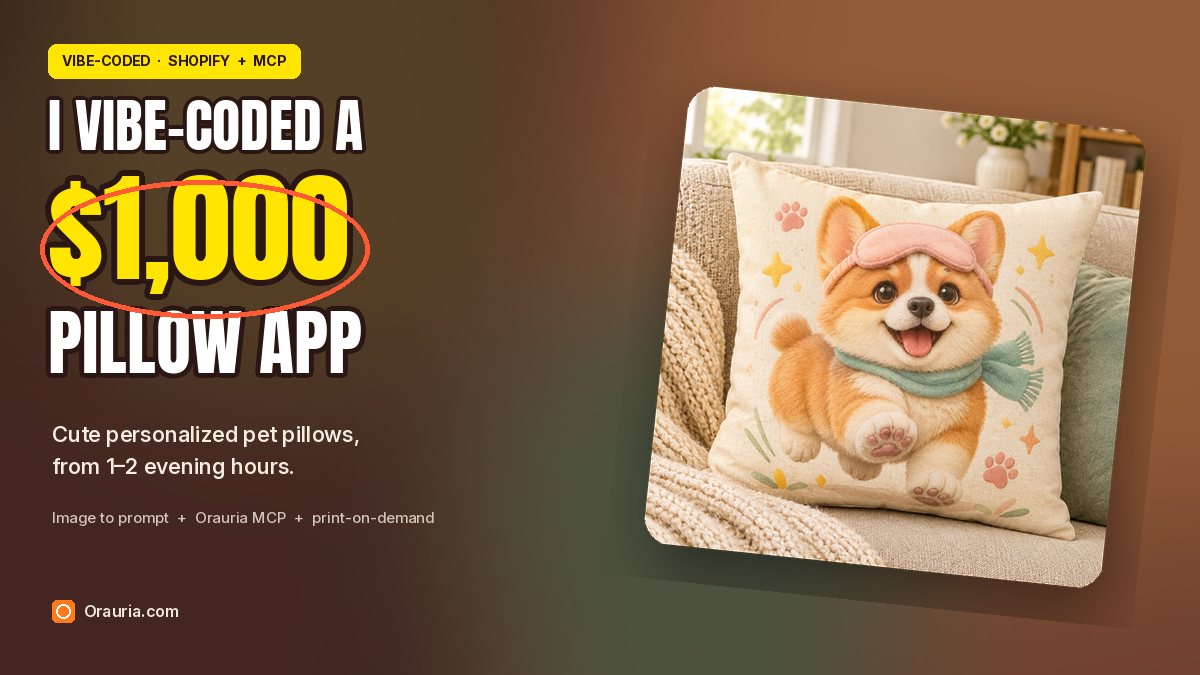
宠物主人要的不是又一张印在靠垫上的照片。他们想要一个仍然很像自家狗狗的角色——比如戴着眼罩、胖乎乎的柯基,在沙发上的奶油色 18×18 抱枕上蹦跳——而且要赶得上乔迁、生日和节日送礼季。为了这个需求,我用 Vibe Coding 做了一个小小的 Shopify 应用,每天晚上花一两个小时打理。
顾客上传自家宠物的照片,或者描述一下想要的感觉。应用调用 Orauria 的 Image to prompt API,把照片变成详细的设计说明,再把说明改写成全新的可爱抱枕设计提示词(新角色、小故事,而不是把上传的照片原样印出来),然后调用 Orauria API 或 Orauria MCP 服务器生成图案。顾客在抱枕样机上预览,按需印刷合作方负责印制和发货。
这篇实操指南从一张 Pinterest 图钉开始——一只戴粉色眼罩的燕尾服猫——带你走一遍真实的 Image to prompt 和 Orauria Studio 流程,最终生成金白相间的柯基抱枕 Biscuit(任务 #225818220)。接着展示同样的流程,如何在为虚构的家居小店 Snuggle Paws Co. 打造的 Vibe Coding Shopify 应用里跑起来。
流程一览
- 安装 Chrome 扩展程序。
- 找一张能教你一种可以化为己有的风格——角色、配色、元素——的图钉,而不是一张拿来翻印的文件。
- 运行 Image to prompt,复制设计说明,并注明发布者。
- 把说明改写成新的抱枕设计提示词:全新角色、一个小故事,18×18 抱枕的 1:1 产品照。
- 在 Orauria Studio 里生成图案(之后在应用里通过 Orauria MCP 调用)。
- 用 Vibe Coding 做一个小型 Shopify 应用:接收宠物照片,调用 Image to prompt,改写说明,生成图案,并在抱枕样机上展示预览。
- 顾客确认后,把印刷文件发给按需印刷合作方。
第一步:先安装扩展程序
Image to prompt 需要先安装 Chrome 扩展程序 AI Assistant Copilot – Orauria 才能使用。找参考图之前,先到 Chrome 网上应用店安装好,之后在图钉上右键就能提取提示词。
找到图钉并提取提示词
对抱枕店有用的图钉,本身就带着角色设计师的思路:一只一眼就能认出的动物,一个可以带进新故事的装扮或元素,还有印到布上、放到沙发上依然出彩的质感。这张图钉正是如此:燕尾服猫占满画面,浅粉色眼罩推到额头上,毛绒玩具般的质感很有个性,足以撑起一个乔迁礼物系列——前提是你写的是新角色,而不是翻印这张海报。
请注明发布者。这张图钉是 IOIYOX 7 的“Graphic Design”:pinterest.com/pin/362469470041837578。它是很好的风格老师,但也是别人的作品,而且带有不适合印在抱枕上的大字排版。本文的抱枕是用改写后的说明生成的全新 1:1 产品图,并非从图钉裁切而来;真正开店时,也不要把图钉图片当作可以转卖的商品。
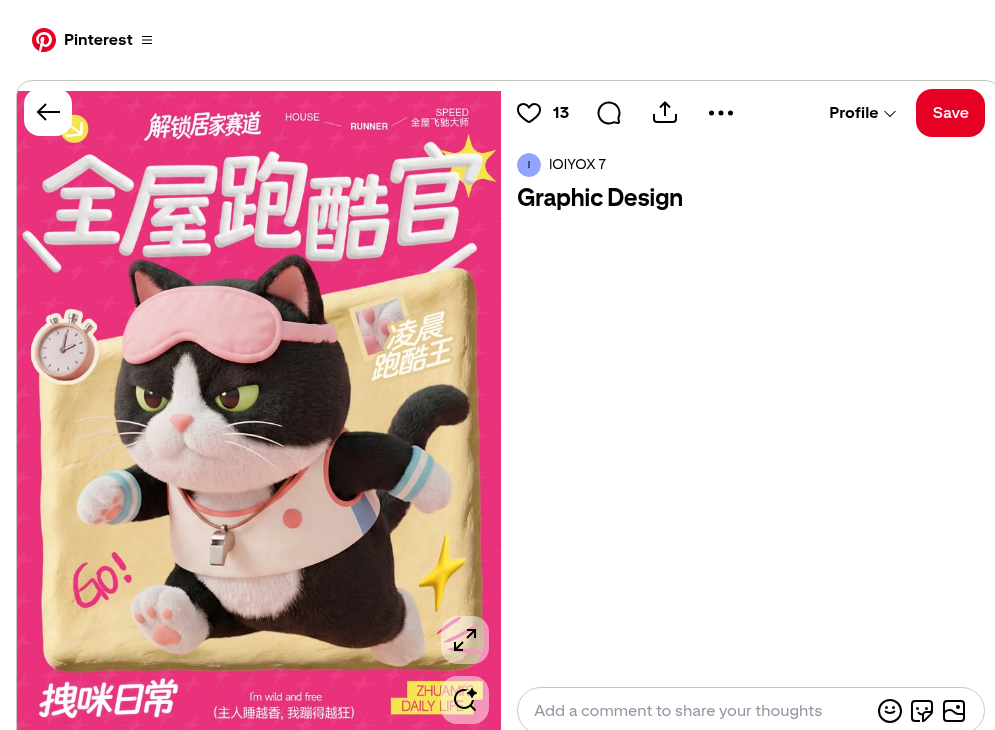
右键点击图片,打开 AI Assistant Copilot – Orauria,选择 Image to prompt。
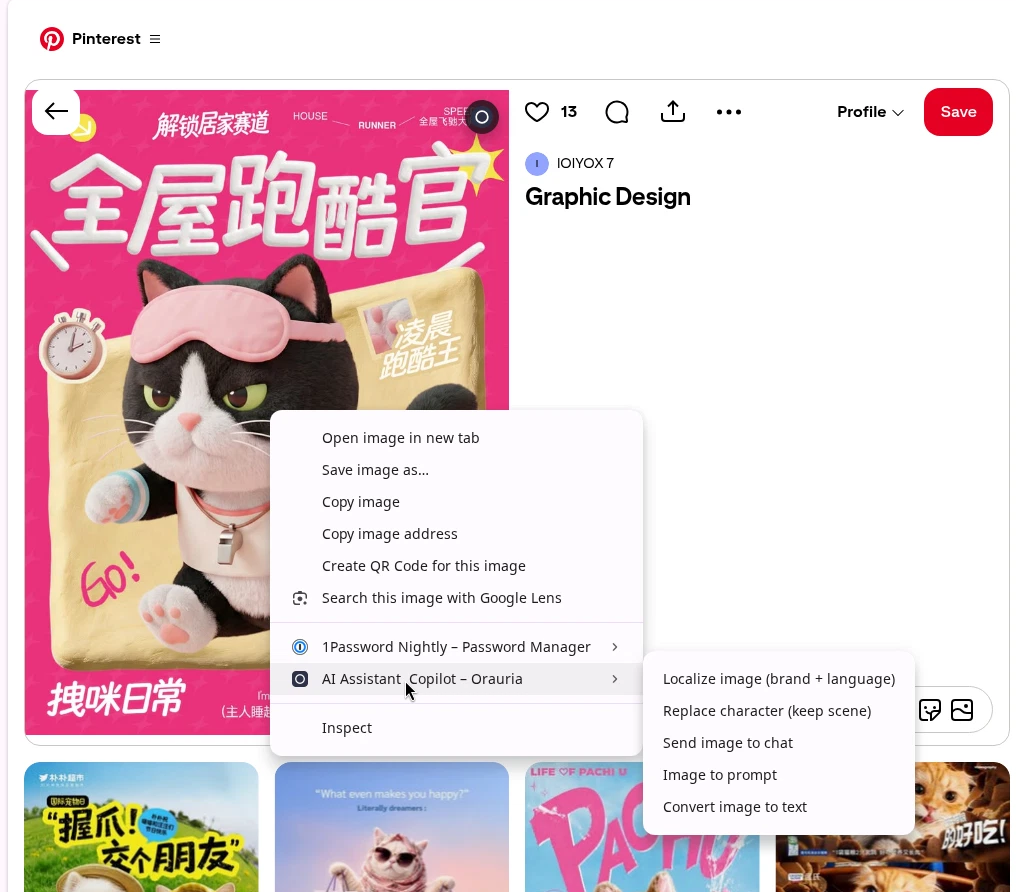
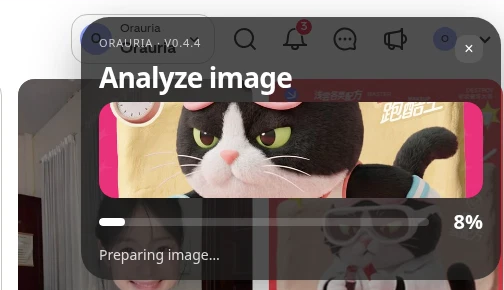
面板会先分析图片,然后返回一段可以复制的提示词。几秒钟后,结果就出现在同一个面板里。
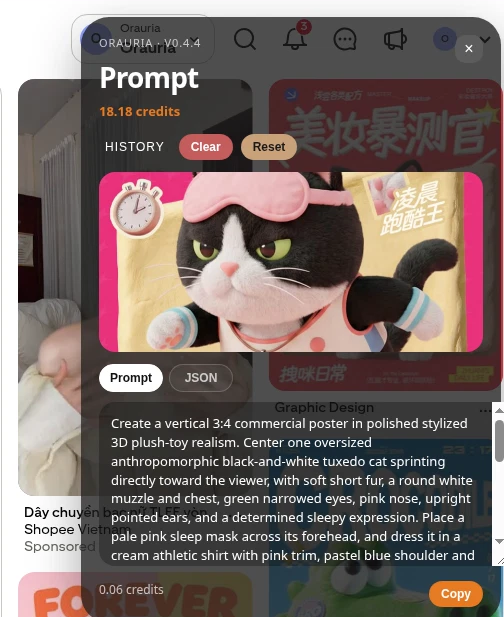
以下是扩展程序根据图钉写出的完整说明(这是工具的真实输出,保留英文原文):
Create a vertical 3:4 commercial poster in polished stylized 3D plush-toy realism. Center one oversized anthropomorphic black-and-white tuxedo cat sprinting directly toward the viewer, with soft short fur, a round white muzzle and chest, green narrowed eyes, pink nose, upright pointed ears, and a determined sleepy expression. Place a pale pink sleep mask across its forehead, and dress it in a cream athletic shirt with pink trim, pastel blue shoulder and sleeve details, blue-striped cuffs, pink paw pads, and a small metallic whistle pendant. Show both front paws thrust forward with strong foreshortening, hind legs trailing behind, and a curled tail in the background. Set the cat over a tilted rounded rectangle of wrinkled golden fabric, surrounded by stopwatch, yellow starbursts, pink motion lines, and a small inset label. Use a vivid hot-pink repeating patterned background and large dimensional white Chinese typography: “解锁居家赛道” at top and “全屋跑酷官” across the upper center. Include “HOUSE”, “RUNNER”, “SPEED”, “GO!”, “拽咪日常”, “I’m wild and free”, “(主人睡越香,我蹦得越狂)”, and “ZHUAMI’S DAILY LIFE”. Use soft frontal studio light, gentle shadows, warm highlights, crisp readable layout, and cheerful energetic advertising polish.
有用的是风格:风格化 3D 毛绒玩具质感、坚定又犯困的表情、浅粉色眼罩、黄色星星特效、向前飞跃的动作。不该交付的是图钉本身——文字、海报版式,还有别人的猫。抱枕店需要的是新角色和方形产品照,而不是竖版广告下载图。
把说明改写成抱枕版本,再在 Studio 里生成
这是整个应用的“秘方”所在,写代码之前,你可以先在 Orauria Studio 里手动练习。保留毛绒质感和眼罩元素,换掉物种、故事和版式。我围绕 Biscuit 重写了说明:一只胖乎乎、金白相间的柯基幼犬,兴奋地跃起,印在奶油色 18×18 棉麻抱枕上,在温馨的沙发上拍摄。布面上不放任何文字。
Studio 设置为 1:1 Square、TT Image 2.5、Adaptive 质量,每张约 0.0208 积分。
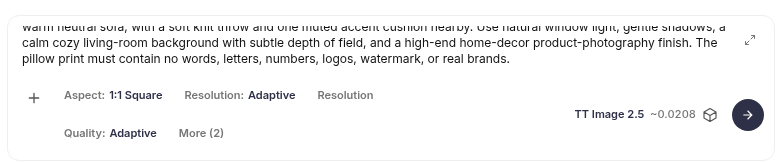
以下是改写后的完整说明(保留英文原文):
Create a square 1:1 product photograph of a soft printed throw pillow displayed on a cozy, inviting sofa. The pillow is a plump, square cream cotton-linen cushion with clearly visible woven fabric and a beautifully printed original cute character design: Biscuit, a chubby golden-and-white corgi puppy with a round cream muzzle, soft plush fur, big warm brown eyes, short legs, oversized paws, and perky ears, joyfully bounding forward with a pale blush-pink sleep mask pushed up on the forehead and a tiny teal scarf. Make the artwork feel cheerful and polished, with Biscuit as the clear center; add small pink paw prints, sunny yellow starbursts, soft peach and sage accents, and delicate curved motion lines around the puppy. Keep the illustration charming and tactile, like premium stylized 3D plush-toy art printed cleanly on the pillow fabric, with crisp edges and rich but gentle color. Show the entire pillow front-facing and in focus, resting against textured oatmeal upholstery on a warm neutral sofa, with a soft knit throw and one muted accent cushion nearby. Use natural window light, gentle shadows, a calm cozy living-room background with subtle depth of field, and a high-end home-decor product-photography finish. The pillow print must contain no words, letters, numbers, logos, watermark, or real brands.
Studio 以任务 #225818220 返回了这张图。
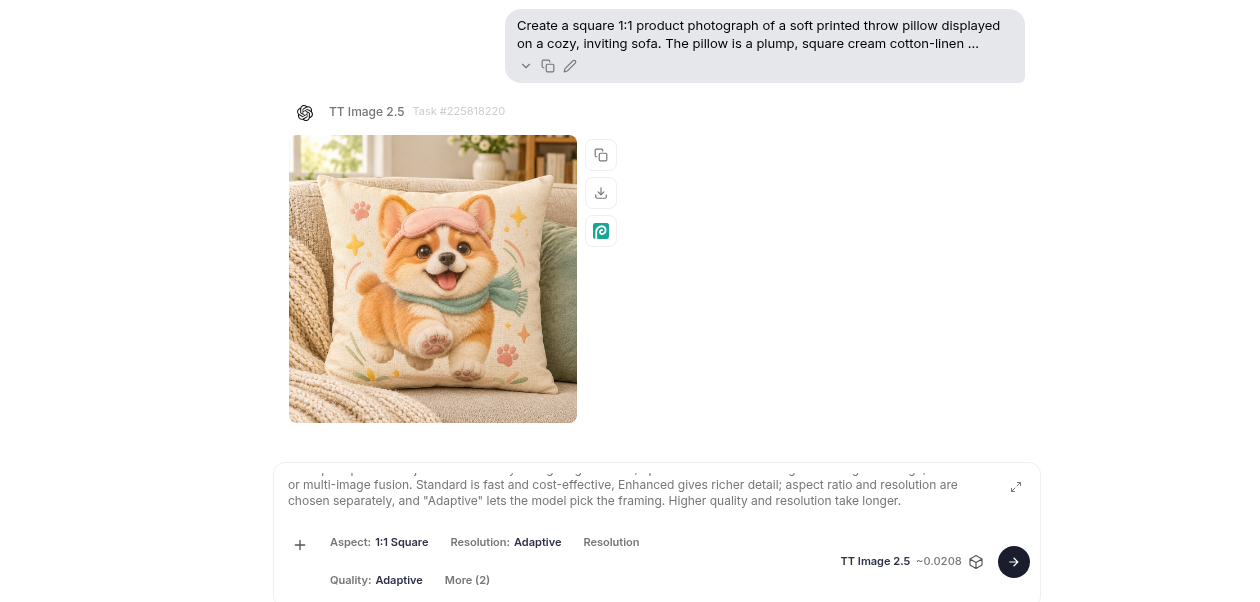
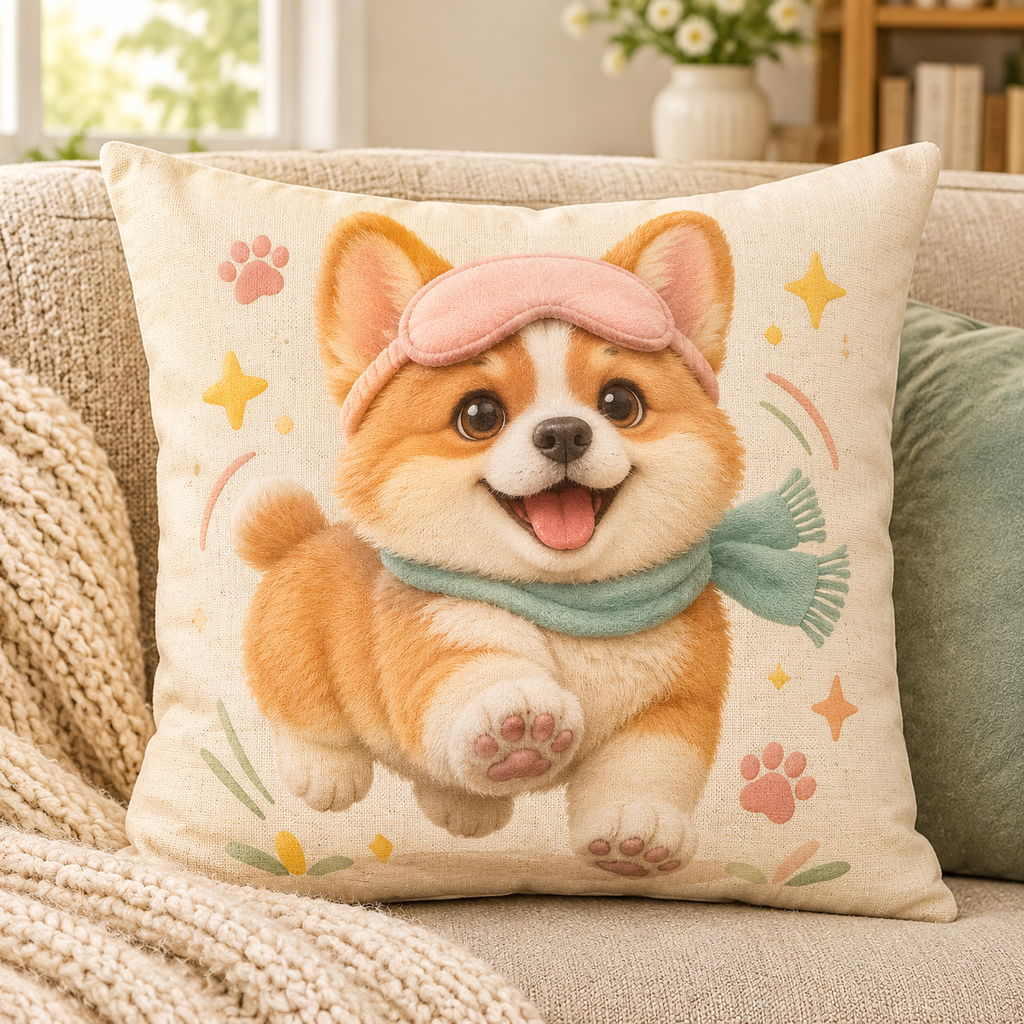
定制 18×18 抱枕是实体礼物,图案只是产品的一半。你仍然需要发货合作方、一个能兑现的配送时间(这家店写的是约 5–8 个工作日),以及在印刷前由人工确认角色确实像顾客的宠物。
一张图的成本
这次运行中,Studio 显示 TT Image 2.5 每张约 0.0208 积分,Adaptive 质量,1:1 方形。这个价格足够你在一个晚上反复尝试:生成预览、淘汰别扭的姿势,在顾客看到之前再试一次。之后把同样的调用搬进 Shopify 应用,已完成任务的 MCP get_task 结果里也会显示同样的成本。
把流程接进 Vibe Coding 的 Shopify 应用
等改写在 Studio 里跑顺了,应用就是一条简短的流水线,而不是什么神秘平台。顾客在店铺上传宠物照片;Shopify 应用把照片发给 Orauria 的 Image to prompt API,把返回的说明改写成新的抱枕提示词,然后用 Bearer 令牌调用 http://orauria.com/api/mcp 上的 Orauria MCP 服务器,用到的工具有 generate_image、get_task、list_models 和 get_wallet。当 get_task 报告任务完成,应用就在抱枕样机上展示图案;顾客确认后,按需印刷合作方负责履约。
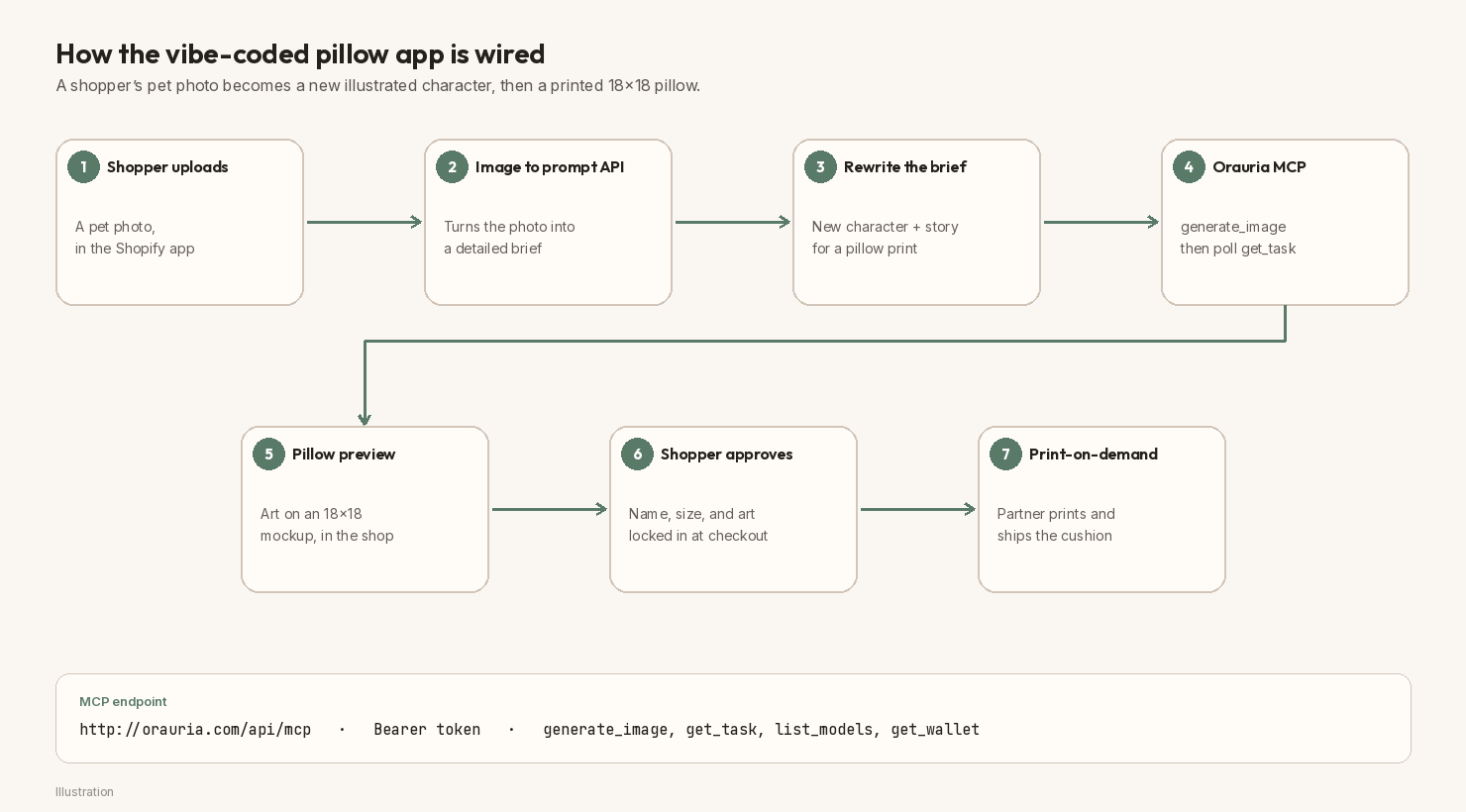
不要编造一个确切的 Image to prompt 端点,然后当作公开事实。把它存成 ORAURIA_IMAGE_TO_PROMPT_URL(或 process.env.ORAURIA_IMAGE_TO_PROMPT_URL),开发时到 Orauria 文档里核对当前路径。
可以直接粘贴的 Vibe Coding 提示词
如果想让 AI 编程工具和你一起搭应用骨架,可以粘贴类似这样的说明,并在开发店铺里操作,而不是在正式收款的店里(保留英文原文):
Build a small Shopify app called “Pillow Studio” for a cozy home-gift shop named Snuggle Paws Co. Shoppers upload a photo of their own pet and type a character name. The app should: (1) send the photo to Orauria’s Image to prompt API using
process.env.ORAURIA_IMAGE_TO_PROMPT_URLandprocess.env.ORAURIA_TOKEN— look up the current path in Orauria’s docs, do not invent one; (2) rewrite the returned brief into a new cute illustrated pillow-design prompt (a new character and a short story, not a photo print of the upload, and no typography on the fabric); (3) call the Orauria MCP server athttp://orauria.com/api/mcpwith a Bearer token to rungenerate_image(modeltt-image-2.5, aspect1:1), then pollget_taskuntilis_final; (4) preview the artwork on an 18×18 throw-pillow mockup in the shop; (5) when the shopper approves, create the Shopify order and send the print file to a print-on-demand partner. Also supportlist_modelsandget_wallet. Keep secrets in environment variables, never in the theme. Add an admin generation-jobs table so I can review previews in 1–2 evening hours.
把密钥放在 process.env.ORAURIA_TOKEN 或密钥管理里。公开示例请使用占位符 YOUR_ORAURIA_TOKEN。不要把真实令牌贴进博客文章、主题文件,或你无法掌控的聊天记录里。
Shopify 路由与 MCP 调用
路由刻意写得很短。一个 action 负责上传、调用 Image to prompt、改写和发起 generate_image 请求;第二步轮询 get_task,然后渲染抱枕预览。
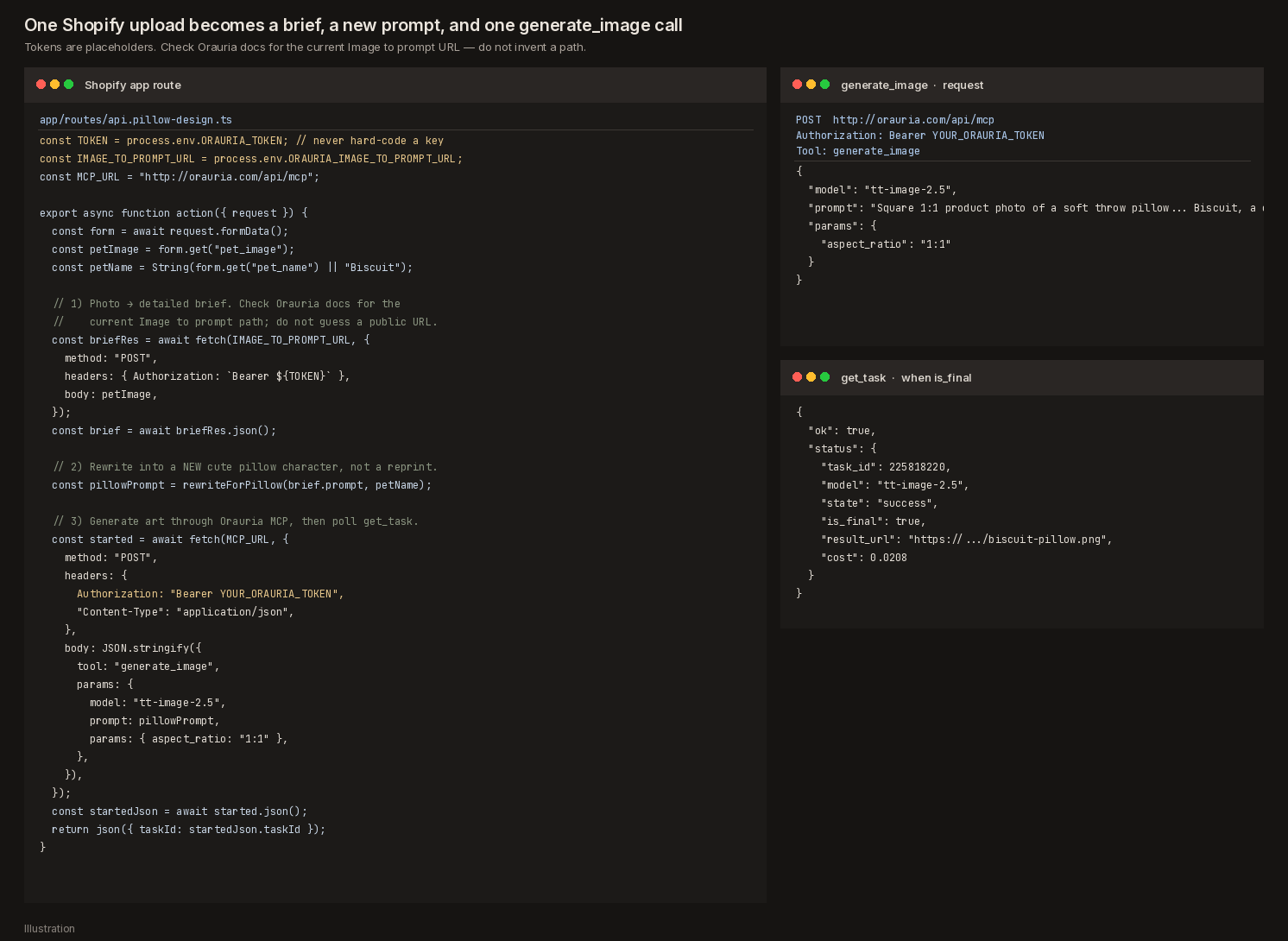
精简后的路由大致如下(代码保留英文原文):
// app/routes/api.pillow-design.ts
const TOKEN = process.env.ORAURIA_TOKEN; // never hard-code a key
const IMAGE_TO_PROMPT_URL = process.env.ORAURIA_IMAGE_TO_PROMPT_URL;
const MCP_URL = "http://orauria.com/api/mcp";

export async function action({ request }) {
  const form = await request.formData();
  const petImage = form.get("pet_image");
  const petName = String(form.get("pet_name") || "Biscuit");

  // 1) Photo → detailed brief. Check Orauria docs for the current path.
  const briefRes = await fetch(IMAGE_TO_PROMPT_URL, {
    method: "POST",
    headers: { Authorization: `Bearer ${TOKEN}` },
    body: petImage,
  });
  const brief = await briefRes.json();

  // 2) Rewrite into a NEW cute pillow character, not a reprint.
  const pillowPrompt = rewriteForPillow(brief.prompt, petName);

  // 3) Generate art through Orauria MCP, then poll get_task.
  const started = await fetch(MCP_URL, {
    method: "POST",
    headers: {
      Authorization: "Bearer YOUR_ORAURIA_TOKEN",
      "Content-Type": "application/json",
    },
    body: JSON.stringify({
      tool: "generate_image",
      params: {
        model: "tt-image-2.5",
        prompt: pillowPrompt,
        params: { aspect_ratio: "1:1" },
      },
    }),
  });
  const startedJson = await started.json();
  return json({ taskId: startedJson.taskId });
}
当 get_task 返回 is_final: true,下载 result_url,合成到 18×18 抱枕样机上,再把预览给顾客看。如果角色太普通,或者和上传的宠物完全不像,就别送去印刷——改写说明,重新生成。
在店里做一个“把毛孩子变成抱枕”页面
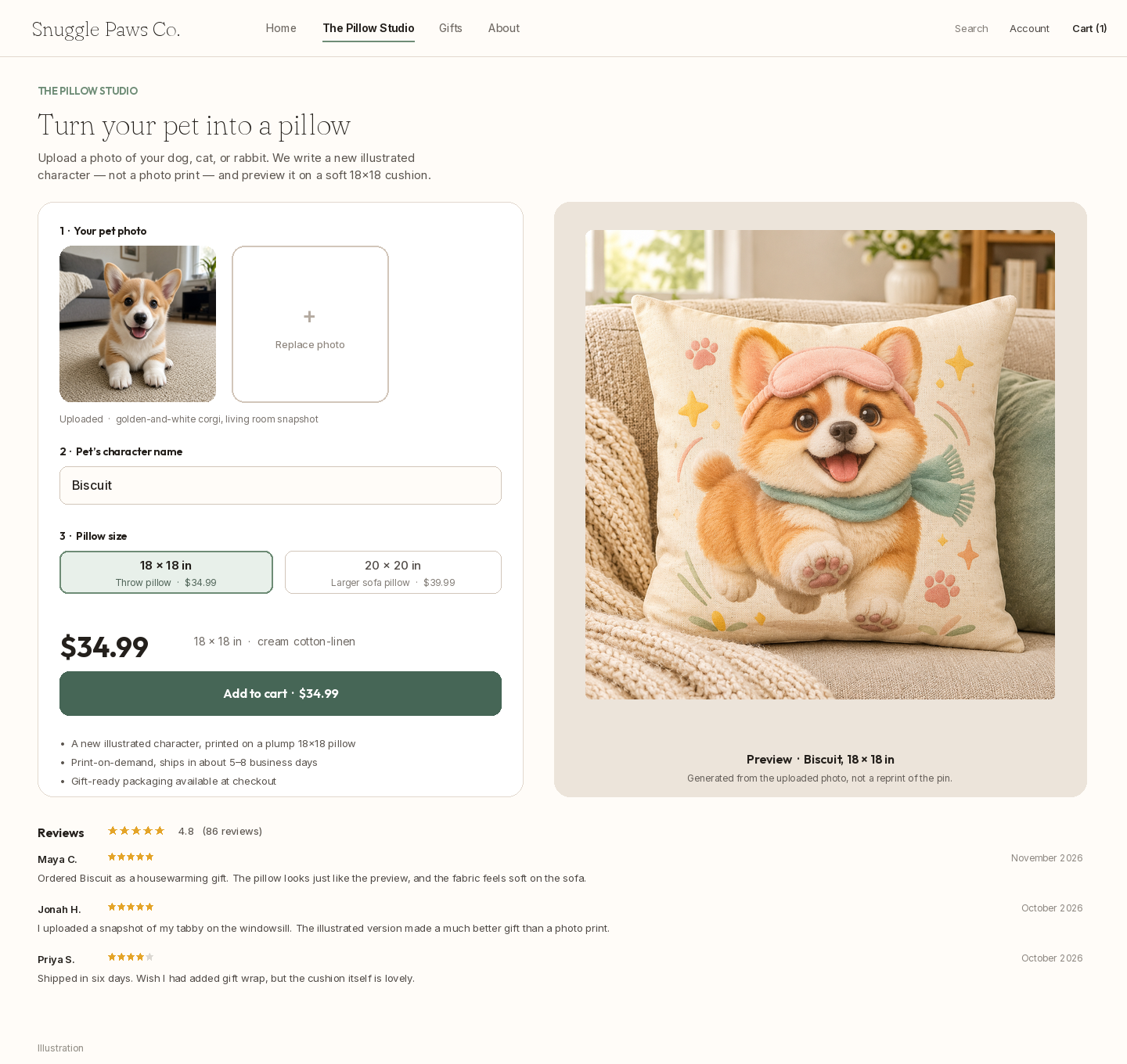
店铺应该像一个小工作室,而不是千篇一律的商品目录。顾客上传照片、输入角色名字、选择 34.99 美元的 18×18 抱枕,加购前先看到生成的预览。把礼品包装和 5–8 天的配送时间写在页面上——这是要放在沙发上的礼物,不是数字下载。
下面的商品页是为虚构店铺 Snuggle Paws Co. 制作的 Shopify 风格示意图,并非真实的结账页面。
在 Shopify 后台查看当晚的任务
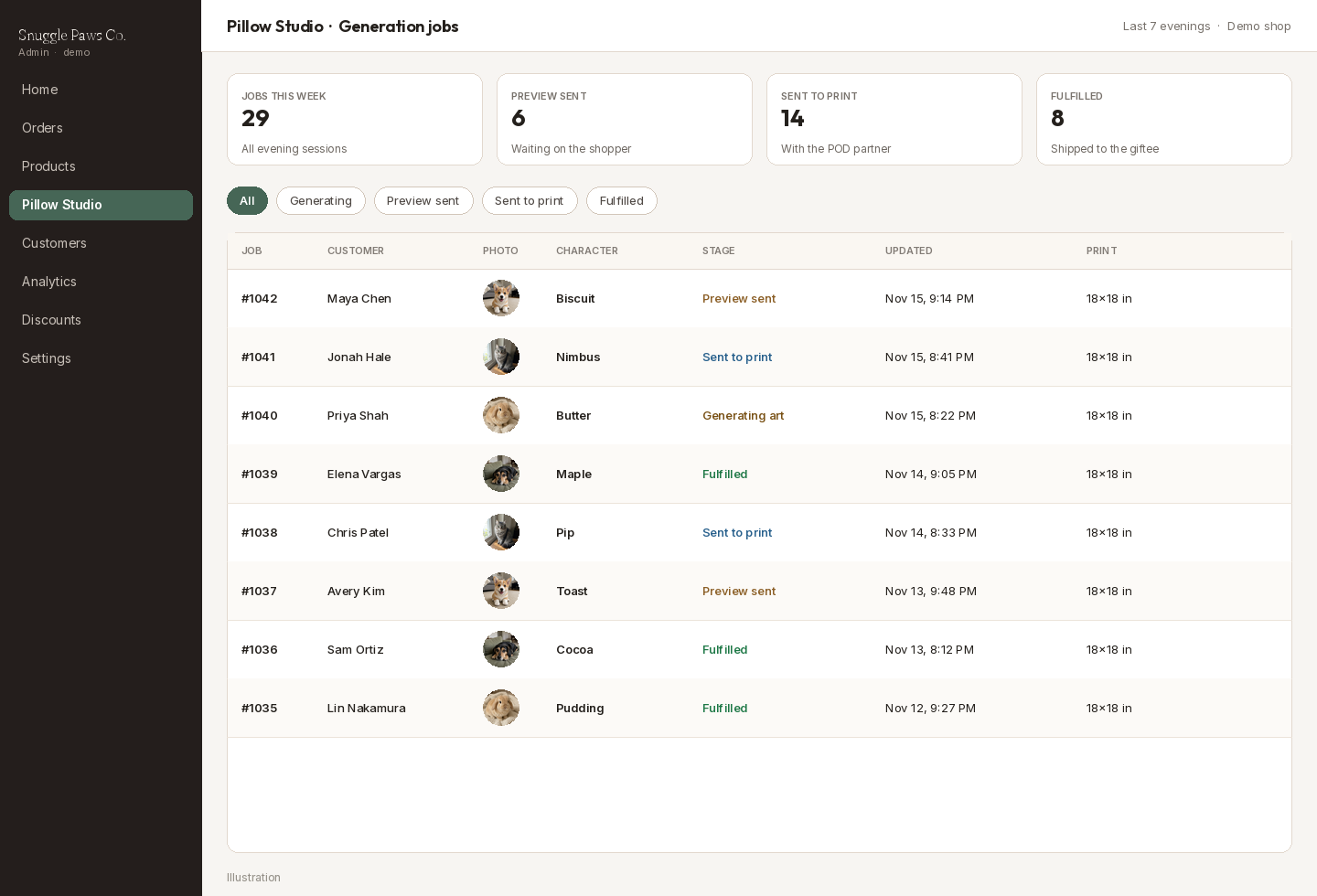
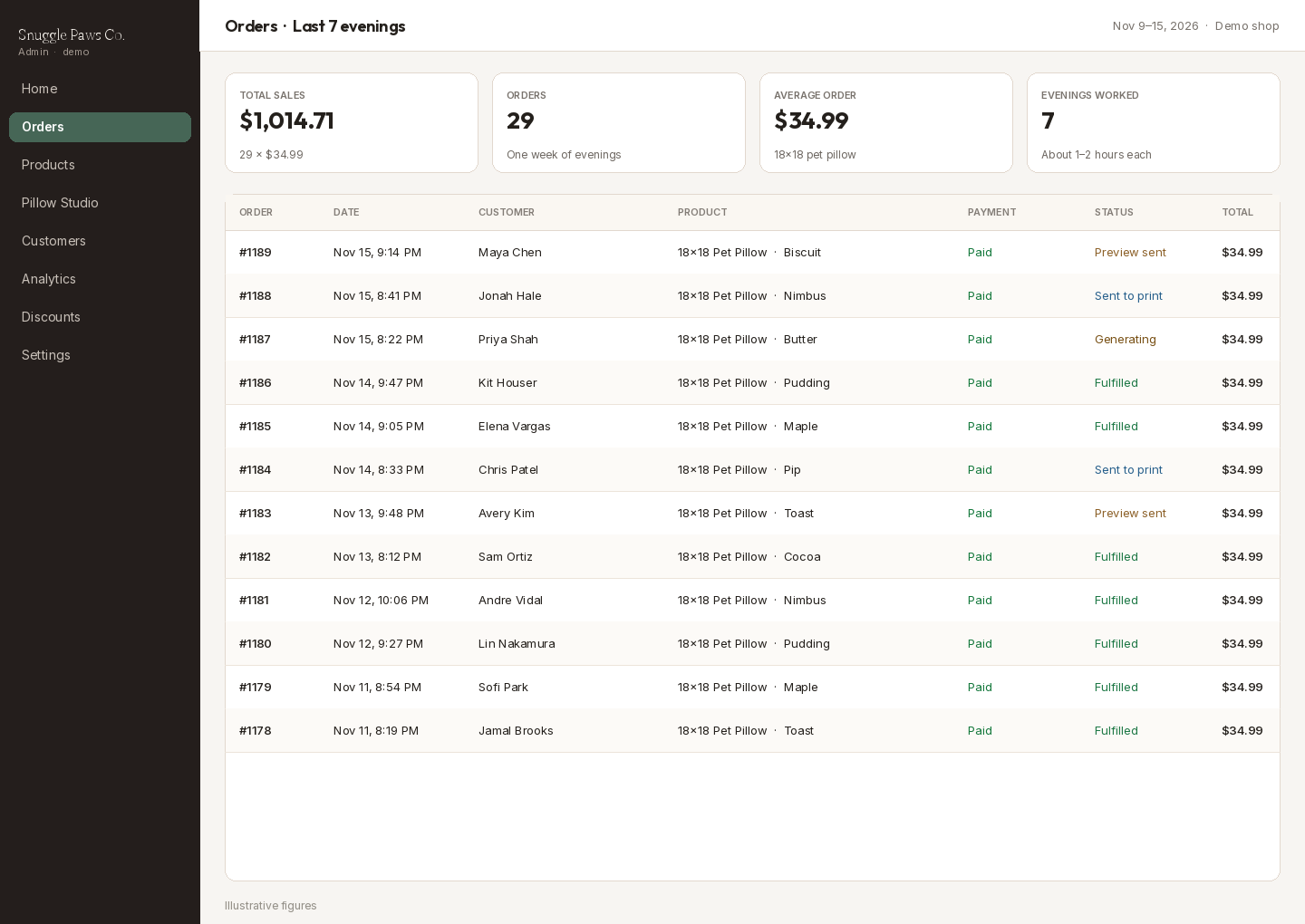
之所以每晚 1–2 小时就够,是因为你不用一个个手绘抱枕,只需要查看任务表:已收照片、提示词就绪、生成中、预览已发送、已送印、已履约。晚上把像顾客宠物的预览通过,把跑偏的打回,其余交给印刷合作方。
把抱枕发到送礼的人常逛的地方
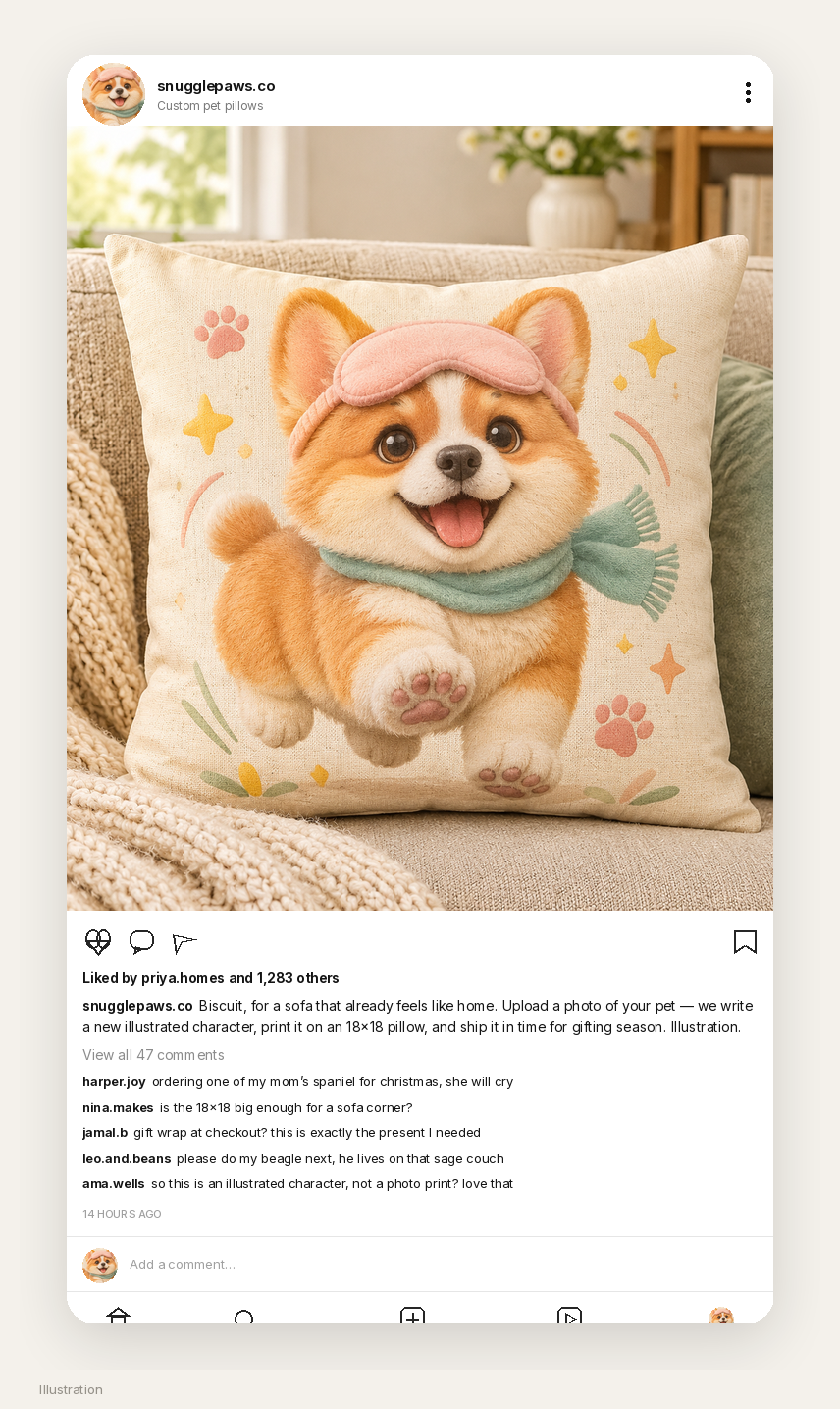
宠物定制抱枕店的第一批受众,是已经在给乔迁、父母和十二月挑礼物的人。下面的 Instagram 帖子是为演示账号 snugglepaws.co 制作的示意图:沙发上的 Biscuit,一段关于上传宠物照片的文案,以及像真正礼品店会收到的提问评论。
仪表盘上的一周晚间
如果想看看 18×18 抱枕卖 34.99 美元、每晚 1–2 小时的一周大概是什么样,算法很简单:29 单就是 1,014.71 美元。下面的后台页面用的就是这个组合。印刷和运费仍要从销售额里扣掉,而且最初几个晚上通常都花在调改写、样机和发货对接上。
关于授权的简短说明
商品请使用你自己的作品,或为店铺生成的图案。在这个演示里,图钉只是风格参考,没有、也不应该被复制到商品页上。展示来源时注明作者 IOIYOX 7,交付的是印在新抱枕上的新角色。说明图案由 AI 生成。即使 webhook 和 MCP 调用是自动的,前几单也要人工检查。另外,不要把真实的 Orauria 令牌、真实的 Shopify 密钥或顾客的宠物照片放进公开帖子或主题文件。
从这里开始
在 Chrome 网上应用店安装 AI Assistant Copilot – Orauria,找一张教你风格而不是让你照抄的图钉,然后运行 Image to prompt。把说明改写成温馨的 1:1 抱枕版本——新角色,布面不放文字——在 Orauria Studio 里生成。接着用 Vibe Coding 做一个小型 Shopify 应用:把顾客的宠物照片发给 Image to prompt 和 Orauria MCP,在 18×18 样机上预览,再把印刷文件交给发货合作方。
从这里开始:orauria.com、Orauria Studio,以及 Chrome 网上应用店的 AI Assistant Copilot – Orauria 页面。