
플랫폼마다 비율이 다르다
1:1 피드, 9:16 스토리, 와이드 커버는 각각 구도 조정이 필요하고 단순 늘리기로는 부족합니다. 지면마다 수동 재작업은 광고 런칭 전 디자인 시간을 소모합니다.
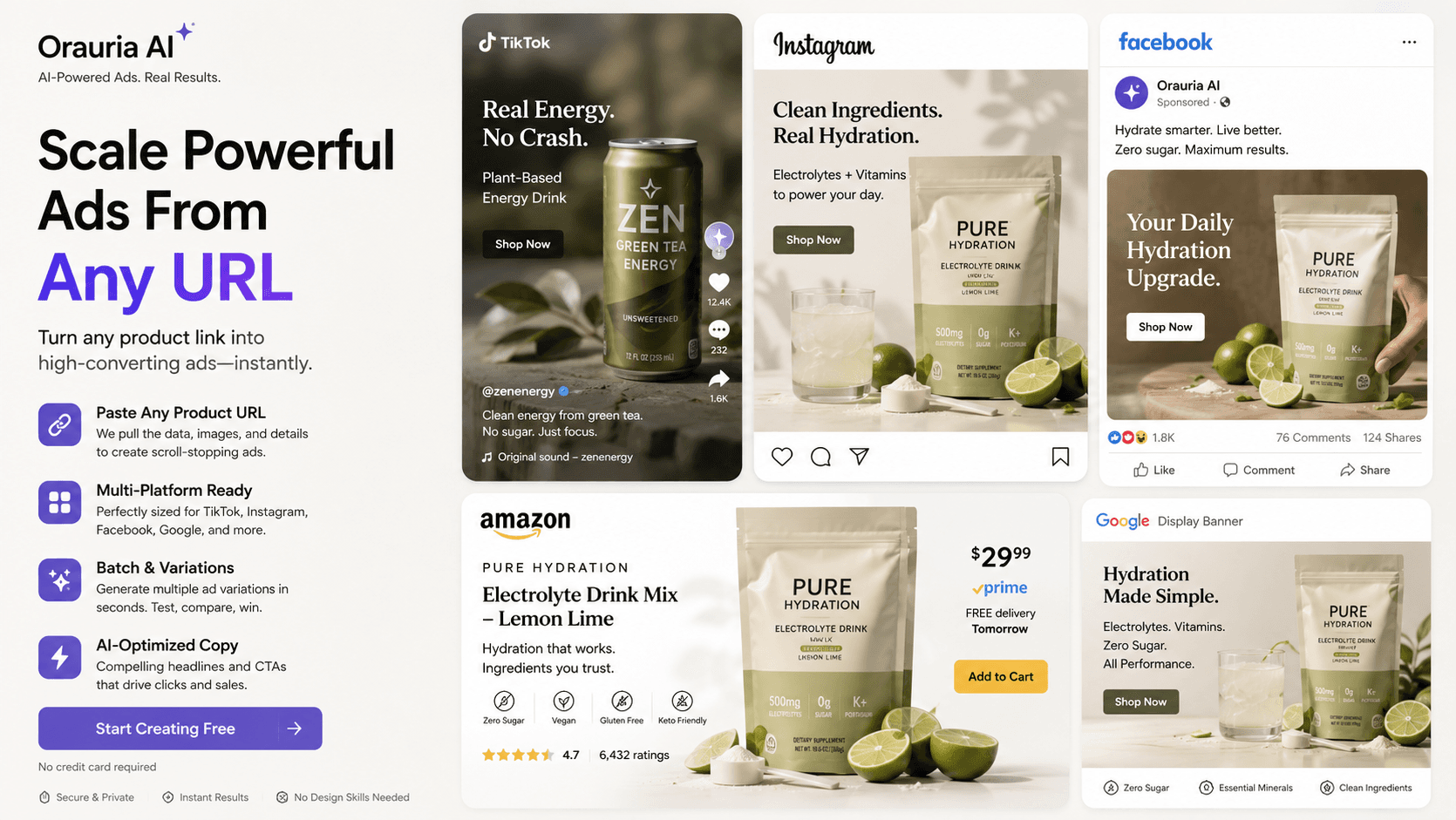
1:1 피드, 9:16 스토리, 와이드 커버는 각각 구도 조정이 필요하고 단순 늘리기로는 부족합니다. 지면마다 수동 재작업은 광고 런칭 전 디자인 시간을 소모합니다.
미디어 바이어는 매주 새 훅이 필요합니다. 배너가 백로그에 쌓이면 학습이 멈추고, 먼저 올라온 크리에이티브만 확대되기 쉽습니다.
Brand Style·공통 프롬프트가 없으면 시즌 캠페인이 제각각입니다. 색·로고·톤 차이가 Meta·마켓플레이스 배너 인지도를 약화합니다.
Upload a product image and optional brand references. Use marketplace banner ideas in Workflow when available.
Choose feed/story-oriented ratios and describe offer, CTA vibe, and layout intent in the prompt.
Create variants, refine framing with Crop, and download for Ads Manager or marketplace campaigns.
Studio image models support multiple aspect ratios for placement-ready drafts.
Workflow Crop helps lock framing after generation.
Studio batch mode helps spin multiple hook variants from one brief.
A home-goods seller generates a 1:1 Meta feed creative and a 9:16 story variant from the same product hero, then crops a wide cover for a Shopee campaign header.
Orauria helps you generate and crop for common ratios. It is not positioned as an automatic 50-output multi-size factory. Generate the placements you need and refine framing.
Use prompts for layout intent, then polish typography/logo placement in Canva (when connected) or your design tool for pixel-perfect overlays.
No — any channel that needs rectangular creatives: Meta, TikTok-style ads, Shopee/Lazada banners, email headers, and landing heroes.